Top Banks with Advanced Mobile Apps

The Digital Transformation of the Pocket Branch
In the early days of the digital age, mobile banking was a luxury—a clunky, secondary interface that allowed users to perform basic tasks like checking a balance or seeing if a check had cleared. Fast forward to 2026, and the mobile app has become the primary, and often exclusive, point of contact between a financial institution and its customers. The rise of mobile banking is not merely a trend; it is a fundamental shift in how humanity interacts with value.
Today, advanced mobile apps make banking significantly easier, safer, and more convenient than the traditional brick-and-mortar model ever could. With the integration of high-speed data and sophisticated hardware, your smartphone is now a global counting house, a stock exchange, and a financial advisor rolled into one. The importance of these apps cannot be overstated. They provide 24/7 access to capital, allowing a traveler in a different time zone to freeze a lost card at 3:00 AM or a small business owner to deposit a client’s check while sitting in a parked car between appointments.
Read: Modify Your Auto Loans – Make Them More Affordable
As we move further into this decade, the distinction between a “bank” and a “software company” continues to blur. The institutions that thrive are those that prioritize the user experience (UX), ensuring that every swipe and tap is purposeful. This article provides an exhaustive look at the best banks with top-tier apps, evaluating them on their security, utility, and the innovative features that define the modern “advanced” banking experience.
Read: Maximize Tax Savings: The Ultimate Guide to Car Mileage Allowances
What Makes a Mobile Banking App “Advanced”?
In a crowded marketplace, every credit union and national bank has an app. However, there is a vast chasm between a functional app and an advanced one. The latter is defined by its ability to anticipate user needs through “anticipatory design” and robust backend integration.
Seamless UI/UX (User Interface and User Experience)
An advanced app treats screen real estate like a premium resource. The “Seamless UI” means that the most critical information—available balance, recent spending, and the “Transfer” button—is visible immediately upon biometric login. The “UX” refers to the logic of the journey; if it takes more than three taps to send money to a friend via Zelle, the app is already falling behind the curve.
Real-Time Notifications and Intelligence
Basic apps send an email at the end of the day. Advanced apps provide haptic feedback the millisecond a card is swiped. This real-time intelligence serves two purposes: convenience and security. If you receive a notification for a purchase you didn’t make, you can lock the account before the fraudster even leaves the store.
Mobile Check Deposits and Remote Capture
While this was once a “bonus” feature, advanced apps now use AI-enhanced image processing to instantly read checks, even in low light, and provide immediate partial availability of funds.
Peer-to-Peer (P2P) Transfers
Integration with services like Zelle or proprietary internal transfer systems must be native. Advanced apps allow you to split a dinner bill or pay a contractor with a few taps, syncing directly with your contacts list.
Budgeting and Financial Planning Tools
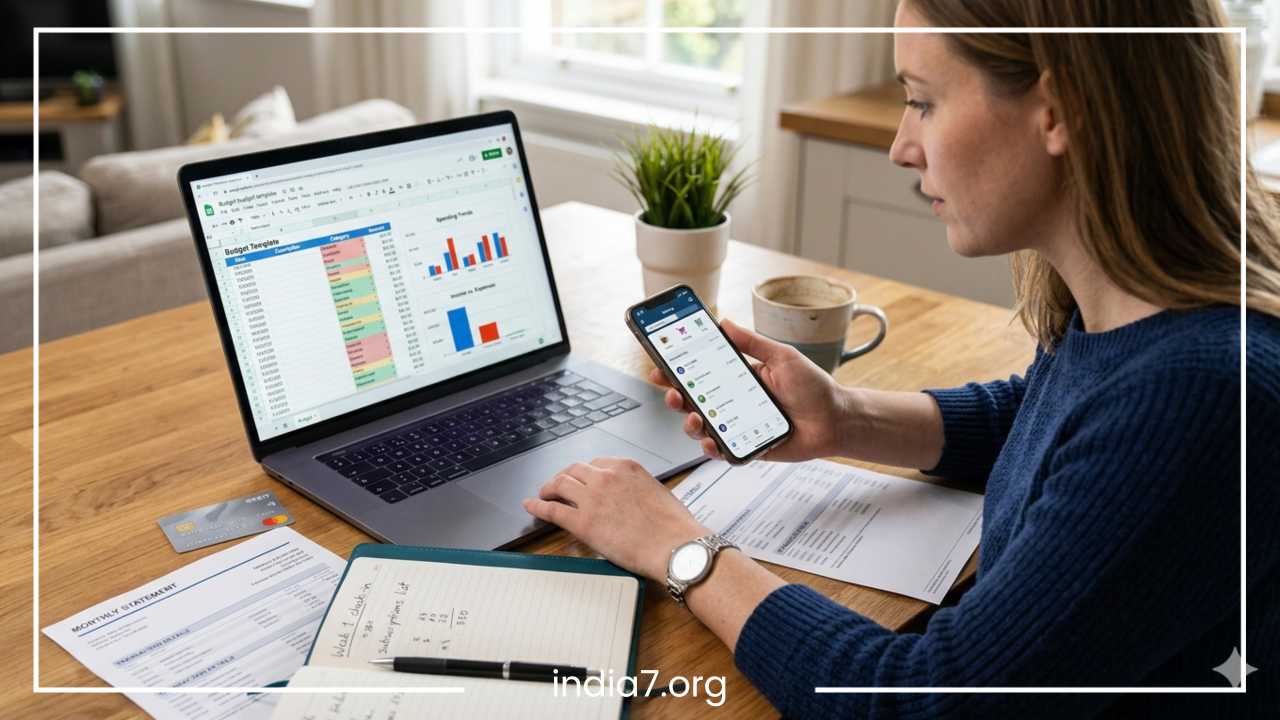
The modern app acts as a “CFO in your pocket.” It automatically categorizes spending into buckets like “Utilities,” “Dining,” or “Transportation.” Advanced versions provide “burn rate” charts, showing you if you are spending faster this month than last, helping you adjust your habits in real-time.
Biometric Authentication & Security Features
Security is the most critical component. Advanced apps utilize multi-layer biometrics (Face ID, Touch ID, and even voice patterning). Beyond login, they offer “granular card control,” allowing users to toggle off “international transactions” or “online purchases” specifically, providing a level of control that was impossible a decade ago.
Read: Quick Loans – Ready-Made Solution For Your Emergency
Top Banks with Advanced Mobile Apps
Chase Bank: The Comprehensive Ecosystem
JPMorgan Chase has consistently outspent competitors in research and development, and it shows. The Chase Mobile® app is often cited as the benchmark for what a “Big Bank” app should look like.
-
App Highlights: The integration of J.P. Morgan Wealth Management directly into the banking app is a game-changer. You can move from checking your mortgage balance to buying shares of an index fund without switching applications.
-
Unique Features: The “Plan & Track” feature is a sophisticated budgeting tool that tracks your spending across all Chase cards and even allows you to manually input outside expenses. Their QuickPay® with Zelle® interface is frequently updated to ensure it remains the fastest in the industry.
-
Security: Chase utilizes “Safe Zones” and suspicious activity alerts that are notoriously accurate. Their “Privacy” settings allow you to see exactly which third-party apps (like Mint or Venmo) have access to your data and revoke it with one tap.
-
Pros: Robust, all-in-one functionality; excellent for those with complex financial lives.
-
Cons: Because it does so much, the app can occasionally feel “heavy” or take a few extra seconds to load on older devices.
Bank of America: The AI Pioneer
Bank of America’s strategy has centered on Erica, its virtual financial assistant. Erica represents the shift from “static” banking to “conversational” banking.
-
App Highlights: The interface is clean and professional, using a blue-and-white palette that prioritizes readability. The app is highly customizable, allowing you to drag and drop tiles to prioritize the accounts you use most.
-
Unique Features: Erica can do everything from locking your card to finding a specific transaction from three years ago. If you say, “Erica, show me how much I spent on streaming services last year,” it will generate a report in seconds.
-
Financial Wellness: Their Life Plan® feature is an interactive way to set goals—like buying a home or saving for a child’s education—and see how your current savings rate aligns with those goals.
-
Pros: Best-in-class AI; excellent goal-tracking features.
-
Cons: Users who prefer traditional navigation might find the “Chat-first” approach of Erica a bit intrusive.
Wells Fargo: Streamlined and Personal
After a major overhaul in recent years, the Wells Fargo Mobile® app has moved from a dated interface to one of the most modern and “glanceable” designs on the market.
-
App Highlights: The app features a personalized “Arrival” screen that greets you with the most relevant information for your day, such as a bill that is due tomorrow or a notification that a direct deposit has hit.
-
Special Tools for Business: Wells Fargo is a leader in small business banking. Their app includes features like “Business Focused Insights,” which helps entrepreneurs track cash flow trends and manage employee credit card limits on the fly.
-
Zelle Integration: Their implementation of Zelle is remarkably smooth, with a simplified contact sync that makes recurring payments (like rent) easy to automate.
-
Pros: Much faster than previous versions; excellent business-specific tools.
-
Cons: Some of the deeper investment features are not quite as integrated as they are in the Chase app.
Citi Bank: The Global Dashboard
Citi’s app is designed for the high-velocity user who may have accounts and credit cards across multiple regions or travel frequently.
-
App Highlights: The “Snapshot” feature is a fan favorite; it allows you to see your balances and recent transactions with a simple swipe on the login screen, without needing to fully authenticate (optional for those who prioritize speed over total privacy).
-
Unique Features: Citi provides some of the best spending analysis in the business, breaking down your “discretionary” vs. “essential” spending with clear, colorful graphs. It also features a built-in FICO® Score tracker that updates monthly.
-
Digital Wallet Integration: Citi makes it incredibly easy to add new cards to Apple Pay or Google Pay directly from the app, often before the physical card even arrives in the mail.
-
Pros: Excellent for international travelers; very strong credit card management features.
-
Cons: The navigation menu can be a bit fragmented, requiring some “hunting” for certain settings.
Capital One: The User Experience King
Capital One treats its app like a tech product first and a banking product second. This philosophy has resulted in an app that consistently wins awards for design and customer satisfaction.
-
App Highlights: The dashboard is minimalist. It uses bold typography and plenty of white space to ensure you never feel “lost.”
-
Unique Features: Eno, Capital One’s intelligent assistant, works in the background. It will text you if it notices a potential duplicate charge or if a merchant has charged you significantly more than usual. The “Card Lock” feature is prominently displayed, making it the easiest app to use in an emergency.
-
Credit Monitoring: CreditWise is built directly into the app, providing a deep dive into your credit report without affecting your score. It even includes a “Simulator” to show how paying off a debt might boost your numbers.
-
Pros: Arguably the best UI in the industry; very proactive security alerts.
-
Cons: Fewer “wealth management” or complex investing tools compared to Chase or BofA.
Ally Bank: The Digital-Native Standard
As an online-only bank, Ally doesn’t have the “baggage” of physical branch systems. Their app is their entire business, and it shows.
-
App Highlights: Ally’s app focuses on “smart saving.” It introduced “Buckets” and “Boosters.” Buckets allow you to visualize your savings (e.g., $5,000 for a car, $2,000 for an emergency) within a single account.
-
Unique Features: Surprise Savings analyzes your linked checking accounts (even at other banks) and identifies money you aren’t using, then moves it to your Ally savings account to earn more interest.
-
Customer Support: The app features a “Live Chat” button with a real-time “Wait Time” indicator, which is usually less than two minutes.
-
Pros: High-yield interest management; zero monthly maintenance fees; very innovative savings tools.
-
Cons: No physical branches for cash deposits; requires a bit of tech-savviness to set up external transfers.
Other Notable Apps
-
PNC: Their “Virtual Wallet” feature is a unique way to visualize the relationship between your “Spend” (checking), “Reserve” (short-term savings), and “Growth” (long-term savings) accounts.
-
TD Bank: Known as “America’s Most Convenient Bank,” their app lives up to the name with very simple, reliable mobile deposit features and a great “TD MySpend” companion app.
-
US Bank: Their “Smart Assistant” is a rising competitor to Erica, offering voice-command banking that is surprisingly accurate.
-
HSBC: Perfect for the truly global citizen, allowing you to view and manage accounts in different countries and currencies from a single login.
Comparing Mobile Banking Apps
When choosing an app, it is helpful to look at how they stack up in specific categories.
Comparison Table
| Bank | Ease of Use | Security Features | Unique Innovation | Best For |
| Chase | High | Advanced Biometrics | Investment Integration | All-in-one users |
| BofA | Medium | Multi-factor + AI | Erica AI Assistant | Tech-forward users |
| Capital One | Very High | Instant Card Lock | CreditWise Monitoring | Everyday banking |
| Ally | High | Strong Encryption | Savings Buckets | High-yield savers |
| Citi | Medium | Snapshot View | Global Access | Travelers |
Best Apps for Specific Users
-
Students: Capital One and Ally are ideal. They offer low or no fees, and the apps are simple enough for those just starting to manage their own finances. The “CreditWise” feature in Capital One is also a great tool for students looking to build their first credit score.
-
Business Owners: Wells Fargo and Chase provide the most robust tools for managing employees, handling high-volume wire transfers, and integrating with accounting software like QuickBooks.
-
Travelers: Citi and HSBC offer the most seamless experience for those who frequently cross borders, offering easier currency management and international fraud protection.
Future Trends in Mobile Banking
The next five years will see mobile banking move from “reactive” to “predictive.”
-
Hyper-Personalized AI: Instead of just telling you that you spent $100 on coffee, your app will say, “You’ve spent $20 more on coffee this week than your average. Would you like to move $20 from your ‘Dining Out’ bucket to cover it?”
-
Open Banking Integration: We are moving toward a “unified financial dashboard.” Soon, you won’t need five different apps for five different banks. Through API sharing, your primary bank app will be able to show you the balance of your accounts at other institutions, your 401(k), and even your cryptocurrency holdings.
-
Voice and Gesture Banking: As haptic technology improves, we may see “invisible” interfaces where you can authorize a payment with a specific voice phrase or a gesture recorded by the front-facing camera.
-
Biometric Identity Verification: We may see the end of the “security question.” Apps will use “continuous authentication,” analyzing how you hold the phone and your typing cadence to ensure it is really you.
Tips for Choosing the Right Mobile Banking App
Choosing a bank today is 90% about choosing their app. Here is how to evaluate your options:
-
Prioritize Security: Does the app offer biometrics? Does it allow for two-factor authentication (2FA)? Can you lock your card instantly? If the answer to any of these is “no,” look elsewhere.
-
Check the “Offline” Support: Look for a bank that offers 24/7 support through the app. A great app is useless if you have a problem and the “Help” button just leads to a “Closed” sign.
-
Evaluate Your Lifestyle: If you travel, you need global features. If you are saving for a house, you need “Buckets.” Don’t settle for a generic app; find one that matches your specific goals.
-
Read Recent Reviews: Don’t just look at the 5-star rating. Read the “Most Recent” reviews in the App Store. This will tell you if a recent update has introduced bugs or slowed down the interface.
A Holistic View: Wellness and Financial Health
Managing your finances through an advanced app is a form of self-care. It reduces stress and provides a sense of control. Interestingly, the discipline required to manage a budget is very similar to the discipline required for physical wellness.
For everyone—whether you are a busy executive or a busy parent—maintaining your health is a vital part of your “portfolio.” Weight loss and energy management, for example, are most successful when approached with the same “tracking” mindset as banking. Just as you track your expenses to avoid debt, tracking your nutritional intake can help you avoid health “deficits.”
For a general audience, effective weight loss is about sustainable habits. Focusing on whole, fiber-rich foods like beans, lentils, and a variety of colorful vegetables provides the sustained energy needed for a productive workday. Drinking plenty of water and engaging in “micro-movements”—like taking the stairs or doing a few stretches while waiting for a meeting—can have a compounding effect on your health. Much like automated savings, these small, consistent actions lead to significant long-term results without the need for extreme or “crash” measures.
Final Thoughts
The evolution of mobile banking has empowered the individual like never before. With the right app, you aren’t just a customer of a bank; you are the master of your financial destiny. Banks like Chase, Capital One, and Ally have proven that through thoughtful design and technological innovation, banking can be an intuitive, even enjoyable, part of daily life.
As you evaluate your current financial institution, ask yourself: Does this app make my life easier? Does it give me the data I need to make better decisions? If the answer is no, the “best” banking app for you is out there, waiting to be downloaded.