Top Tips for Moderating a Large Facebook Group
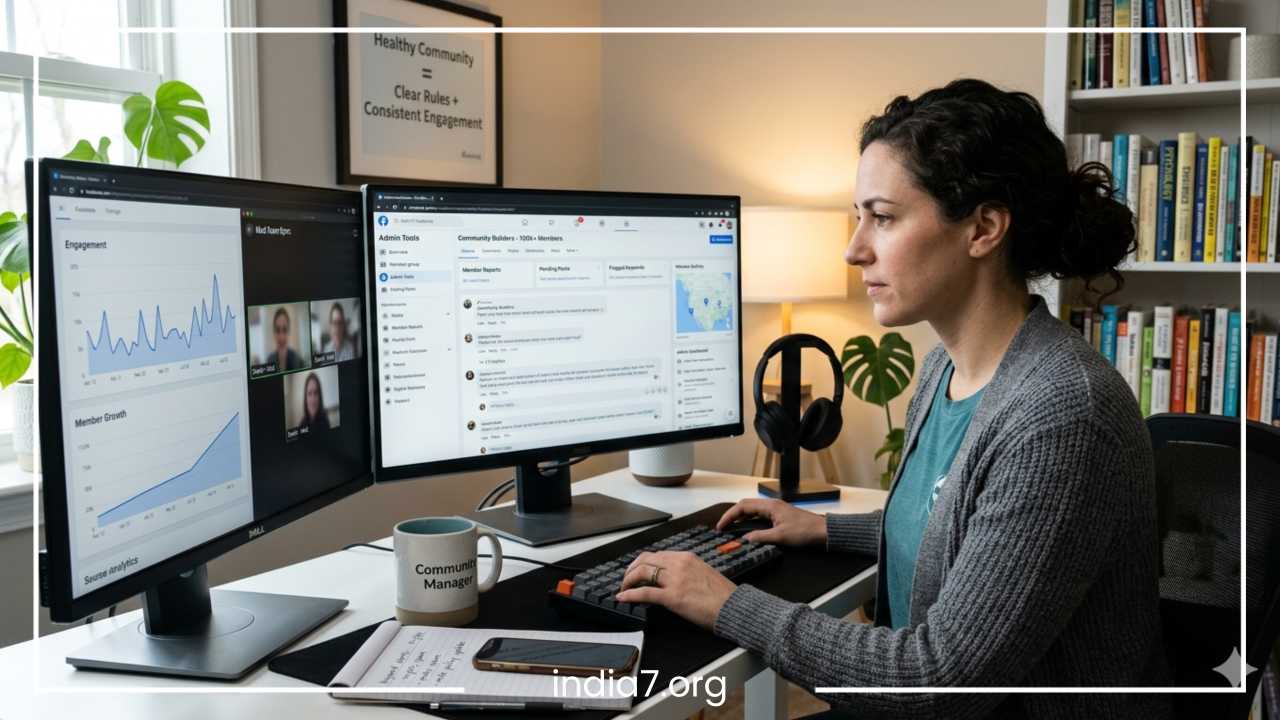
How to Manage a Large Facebook Group: 10 Expert Moderation Tips
Why Facebook Group Management Is Harder Than It Looks
Managing a Facebook group is often perceived as a casual hobby, but as a community scales, it transforms into a complex operation involving psychology, crisis management, and digital strategy. The difference between managing a group of 500 people and a community of 100,000 is not just a matter of volume; it is a fundamental shift in dynamics. In a small group, the founder can personally know every member, and social pressure alone is usually enough to maintain order. In a large group, anonymity increases, and the neighborhood feel is replaced by a stadium atmosphere where individuals feel less accountable for their behavior.
Common problems in large-scale moderation include rampant spam, coordinated trolling, moderator burnout, and the paradox of low engagement despite high member counts. Without a structured approach, a large group can quickly become a liability rather than an asset, turning into a breeding ground for misinformation or toxic arguments that can damage a brand’s reputation. Proper moderation must be viewed as a balance between community building—fostering a sense of belonging and encouraging participation—and risk management—protecting the space from toxicity and platform-level violations that could lead to the group being disabled.
To reach the level of an expert moderator, one must move beyond reactive “firefighting” and toward proactive systems. This article explores the deep-level strategies required to maintain a thriving, high-traffic Facebook community without losing your sanity or the group’s soul.
Read: Sales Lead Generation: The Complete Guide
Define the Purpose and Culture of the Group
The foundation of every successful Facebook group is a clear sense of purpose. Clarity in your North Star prevents approximately 80% of moderation issues because it sets expectations before a member even joins. If a group’s purpose is vague, members will fill the void with their own agendas, leading to off-topic posts and friction.
Niche vs. Broad Communities
Niche communities (e.g., “Vintage Leica Camera Repair”) are generally easier to moderate than broad communities (e.g., “Photography Fans”). Broad groups invite a wider variety of personalities and conflicting interests, which increases the likelihood of clashing perspectives. In a broad group, you must be even more diligent about defining sub-boundaries. If the group is about “Marketing,” is it for beginner side-hustlers or corporate executives? The moderation style for those two demographics will differ wildly.
Establishing Tone and Examples
You must also define the tone: is the group a professional networking space, a casual hangout, or a high-intensity support group? A professional resource for certified accountants to share tax law updates has a clear mandate. A weak positioning would be a place for people who like money. The former tells the member exactly what is expected, making it easy for moderators to remove irrelevant content—like a post about cryptocurrency—without being accused of bias. When the culture is well-defined, the community actually begins to moderate itself, as members will often call out off-topic posts before a moderator even sees them.
Read: Low-Cost Marketing Ideas: Making a Big Splash on a Small Budget
Create Clear, Enforceable Group Rules
Rules are the constitution of your community. Vague rules like “Be nice” are incredibly difficult to enforce because “nice” is subjective. One person’s sarcasm is another person’s harassment. Expert moderators use specific, objective language that leaves little room for interpretation.
Crafting High-Quality Rules
Effective rules should include:
-
No Self-Promotion: Explicitly define what constitutes a promotion. Does it include a link to a personal blog? A YouTube video? A “free” webinar? Be specific. A good rule might say: “Any link leading to a site you own or benefit from is considered promotion.”
-
Respectful Disagreement: State that while members can debate ideas, they cannot attack individuals. This draws a clear line between healthy discourse and prohibited ad hominem attacks.
-
No “Seen on TV” or Viral Spam: This helps moderators quickly delete generic viral videos or “share this for good luck” posts that clutter the feed and provide no value to the specific niche.
-
No Content Scraping: Explicitly forbid members from taking screenshots of private discussions to share elsewhere.
Placement and Visibility
Rules should be displayed in the group description, the About section, and pinned as a featured post. When a post is declined or a member is muted, referring back to a specific rule number (e.g., “Removed for violation of Rule #4”) reduces the “why was I targeted?” complaints that plague large groups. It shifts the perception of the moderator from a “policeman” to a “referee” simply calling a play.
Read: Energy Saving Tips for the Office: Reduce Costs & Go Green
Set Up Membership Questions and Entry Filters
The best way to manage a large group is to prevent problematic users from entering in the first place. Facebook allows up to three membership questions, and these are your primary defense against the “noise” of the internet.
Using Questions as a Barrier
Ask questions that require a specific answer related to the niche. If it is a group for local residents, ask for the name of a specific local park or the color of a well-known bridge. If it is a professional group, ask for their LinkedIn URL or years of experience. Furthermore, include a checkbox requiring them to agree to the rules. If someone cannot take ten seconds to answer a question, they are unlikely to be a high-value contributor to your community.
Automation vs. Manual Review
While Facebook offers automation tools to approve members based on their location or how long they have been on the platform, a manual or hybrid approach is superior for large, high-quality groups. Blocking obvious bad actors—accounts with no profile picture, accounts created within the last 48 hours, or those who leave membership questions blank—drastically reduces the workload for your moderation team. It is much easier to keep a “bad” member out than it is to remove them and clean up their mess once they are inside.
Build and Train a Moderation Team
The first true expert tip for scaling is recognizing that you cannot do it alone. Solo administration of a large group leads to “founder’s fatigue,” where the quality of moderation drops as the administrator becomes resentful of the community.
Defining Roles
Distinguish between admins and moderators. Admins have full control, including the ability to add or remove other moderators, change group settings, and link the group to a Page. Moderators can manage content, approve or deny members, and handle reports, but they cannot alter the group’s core identity.
Selecting the Right People
Look for “natural moderators” within your group—members who are already helpful, calm in the face of conflict, and consistently follow the rules. Avoid picking the most vocal or controversial members, even if they are technically knowledgeable. You need “low ego” individuals who can stay neutral during a heated debate.
Training and Internal Guidelines
Consistency is key. If Moderator A allows a post but Moderator B deletes a similar one, the community will perceive the team as biased. Create a private “Moderator Only” chat or a shared document that outlines specific scenarios. For example: “If someone posts a link to their own business, delete the post but don’t ban them. If they do it twice, ban them.” Having a “playbook” ensures that the user experience remains stable regardless of which moderator is on duty.
Use Facebook Moderation Tools Effectively
Facebook provides a suite of tools designed to handle high volumes of activity. Relying solely on manual scrolling is an inefficient use of time and a recipe for missing critical issues.
Admin Assist
This is the most powerful automation tool for large groups. You can set up if/then logic to handle repetitive tasks. For example, you can set a rule that says: “If a post contains a link to a known spam site, decline the post automatically.” Or: “If a member has been reported more than three times in an hour, mute them automatically for 12 hours.” This acts as an automated first-responder, buying your human moderators time to review the situation.
Keyword Alerts
Set up alerts for trigger words that indicate a high probability of conflict or spam. This includes profanity, slurs, or words often used in scams (e.g., “crypto,” “WhatsApp me,” “investment opportunity”). This allows you to jump into a thread before it spirals out of control. It’s much easier to stop a fire when it’s a single spark than when it’s a 200-comment inferno.
Post Approval
In extremely large or sensitive groups, turning on “Post Approval” is a necessity. This means every post must be vetted by a moderator before it appears. While this slows down the feed, it ensures that the group remains high-quality. In a group of 100,000 people, even 1% of members posting junk can lead to 1,000 spam posts a day. Post approval keeps the “signal-to-noise” ratio high.
Handle Spam and Self-Promotion Strategically
Spam is the “noise” that drowns out the “signal” in a community. In large groups, spam comes in many forms: bots, affiliate link-droppers, and “cloaked” promotions where members tell a long, emotional story just to sell a product at the end.
Strategic Promotion Outlets
A zero-tolerance policy is often easiest to manage, but it can stifle genuine community growth if members feel they can never share their work. A more strategic approach is to host “Self-Promotion Days” or a dedicated “Marketplace Thread.” Tell members: “Promotion is only allowed on Fridays in this specific post.” This gives members a sanctioned outlet for their business, making it much easier to justify deleting their standalone posts on other days.
Distinguishing Intent
To avoid over-policing, focus on the intent. A member sharing a helpful, free resource they created is different from a bot spamming a suspicious link. However, in a group of 100k+, you must lean toward strictness. If you make an exception for one person, ten more will demand the same treatment. Consistency is your shield against accusations of favoritism.
Manage Conflicts and Toxic Behavior
Conflict is inevitable in any large gathering of humans. The goal of moderation is not to eliminate conflict—as healthy debate can actually drive engagement—but to manage its intensity.
De-escalation Techniques
When a debate turns into an argument, the moderator should step in with a neutral check-in. A comment like, “Let’s keep the discussion focused on the topic and avoid making this personal,” is often enough to signal that the team is watching. If the heat continues to rise, use the “Turn off commenting” feature on that specific post. This allows everyone to take a “digital breather” without deleting the entire conversation.
Public vs. Private Moderation
Whenever possible, moderate publicly so the community sees the rules being enforced. This provides a “teachable moment” for everyone watching. However, if a member is becoming particularly disruptive or aggressive, move the conversation to a private message. Explain why their behavior was problematic. If they respond with more toxicity in the private message, it is a clear sign that a permanent ban is necessary.
The Tiered Discipline System
-
Warning: For minor or first-time infractions.
-
Mute: For members who are “running hot.” Muting them for 24 hours prevents them from commenting or posting, forcing a cooling-off period.
-
Ban: For repeat offenders or those who violate “hard” rules like hate speech, harassment, or sharing illegal content.
Keep Engagement High Without Losing Control
A well-moderated group can sometimes become too quiet if members feel intimidated by the rules. You must proactively encourage high-quality engagement to keep the algorithm favoring your group.
Intentional Content Prompts
Consistent content like “Motivation Monday,” “Feedback Friday,” or “Technical Question of the Week” gives members a reason to check the group. These prompts should be designed to encourage comments rather than just likes. For example, instead of saying “Post a photo of your desk,” say “What is one item on your desk you can’t live without and why?”
Using Polls and Live Video
Facebook’s poll feature is an excellent way to get a pulse on the community with minimal moderation effort. Similarly, hosting a “Live Q&A” with an expert or the group founder can drive massive engagement in a controlled environment. Since the admin is the one speaking, they control the narrative and the tone for the hour.
Identifying and Rewarding Super-Users
Use the “Top Contributor” badges to highlight members who provide value. Acknowledge them publicly. When your best members feel seen, they often become unofficial “ambassadors” who gently correct others or report spam before your team even notices it.
Establish Consistent Moderation Workflows
To manage a group of this scale, you need a “shift” mentality. You cannot simply “check in” whenever you feel like it; you need a routine.
The Queue System
The “Member Reports” queue is your priority. These are the issues your community has flagged for you, and they usually represent the most urgent problems. Checking this queue twice a day is the bare minimum. After the reports, check the “Pending Posts” (if you have post approval on).
Efficiency over Perfection
Set a “moderation timer.” It is easy to get sucked into reading every comment, but for a moderator, this is a path to inefficiency. Focus on the red flags and the newest posts. Your job is to keep the “engine” running. If you spend three hours debating one person in the comments, you aren’t moderating; you’re participating, and your other duties will suffer.
Protect the Community from Misinformation and Harmful Content
This is particularly critical in groups focused on health, finance, or legal advice. Misinformation in these niches can have real-world consequences, and Facebook is increasingly strict about holding admins accountable for the content in their groups.
Fact-Checking Protocols
Develop a protocol for dealing with “fake news” or dangerous advice. If a member posts a claim that is demonstrably false, the post should be removed or have a “Moderator Note” attached to it. Distinguish between opinions (“I didn’t like this product”) and facts (“This product cures cancer”).
The Use of Disclaimers
In high-stakes groups, a standard disclaimer should be featured prominently: “Nothing in this group constitutes professional medical/financial advice.” This protects the administrators and sets a boundary for the type of information shared. If a member is consistently giving dangerous advice, they should be removed immediately to protect the rest of the community.
Scale Without Losing Community Feel
As a group grows past 50,000 members, the “intimacy” is the first thing to die. To combat this, you may need to segment your community into smaller, more manageable units.
Sub-groups and Segmentation
Some admins create “Sub-groups” based on geography or specific sub-topics. For example, a global “Gardening” group might have sub-groups for “Succulent Care” or “Gardening in Cold Climates.” This allows the main group to remain the central hub while giving members a smaller “spoke” where they can form deeper connections and have more specific conversations.
The Human Element
Maintaining culture at scale also requires the “Founder’s Voice” to remain active. Even if you have a team of 20 moderators, the members still want to see the person who started it all. Regular “State of the Group” posts or personal videos from the admin help humanize the moderation team. It reminds members that they are part of a community led by humans, not a faceless corporation, which naturally encourages better behavior.
Avoid Moderator Burnout
Moderating a large Facebook group is emotionally taxing. You are constantly exposed to the worst parts of the internet: anger, entitlement, and sometimes graphic or disturbing content.
Setting “Off-Duty” Hours
Moderators must have boundaries. No one should be expected to moderate 24/7. Encourage your team to turn off group notifications when they are not on shift. Use the “Admin Activity” log to ensure that the workload is being shared equally and that one person isn’t doing 90% of the work, which is a fast track to resentment.
Support and Venting Spaces
Create a safe space (a private chat or a separate “Secret” group) where moderators can vent about difficult interactions. Sometimes, a “difficult” member can be draining, and having a team to back you up—or even just laugh with—makes a significant difference. If a moderator feels overwhelmed, give them a “sabbatical” where they can just be a regular member for a few weeks without any responsibilities.
Legal and Ethical Considerations
As an administrator, you have a responsibility to handle user data and interactions ethically. In some jurisdictions, admins may even have a level of legal responsibility for the content they host.
Privacy and Data
Never share private screenshots of member disputes outside of the moderation team. Respect the “closed” nature of the group if that is how it is set up. Do not use member data (like their names or occupations) for external marketing purposes without their explicit, informed consent.
Handling Illegal Content
Large groups can occasionally be targeted by people sharing illegal material. You must have a zero-tolerance policy for this. Not only should the content be deleted and the user banned, but in severe cases, the user should be reported to Facebook (using the “Report to Facebook” tool) and potentially law enforcement. Failure to police illegal content can lead to the entire group being shut down by the platform without warning.
Final Thoughts: Great Moderation Builds Great Communities
Moderation is often seen as a restrictive act—deleting, banning, and silencing. However, the best moderators view their role as “gardeners.” A gardener must pull weeds and prune branches, not because they hate the plants, but because they want the garden to flourish. If you let the weeds grow unchecked, they will eventually choke out the beautiful flowers.
When you manage a large Facebook group effectively, you are creating a digital “third place”—a space outside of home and work where people feel safe, heard, and valued. The rules and the moderation team are the walls and the roof that keep that space safe from the elements of the wider, noisier internet.
Consistency, transparency, and empathy are your greatest tools. If you treat your members with respect—even when you are removing their posts—you build a reputation for fairness. That reputation is the most valuable asset a community leader can have. Over time, the community will begin to mirror your leadership style, leading to a self-sustaining environment where engagement is high and toxicity is low. Great moderation isn’t just about control; it’s about leading a group of people toward a shared, positive experience that adds value to their lives every time they log in.
Frequently Asked Questions About Facebook Group Moderation
How do I moderate a Facebook group effectively without spending all day on it?
The key to efficient moderation is a combination of automation and delegation. By utilizing the Admin Assist tool, you can set up rules that automatically decline posts from new accounts or those containing specific “spammy” keywords. Additionally, building a team of at least three to five moderators ensures that the workload is distributed across different time zones, preventing any single person from needing to monitor the feed 24/7.
What are the best ways to handle conflict in a large Facebook community?
When tensions rise, experts recommend a “move it or mute it” strategy. First, attempt to de-escalate publicly by reminding members of the group rules regarding respectful disagreement. If the argument continues, use the “Turn Off Commenting” feature on that specific post to allow for a cooling-off period. For persistent offenders, use the mute member function, which allows them to view the group but prevents them from posting or commenting for a set period (usually 24 hours to 28 days).
Can Facebook group admins be held legally responsible for member posts?
While laws vary by country (such as Section 230 in the United States), admins generally have a responsibility to remove content that violates platform terms of service, such as hate speech, illegal activities, or copyright infringement. To protect yourself, always include a clear disclaimer in your rules stating that the views expressed by members do not reflect those of the administrators and that the group does not provide professional medical, legal, or financial advice.
How do you grow a Facebook group while maintaining high quality?
Growth should never come at the expense of culture. To scale healthily, implement membership entry questions to filter out bots and low-quality accounts. Focus on “meaningful social interactions”—a metric Facebook’s algorithm prizes—by creating polls, hosting live videos, and encouraging members to share their personal experiences rather than just dropping links.
How do I remove a member from a Facebook group without causing drama?
The most professional way to remove a member is to do so quietly and strike their recent activity. When you ban a member, Facebook gives you the option to delete their recent comments and posts from the last seven days simultaneously. This prevents “parting shots” or revenge posts. If the member reaches out via private message, provide a brief, neutral explanation citing the specific rule they violated, and then close the conversation.
What is the difference between an Admin and a Moderator on Facebook?
An Admin has total control over the group, including the ability to change group settings, delete the group, and manage the roles of other admins. A Moderator is a support role; they can approve or deny member requests, remove posts and comments, and ban members, but they cannot change the group’s “About” section or appoint new admins. For a large group, you should have few admins and a larger, more flexible team of moderators.
How can I stop spam bots from joining my Facebook group?
Bots are a primary target for large groups. To stop them, set up Participation Approvals and require at least one specific answer to a membership question that a bot cannot easily scrape (e.g., “What is the third word in our group description?”). You can also use Admin Assist to automatically decline requests from accounts that have been on Facebook for less than three months or those who do not have a profile picture.
How do I monetize a large Facebook group without annoying members?
Monetization works best when it adds value. Instead of spamming the feed with affiliate links, consider sponsored posts from brands that align with your niche, or create a “premium” sub-group for deeper coaching or exclusive content. Always be transparent about paid partnerships to maintain the trust of your community; a “pinned” post explaining your monetization policy can help manage expectations.