Best Ways to Host a Live Q&A
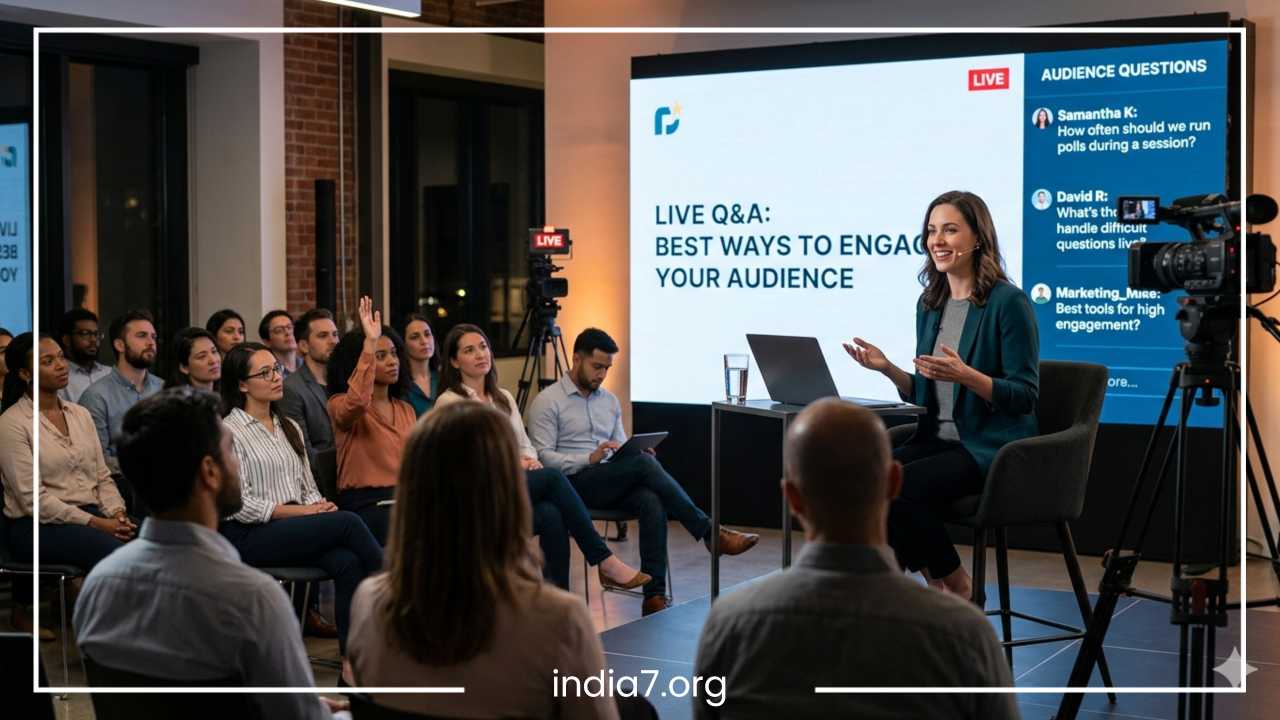
How to Host a Live Q&A: 7 Best Ways to Engage Your Audience
In an era of endless digital noise, the most valuable currency is attention. Most content creators, coaches, and brand founders have mastered the art of broadcasting, yet many still struggle with the art of connection. We live in a world saturated with pre-recorded videos, polished social media feeds, and static blog posts. While these mediums are excellent for information delivery, they often lack the human element that builds lasting trust. This is where the live Q&A session becomes a transformative tool for any digital strategy.
The primary challenge facing modern hosts is audience fatigue. We have all joined a webinar or livestream only to find ourselves tab-switching within five minutes because the presenter is simply reading slides at us. This one-way communication is the antithesis of engagement. A live Q&A, when executed correctly, breaks the “fourth wall” of digital content. It turns a passive viewer into an active participant, shifting the dynamic from a lecture to a community dialogue.
The benefits of mastering this format are multifaceted. Beyond simply answering questions, a live session builds authority and trust faster than almost any other medium. When an audience sees you answer a difficult question in real-time, your credibility skyrockets. Furthermore, these sessions provide an unparalleled feedback loop. You learn exactly what your customers or followers are struggling with, which can inform your future product development, marketing copy, and content calendar. Finally, the “liveness” of the event creates a sense of urgency and FOMO (fear of missing out), leading to higher retention rates and deeper emotional investment in your brand.
Read: Tips for Starting a Business: From Idea to Launch
What Makes a Great Live Q&A?
Before diving into the specific strategies for engagement, it is essential to understand the structural pillars that support a successful session. A great live Q&A is not just an unplanned “free-for-all” where you wait for people to type into a chat box. It requires a delicate balance of preparation and spontaneity.
The first fundamental is a clear topic focus. While “Ask Me Anything” (AMA) sessions are popular, they can often become disjointed. Narrowing the scope to a specific theme—such as a product launch, a specific industry trend, or a deep dive into a single problem—ensures that the people who join are highly interested in the subject matter. This relevance is the first step toward engagement.
Technical reliability and moderation are the silent heroes of the Q&A world. Nothing kills the momentum of a live event faster than a lagging connection, muffled audio, or a chat room filled with spam. Professionalism in your setup reflects the value you place on your audience’s time. Coupled with this is the tone: a great host is conversational and approachable. Even for a high-level SaaS brand or a corporate educator, the goal is to sound like a knowledgeable peer rather than a rigid lecturer.
Common formats vary depending on where your audience lives. An Instagram Live Q&A tends to be casual and visual, ideal for influencers and DTC brands. LinkedIn Live serves a professional, B2B crowd looking for industry insights. Webinar platforms like Zoom or BigMarker allow for more structured educational sessions with screen sharing, while YouTube Live offers a massive reach for creators looking to archive their sessions for long-term SEO. Regardless of the platform, the principles of engagement remain universal.
Read: Tips for Starting Your Own Business
Start Collecting Questions Before the Event
One of the most common fears for a host is the “dead air” that occurs when you ask for questions and no one types. The most effective way to eliminate this risk—and simultaneously boost your engagement—is to begin the conversation days before you actually go live.
Pre-event audience engagement is a psychological trigger. When you ask your followers to submit questions in advance, you are giving them a stake in the event. They are more likely to show up because they want to hear their specific question addressed. For the host, this practice provides a safety net. You can start the session with a bank of high-quality, thoughtful questions, ensuring that the energy never dips.
To do this effectively, utilize the tools your audience already uses. Use “Question Stickers” on Instagram Stories, run a poll on LinkedIn, or send a dedicated email to your subscriber list with a Google Form or Typeform link. The key is to make the submission process as frictionless as possible.
Once the questions start rolling in, your job is to curate and group them. You will likely notice patterns—multiple people asking about the same pain point. Instead of answering five similar questions individually, you can say, “We had a lot of interest in topic X from people like Sarah and Mark, so let’s dive deep into that.” This makes the audience feel seen while keeping the pacing tight. Preparing these “anchor” questions allows you to prioritize high-value topics that align with your business goals, ensuring the Q&A serves both the audience and your brand.
Read: Tips for Starting a New Business
Open With a Strong Icebreaker
The first five minutes of your livestream are the most critical. This is the window where viewers decide if they are going to stay for the duration or if they are going to close the tab. Most hosts waste this time with “technical checks” or waiting for more people to join. Instead, you should treat the opening as an engagement launchpad.
The psychological effect of early participation cannot be overstated. If you can get a viewer to type something in the chat within the first sixty seconds, the “activation energy” required for them to participate later in the session drops significantly. You are training them to be active rather than passive.
Start by welcoming attendees by name as they join. “I see Janet from London is here, and David from Austin—welcome!” This simple acknowledgment creates an immediate sense of community. Following the welcome, move straight into an easy icebreaker. Avoid complex questions at this stage. Stick to low-friction prompts like:
-
“Where in the world are you joining us from today?”
-
“On a scale of 1 to 10, how much experience do you have with [Topic]?”
-
“What is the one thing you hope to learn in the next 45 minutes?”
Share a surprising statistic or a brief, punchy story that highlights why the day’s topic is urgent. This sets the stakes and gives the audience a reason to pay attention. By the time you transition into the actual Q&A, the chat should already be moving, and the “room” should feel warm and interactive.
Use Real-Time Polls and Interactive Features
Engagement is not a one-time event at the start of a session; it is a rhythm that must be maintained. Human attention spans naturally ebb and flow. To combat this, you need to “reset” the audience’s focus every five to ten minutes using interactive triggers.
Real-time polls are perhaps the most effective tool for this. Most modern webinar and streaming platforms have built-in polling features. If you are a SaaS brand hosting a product Q&A, you might pause and ask, “Which feature are you currently using the most?” For a coach or educator, you might ask, “Which of these three challenges is your biggest hurdle right now?” The results of these polls provide instant content for you to react to, making the session feel truly live and responsive to the people in the room.
Beyond polls, encourage the use of emojis and reactions. If you say something that resonates, ask the audience to “drop a fire emoji in the chat.” It sounds simple, even a bit cliché, but it serves as a physical action that keeps the viewer tethered to the experience.
For more intimate or professional sessions, such as a community Q&A or a high-ticket coaching call, utilize “raise-hand” features or invite attendees to come on-screen or on-mic. This elevates the stakes and creates a “hot seat” dynamic that is incredibly engaging for the rest of the audience to watch. The key is to vary these triggers. If you just did a poll, the next interaction should be a chat prompt or a quick quiz. This variety prevents the engagement from feeling repetitive or forced.
Answer Questions Strategically, Not Randomly
The middle section of a Q&A is where many sessions fall apart. A host might start at the top of the chat and work their way down, or worse, cherry-pick the easiest questions while ignoring the ones that actually matter. This chaotic approach kills momentum and can make the session feel aimless.
To host like a pro, you must group questions by theme. If you have three questions about pricing, two about implementation, and four about future features, answer them in blocks. This allows you to build a narrative arc within your answers. You can say, “Now we are going to move into the implementation phase of the discussion,” which helps the audience follow your logic.
Another strategic move is to alternate between beginner and advanced questions. If you spend twenty minutes on deep-technical SaaS architecture, you will lose the newcomers. If you stay only at the surface level, your power users will get bored. By consciously weaving between different levels of complexity, you ensure there is something for everyone throughout the entire hour.
Always repeat the question clearly before answering. This is vital for two reasons: first, it ensures everyone in the audience knows what is being discussed (especially those who might have joined late); second, it gives you a few seconds to format your thoughts. When answering, mention the name of the person who asked. “That’s a great question, Samantha,” creates a personal connection that makes the session feel like a series of one-on-one conversations happening in a public forum.
Lastly, be mindful of “dead air” and rambling. It is better to give a concise, high-impact answer and move on than to talk in circles for five minutes. If a question is too specific to one person’s situation or off-topic, politely acknowledge it and offer to follow up via email or in a separate thread.
Bring Energy and Storytelling Into Your Answers
Information is a commodity, but perspective is unique. When you answer a question during a live Q&A, your goal shouldn’t just be to provide a factual response; it should be to provide an insight that only you can offer. This is where storytelling and personal energy become your greatest assets.
People remember stories far longer than they remember data points. If someone asks how to overcome a specific business challenge, don’t just list three steps. Instead, say, “I remember back in my second year when we hit that exact wall. We tried X, it failed miserably, and here is why we eventually pivoted to Y.” By sharing a “war story” or a case study, you make the information relatable and human. You aren’t just a talking head; you are a practitioner with real-world experience.
Camera presence and vocal variety are also essential. Because the audience isn’t in the room with you, you have to work slightly harder to project energy. This doesn’t mean being “fake” or overly caffeinated; it means being intentional with your pacing. Slow down for emphasis when making a critical point. Use your hands to gesture. Ensure your lighting and framing are professional so that the audience can see your facial expressions.
The goal is to sound natural instead of scripted. Even if you have prepared notes for common questions, avoid reading them verbatim. Maintain eye contact with the lens (which is your audience’s eyes). When you speak conversationally, you lower the barriers between you and the viewer, making them feel more comfortable engaging and asking their own questions.
Create Moments That Encourage Audience Participation
High-level engagement happens when the audience feels like they are part of the show, not just spectators. You can foster this by creating specific “segments” within your Q&A that require their input to move forward.
One effective tactic is the “Rapid-Fire Round.” Tell the audience you are going to answer ten questions in five minutes. This sudden shift in tempo creates excitement and keeps people on their toes. Another option is the “Audience Vote.” If you have two different topics you could dive into next, let the chat decide. “Type A for the marketing strategy or B for the sales script.” This gives the audience a sense of agency and ensures you are delivering exactly what they want in that moment.
Mini-challenges can also work well for educators and coaches. For example, “I want everyone to take 30 seconds and type out one goal they have for this week. I’ll shout out a few of my favorites.” This turns the Q&A into a workshop environment. Shoutouts are a powerful social currency. When you acknowledge a participant’s insight or success, you aren’t just rewarding that individual; you are showing the rest of the audience that participation is valued and recognized.
By weaving these interactive moments throughout the session, you prevent the “stagnation” that often happens in the final third of a livestream. You want the energy at the 45-minute mark to be just as high as it was at the 5-minute mark.
End With a Strong CTA and Post-Event Engagement
The end of your live Q&A is not the end of the relationship; it is the beginning of the next phase. Too many hosts finish their last question and simply say, “Okay, thanks for coming, bye,” before cutting the feed. This is a massive missed opportunity for conversion and community building.
Every live Q&A should end with a clear, singular Call to Action (CTA). What is the one thing you want the audience to do now that they have spent time with you?
-
If you are a SaaS brand: “Sign up for a free 14-day trial to test out the features we discussed.”
-
If you are a coach: “Download my free guide on [Topic] to implement what you learned today.”
-
If you are a community manager: “Head over to our Discord/Slack to continue this conversation in the #general channel.”
Before you sign off, provide a quick “executive summary” of the three biggest takeaways from the session. This reinforces the value of the time they spent with you.
The engagement should continue after the livestream ends. The work you did during the live session can be repurposed into a goldmine of evergreen content. Send a follow-up email to all registrants (including those who didn’t show up) with a link to the replay and a summary of the top questions asked. You can even create an FAQ article based on the session or chop the best answers into 60-second clips for social media. By following up with a poll asking, “What should we cover in the next Q&A?”, you immediately start the cycle of engagement for your next event.
Common Mistakes to Avoid in a Live Q&A
Even with the best intentions, certain pitfalls can derail an otherwise great session. Being aware of these common mistakes allows you to build a more resilient event plan.
The most frequent error is a lack of moderation. If you are a solo creator, it can be difficult to monitor a fast-moving chat while also delivering high-quality answers. If possible, have a moderator (a team member or a trusted community member) who can filter out spam, highlight the best questions, and drop relevant links into the chat. If you must go solo, use a tool that allows you to “star” or “bookmark” questions so you don’t lose them in the scroll.
Technical neglect is another major hurdle. Always test your internet connection, microphone, and camera thirty minutes before going live. Have a “Plan B” for your internet, such as a mobile hotspot. Poor audio, in particular, is unforgivable; people will watch a grainy video, but they will leave immediately if they can’t hear you clearly.
Furthermore, avoid the trap of answering every question equally. Not all questions are created equal. Some are “yes/no” queries that can be handled in seconds, while others are deep philosophical or strategic questions that deserve more time. If you spend too much time on a low-value question, the rest of the audience will check out. Learn to “gate” your answers based on the collective value they provide to the room.
Finally, never ignore the chat. Even if you aren’t answering a question at that exact moment, acknowledging a comment or a joke from the audience shows that you are present. A live Q&A is a performance of presence; if you seem like you are just waiting to get through your talking points, the audience will feel it.
Best Tools for Hosting Live Q&A Sessions
The platform you choose should align with where your audience already spends their time and the level of technical complexity you require.
For professional, high-stakes webinars, Zoom remains a standard because of its familiarity and robust features like “Q&A” boxes, which allow participants to upvote each other’s questions. This is incredibly helpful for prioritizing what the crowd actually wants to hear. Microsoft Teams offers similar functionality for internal corporate environments.
If you are looking for reach and brand awareness, YouTube Live and LinkedIn Live are powerful because they notify your followers when you go live, creating instant organic traffic. These platforms are better for broader audiences where you want to encourage social sharing and long-term discoverability.
For creators who want a more “produced” feel without a broadcast engineering degree, tools like StreamYard or Riverside are excellent. They allow you to easily bring guests on screen, show audience comments as overlays on the video, and stream to multiple platforms simultaneously (multistreaming). This makes the audience feel incredibly involved when they see their own name and comment pop up on the screen during the broadcast.
For community-focused organizations, Discord and X (Twitter) Spaces offer audio-only or video options that feel more like a “fireside chat.” These are often better for recurring, casual “office hours” where the barrier to entry is low and the vibe is highly informal.
Final Thoughts
Great live Q&As are fundamentally conversations, not presentations. The transition from a broadcaster to a host requires a shift in mindset: you are no longer the “main character,” but the facilitator of a community experience. The most engaging hosts are those who prepare thoroughly enough to be spontaneous. They use pre-submitted questions as a foundation, but they are always ready to pivot based on the energy of the live chat.
By starting with a strong icebreaker, using interactive features like polls to reset attention, and weaving storytelling into your strategic answers, you create a dynamic environment where viewers feel heard and valued. When an audience feels involved instead of talked at, your live Q&A becomes more than just a video—it becomes an experience they remember, a resource they trust, and a reason for them to return to your brand again and again. Preparation is the key to confidence, but engagement is the key to impact. Spend the time to master both, and your live sessions will become the most powerful weapon in your digital arsenal.
Frequently Asked Questions About Hosting Live Q&As
To help you plan and execute your next session with confidence, here are some of the most common questions regarding live audience engagement and technical setup.
How do you host a Q&A session people actually enjoy?
The key to an enjoyable session is making the audience feel like participants rather than spectators. This starts with a warm, energetic opening and clear ground rules. Avoid long, one-way presentations before the Q&A; instead, weave questions throughout the event to keep the momentum high. Use a mix of prepared “seed” questions to prevent awkward silences and prioritize questions that offer high value to the majority of the room. Finally, remember to keep your answers concise and punchy—rambling is the fastest way to lose an audience’s interest.
What are the best tools for hosting an interactive live Q&A?
The “best” tool depends on your audience size and your specific goals. For professional webinars and corporate training, Zoom and Microsoft Teams offer robust Q&A features like question upvoting. For broad reach and brand building, YouTube Live and LinkedIn Live are excellent for organic discovery. If you want high-production value with the ability to display on-screen comments, StreamYard and Riverside are industry favorites. For community-led sessions, Discord and Instagram Live offer a more casual, “fireside” feel that encourages direct interaction.
How long should a live Q&A session be?
Most successful live Q&A sessions last between 30 and 60 minutes. For a standard webinar, a “45-15 rule” works well: 45 minutes of content followed by 15 minutes of dedicated Q&A. However, if the event is a pure “Ask Me Anything” (AMA) style session, 45 minutes is usually the sweet spot to ensure you cover enough ground without exhausting the audience’s attention span. Always aim to end while the energy is still high rather than letting the session drag on until people start dropping off.
What is the best way to collect audience questions?
A multi-channel approach works best. Start collecting questions at least 48 hours before the event via social media stickers (Instagram/LinkedIn), email surveys, or registration forms. During the live event, use the platform’s dedicated Q&A box or a specific chat moderator to surface questions in real-time. Encouraging “upvoting” on questions is also a highly effective way to ensure you are addressing the topics the largest portion of your audience cares about.
How do you handle difficult or off-topic questions live?
Handling tough questions with grace builds immense trust. If a question is difficult but relevant, be honest—give the best answer you can, and if you don’t know the specifics, offer to follow up after the session. For off-topic or overly niche questions that only apply to one person, politely acknowledge the user and say, “That’s a very specific case—let’s chat about that via email afterward so we can stay focused on today’s main topic.” Having a moderator to filter these out before they reach the host is often the most efficient strategy.
Can you repurpose a live Q&A into other content?
Absolutely. A single 60-minute live session can provide weeks of content. You can chop the recording into “Shorts” or “Reels” featuring individual answers, transcribe the session into a detailed FAQ blog post, or use the insights gathered to create a lead magnet like a “Common Challenges Guide.” Repurposing not only saves time but also allows those who missed the live event to benefit from the value you provided.