Best Ways to Schedule Daily Pins on Pinterest
Best Ways to Schedule Daily Pins on Pinterest – Ultimate Guide
Pinterest is far more than just a social media platform; it is a powerful visual search engine and discovery tool that serves as a massive driver of traffic for businesses, bloggers, and personal brands alike. Unlike platforms like Instagram or X where content has a lifespan measured in hours, a well-placed Pin can continue to drive traffic and engagement for months or even years. However, the key to unlocking this long-term growth lies in consistency. Pinterest rewards creators who contribute fresh, high-quality content to the platform on a regular basis.
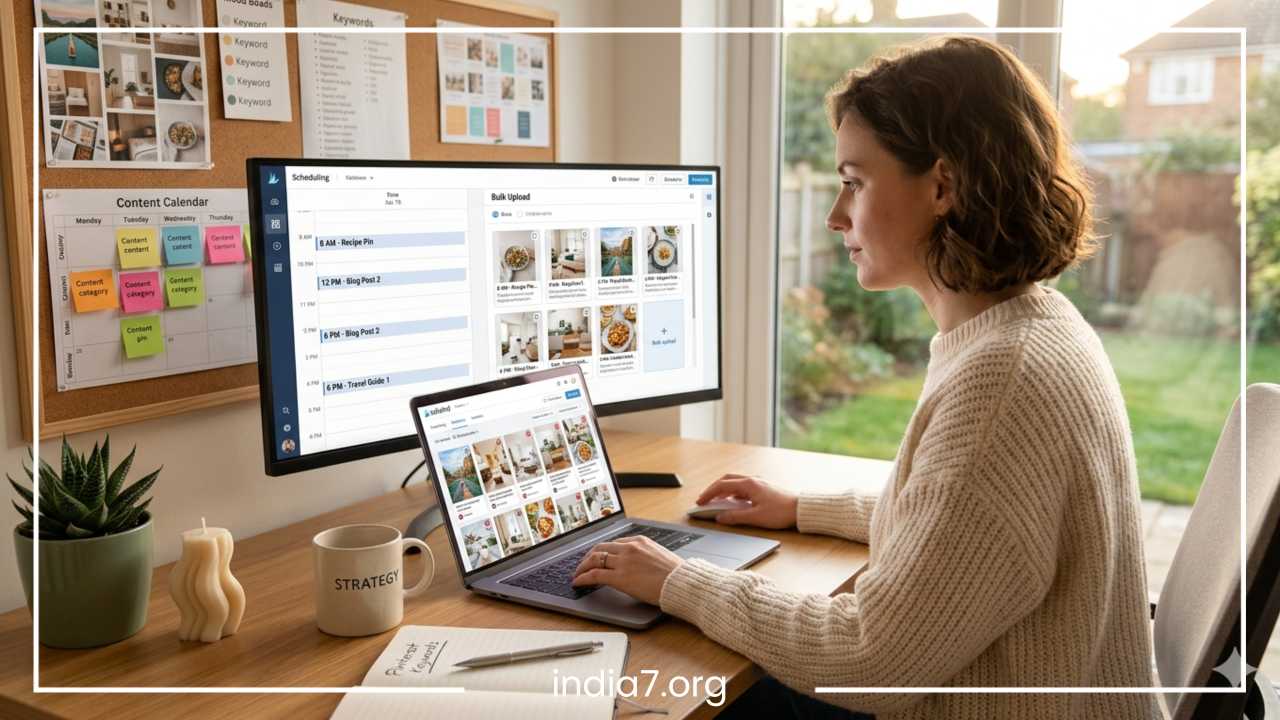
For many creators, the idea of logging into Pinterest several times a day to manually post content is overwhelming and unsustainable. This is where the strategic scheduling of Pins becomes essential. Scheduling allows you to maintain a steady presence on the platform without being tied to your screen. By planning your content in advance, you ensure that your audience sees your best work at the times they are most active.
Read: Power of the Cloud: A Guide to Cloud Computing Benefits
Furthermore, the psychology of the Pinterest user is unique. Users go to Pinterest to plan their futures—whether that is a wedding, a home renovation, or a weekly meal plan. To capture this “planning” audience, your content needs to be present when they are searching. Scheduling bridges the gap between your content creation and the user’s discovery phase, making it a non-negotiable part of a modern digital marketing strategy.
Why Scheduling Daily Pins is Important
The Pinterest algorithm is designed to serve users content that is relevant, timely, and high-quality. To do this effectively, the platform prioritizes “active” creators. Consistency is the heartbeat of Pinterest marketing. When you Pin daily, you send a signal to the algorithm that your account is active and reliable, which often results in your Pins being distributed more widely in the home feeds and search results of your target audience.
Algorithm Advantages and Engagement
Consistency increases your chances of engagement. When you spread your Pins throughout the day rather than dumping twenty images at once, you reach different segments of your audience who may be online at different times. This steady drip of content keeps your brand at the forefront of users’ minds. Furthermore, Pinterest favors “fresh” Pins—new images or videos that haven’t been seen on the platform before. Scheduling allows you to pace out these fresh uploads so that you are always providing something new for the algorithm to index.
The algorithm also looks at “repin” velocity—how quickly a Pin is saved after it is published. By scheduling Pins to go live during peak hours for your specific niche, you increase the likelihood of immediate engagement, which tells Pinterest that your Pin is “viral-worthy” and should be shown to more people.
Efficiency for Content Creators
Beyond the technical benefits, scheduling is a massive time-saver. Digital marketing requires juggling multiple tasks, from content creation to customer service. By batching your Pin creation and using a scheduler, you can handle a week’s or even a month’s worth of Pinterest marketing in a single afternoon. This “set it and forget it” approach prevents burnout and ensures that your marketing efforts don’t fall through the cracks during busy periods.
Balancing Promotion and Engagement
A successful Pinterest strategy requires a balance between promoting your own content and engaging with the wider community. Scheduling allows you to curate a mix of your own product Pins, blog post graphics, and helpful content from others. This variety makes your profile a resource for users rather than just an advertisement, which is crucial for building a loyal following. It also prevents your feed from looking like a one-dimensional sales pitch.
Read: Packaging Design 101: How Your Product Speaks Volumes Without Saying a Word
Understanding Pinterest’s Pinning Strategy
Before diving into tools, it is vital to understand the “how” and “why” of a Pinterest strategy. The platform has evolved significantly, shifting away from the old method of “re-pinning” everything in sight toward a focus on original, high-value content.
Manual vs. Scheduled Pinning
Manual pinning involves logging into the app or desktop site and uploading Pins in real-time. While this is great for staying “in the loop” with trends, it is difficult to scale. Scheduled pinning uses software to automate this process. Most experts recommend a hybrid approach: use a scheduler for 90% of your activity but hop on manually once or twice a week to interact with your feed and see what is currently trending. Manual pinning also allows you to use newer features, like certain video formats or interactive elements, which are sometimes not fully supported by third-party schedulers the moment they launch.
Optimal Posting Frequency
The “perfect” number of Pins per day is a subject of much debate, but generally, the consensus is quality over quantity.
-
New Accounts: 1 to 5 Pins per day to build a foundation.
-
Established Business Accounts: 10 to 25 Pins per day.
-
Affiliate Marketers: 5 to 10 high-quality Pins per day focused on specific niches.
Going over 30-50 Pins a day can often be seen as spammy by the algorithm and may lead to a decrease in reach. It is better to Pin 5 high-quality, high-resolution images that people actually want to click on than 50 mediocre ones that get ignored.
Timing and Peak Hours
Timing is everything. You want your Pins to go live when your specific audience is online. For a global audience, this usually means spreading Pins across various time zones. Generally, evenings and weekends see the highest Pinterest usage as people browse for inspiration after work or during their downtime. For example, a parenting blog might find success scheduling Pins during “nap time” or late at night after children are in bed, whereas a B2B service might see better results during the standard work week.
Repinning vs. Original Pins
Pinterest currently prioritizes Fresh Pins. A Fresh Pin is an image or video that has never been uploaded to Pinterest before. While you can still re-pin your own content to different relevant boards, you should focus the bulk of your schedule on new designs. Even if you are linking to the same blog post, using a new background image, a different crop, or a new text overlay counts as a Fresh Pin. This keeps your content cycle moving without needing to write a new blog post every single day.
Read: How Can You Choose the Best Affiliate Marketing Program for Yourself?
Tools to Schedule Pins
Choosing the right tool depends on your budget, the volume of content you produce, and the level of analytics you require.
Pinterest Native Scheduler
Pinterest offers a built-in scheduling tool for Business accounts. It is free and easy to use.
-
Pros: It is free; it is built directly into the platform, ensuring maximum compatibility; it allows you to schedule up to two weeks in advance.
-
Cons: Limited to 100 Pins at a time; no bulk upload feature; lacks advanced analytics and “looping” capabilities found in third-party tools. It is best for those who are just starting out or have a very low volume of content.
Tailwind
Tailwind is widely considered the gold standard for Pinterest scheduling. It is an official Pinterest partner and offers features specifically designed for the platform’s unique requirements.
-
SmartLoop: This is a game-changer. It automatically re-shares your best evergreen content at the right times, ensuring your top-performing Pins never die.
-
Communities: Formerly known as Tribes, this allows you to connect with other creators in your niche to share each other’s content, boosting your reach exponentially.
-
Ghostwriter: An AI tool that helps write SEO-optimized descriptions based on your Pin’s content.
-
Analytics: Deep insights into which boards and Pins are performing best, allowing you to double down on what works.
Buffer, Hootsuite, and Later
If you already use a social media management suite, you might prefer to keep everything in one place.
| Tool | Best For | Key Pinterest Feature | Pricing Tier |
| Buffer | Simplicity | Easy queue management and clean interface | Free / Paid |
| Hootsuite | Large Teams | Integration with dozens of other platforms | Premium |
| Later | Visual Planning | Drag-and-drop visual calendar for aesthetic planning | Free / Paid |
| Canva | Design + Post | Schedule directly from the design suite to Pinterest | Pro Feature |
For most dedicated Pinterest marketers, Tailwind is the preferred choice due to its platform-specific optimizations. However, if you are a visual designer, Later offers a superior look at how your boards will appear aesthetically.
How to Schedule Pins Effectively
Effective scheduling is a multi-step process that starts with preparation. You cannot simply upload random images and expect results; you need a cohesive workflow.
Step 1: Create a Content Calendar
Look at your upcoming blog posts, product launches, or seasonal trends. Map out what you want to promote for the next 30 to 60 days. If you are a food blogger, your calendar should focus on hearty stews in the winter and refreshing salads in the summer. Planning ahead allows you to gather the necessary photography or graphics without rushing.
Step 2: Batch Create Pins
Do not create Pins one by one. Use templates in a tool like Canva to create 5 to 10 variations for every piece of content. Change the colors, the fonts, and the imagery. One Pin could be a “Listicle” style, another a “Large Image” style, and another a “Video Pin.” This gives you a library of “Fresh Pins” to pull from for weeks.
Step 3: Write Compelling, SEO-Rich Copy
Pinterest is a search engine. Your Titles and Descriptions must contain the keywords your audience is searching for.
-
Title: Clear and catchy, containing the main keyword. Avoid “cute” titles; go for “functional” titles.
-
Description: 2-3 sentences explaining what the Pin is about, using natural language and secondary keywords. Think about what a user would type into the search bar to find your content.
-
Alt Text: Describe the image literally for visually impaired users. This also helps Pinterest’s AI “see” what is in your image.
Step 4: Add Strategic Links
Every Pin should have a destination. Ensure your links are clean and lead exactly where the Pin promises. If your Pin is about “Blue Suede Shoes,” the link should go to that product page, not your home page. Avoid using shortened URLs (like bit.ly) as Pinterest sometimes flags these as suspicious or potential spam.
Step 5: Schedule for Optimal Times
Using your chosen tool, spread these Pins out. If you have 10 Pins for one article, do not schedule them all for Monday. Schedule one for Monday, one for Wednesday, and perhaps one for the following Sunday. This ensures your content stays in the ecosystem longer and hits different users at different times.
Avoiding Spammy Behavior
To keep your account in good standing, avoid:
-
Pinning the same URL more than once in a 24-hour period.
-
Using irrelevant keywords (keyword stuffing).
-
Pinning to irrelevant boards. If you have a recipe for chicken, don’t pin it to your “Home Decor” board just because that board has a lot of followers.
Organizing Boards and Pins
Scheduling is only effective if your “home base”—your profile—is organized. Boards are how Pinterest understands what your content is about.
Niche-Specific Boards
Instead of having one giant board called “Recipes,” break it down into “Vegan Breakfast Recipes,” “Quick Weeknight Dinners,” and “Gluten-Free Desserts.” This helps the Pinterest algorithm categorize your Pins accurately. When you schedule a Pin, ensure it is going to the most relevant board first, as the first board a Pin is saved to carries the most SEO weight.
Board Naming and Descriptions
Use keywords in your board titles. Instead of “Cool Stuff,” use “Modern Home Office Decor Ideas.” Write a brief description for each board that reinforces these keywords. This makes your boards searchable in the same way your Pins are.
Using Sections within Boards
Sections allow you to organize Pins within a board without creating fifty different boards. For a “Wedding Ideas” board, you might have sections for “Dresses,” “Flowers,” and “Cakes.” This keeps your profile user-friendly for people who visit your page directly and helps you organize your schedule more effectively.
Group Boards and Collaborations
Group boards allow multiple creators to Pin to the same board. While their effectiveness has shifted recently—Pinterest now prioritizes personal boards—they are still useful for reaching new audiences. When scheduling to group boards, be sure to follow their specific rules regarding frequency to avoid being removed by the board owner.
Advanced Scheduling Strategies
Once you have mastered the basics, you can implement advanced strategies to squeeze more ROI out of every Pin.
Looping Evergreen Content
Some content is timeless. A guide on “How to Tie a Tie” or “Basic Photography Tips” will be relevant years from now. Use tools like Tailwind’s SmartLoop to periodically re-introduce these Pins to your audience. This ensures your hard work continues to pay off indefinitely without you having to manually re-upload the same image.
Seasonal Scheduling
Pinterest users are planners. They start looking for Christmas ideas in September and summer vacation ideas in February. You should schedule your seasonal content 2 to 3 months in advance. By the time the holiday or season arrives, your Pins will already have gained traction, saves, and engagement, allowing them to sit at the top of search results when everyone else is just starting to Pin.
A/B Testing Pin Designs
Since you are scheduling multiple versions of a Pin for the same link, use this as an experiment. Note which colors, fonts, or call-to-actions get more clicks. Does a red background perform better than a white one? Do “How-To” headlines perform better than “Top 10” lists? Use these insights to inform your next batch of content creation. Over time, your “average” Pin will become much more effective.
Analyzing Analytics to Refine Schedule
Check your Pinterest Analytics or your scheduling tool’s reports at least once a month. Look for:
-
Top Performing Pins: What do they have in common visually and textually?
-
Top Performing Boards: Where is your traffic coming from?
-
Outbound Clicks: Which Pins actually drive people to your website? (This is the most important metric for bloggers and businesses).
Adjust your schedule to favor the types of content and the specific times that provide the most value.
Common Mistakes to Avoid
Even with the best tools, certain pitfalls can hinder your growth. Awareness of these common errors will put you ahead of most users.
Over-Scheduling or “Dumping”
The biggest mistake is thinking that more is always better. If you schedule 100 Pins to go out in a single hour, you will likely see your reach throttled. Pinterest values a steady, human-like flow of content. Avoid the temptation to “catch up” on a missed week by pinning 200 items in one day.
Ignoring the Visual Nature of the Platform
Pinterest is visual. No amount of scheduling will save a Pin that is blurry, poorly cropped, or uses hard-to-read fonts. Always prioritize high-quality, vertical images. The ideal aspect ratio is 2:3 (e.g., 1000 x 1500 pixels). Square or horizontal Pins rarely perform well on Pinterest because they take up less vertical space in the feed.
Weak Descriptions and Hashtag Overload
Leaving the description blank or only using thirty hashtags is a missed opportunity. While hashtags are used on Pinterest, they are not as powerful as keyword-rich, descriptive sentences. Focus on 2-5 relevant hashtags at the end of a solid, 200-character description.
Failing to Repin Strategically
While “Fresh Pins” are the priority, total isolation is bad. If you only ever Pin your own stuff and never engage with others, you miss out on the community aspect of the platform. Scheduling a few high-quality re-pins from leaders in your industry can help round out your boards, provide value to your followers, and potentially get you on the radar of larger creators.
Action Steps
Mastering Pinterest requires a shift in mindset from “social posting” to “search engine optimization.” Scheduling your daily Pins is the most effective way to manage this transition. By using tools like the Pinterest Native Scheduler, Tailwind, or Later, you can maintain a consistent presence that satisfies the algorithm while freeing up your time to focus on other areas of your business.
Remember that Pinterest is a long game. Unlike other platforms where you might see instant results, Pinterest takes time to index your Pins and find the right audience. It often takes 3 to 6 months of consistent, scheduled pinning to see a significant surge in traffic. Do not get discouraged if your first week of scheduled Pins doesn’t go viral.
Your Action Plan:
-
Audit your profile: Ensure your boards are niche-specific and keyword-optimized.
-
Choose a tool: Start with the native scheduler if you are a beginner, or sign up for a trial of Tailwind for advanced features.
-
Batch create: Design 20-30 Pins this week using templates in Canva.
-
Write SEO Copy: Focus on keywords for your titles and descriptions.
-
Set the schedule: Aim for 5-10 Pins per day, spread out over different times.
-
Review: In 30 days, check your analytics and see what worked, then rinse and repeat.
Consistency is not about being perfect; it is about being present. Start small, stay regular, and watch your Pinterest traffic grow over time. The effort you put into scheduling today will build a traffic-generating machine that works for you 24 hours a day, allowing you to build your brand while you sleep.
Deep Dive: Content Batching for Pinterest
One of the most significant hurdles to maintaining a daily schedule is the feeling that you are constantly “chasing” content. To solve this, you must master content batching. This is the process of setting aside a specific block of time to create all your assets for the coming month.
The Photography Batch
If you take your own photos, dedicate one day to lighting and staging. If you use stock photos, spend an hour downloading 50-100 images that fit your brand aesthetic. Having a folder of images ready to go makes the design phase much faster.
The Design Batch
Once you have your images, move into Canva or Photoshop. Apply your brand fonts and colors. Using the “bulk create” features available in many design tools, you can swap out text on a template to create dozens of Pins in minutes. Aim for variety: one “quote” Pin, one “how-to” Pin, and one “product” Pin for every single URL you are promoting.
The Upload and Schedule Batch
With your images ready and your keywords researched, sit down with your scheduling tool. This is the final step. By doing this all at once, you stay in the “Pinterest mindset,” which makes writing descriptions faster and more cohesive. You can see the “flow” of your content for the month and ensure that you aren’t repeating the same keywords or images too close together.
Adapting to Pinterest Updates
Pinterest, like any tech giant, frequently updates its best practices. A few years ago, the strategy was to Pin 50 times a day and use as many group boards as possible. Today, that would likely get your account flagged.
Stay Informed
Follow the Pinterest Newsroom or official Pinterest creators’ blogs. They often release “Best Practice” guides that tell you exactly what the algorithm is currently looking for. For example, they recently emphasized “Video Pins” and “Idea Pins” (which are now integrated into standard Pins).
Quality Over Everything
Regardless of the latest update, one thing remains constant: high-quality content wins. If you provide an answer to a user’s question or an inspiring solution to their problem, Pinterest will want to show your Pin. Scheduling ensures that your high-quality content gets the “airtime” it deserves.
Testing New Features
When Pinterest releases a new feature, they often give those Pins an extra boost in the algorithm to encourage adoption. When you see a new format, try to incorporate it into your schedule immediately. Even if your scheduler doesn’t support it yet, do a few manual Pins of the new format each week to take advantage of that early-adopter boost.
Final Thoughts The Power of Automation
By the time you reach this stage of your Pinterest journey, you should see the platform not as a chore, but as an asset. Scheduling daily Pins is the act of automating your growth. It removes the emotional weight of “needing to post” and replaces it with a structured, data-driven marketing system.
The most successful Pinterest accounts are not those that post sporadically when the mood strikes, but those that have a relentless, automated presence. By following this guide—from understanding the algorithm to mastering advanced tools and avoiding common mistakes—you are setting yourself up for long-term, sustainable traffic.
Start your first batch today. Schedule your first week of Pins. Once you see the first few clicks come in without you having to lift a finger that day, you will realize the true power of an optimized Pinterest schedule.