Best Banks for Easy-to-Use Mobile Apps
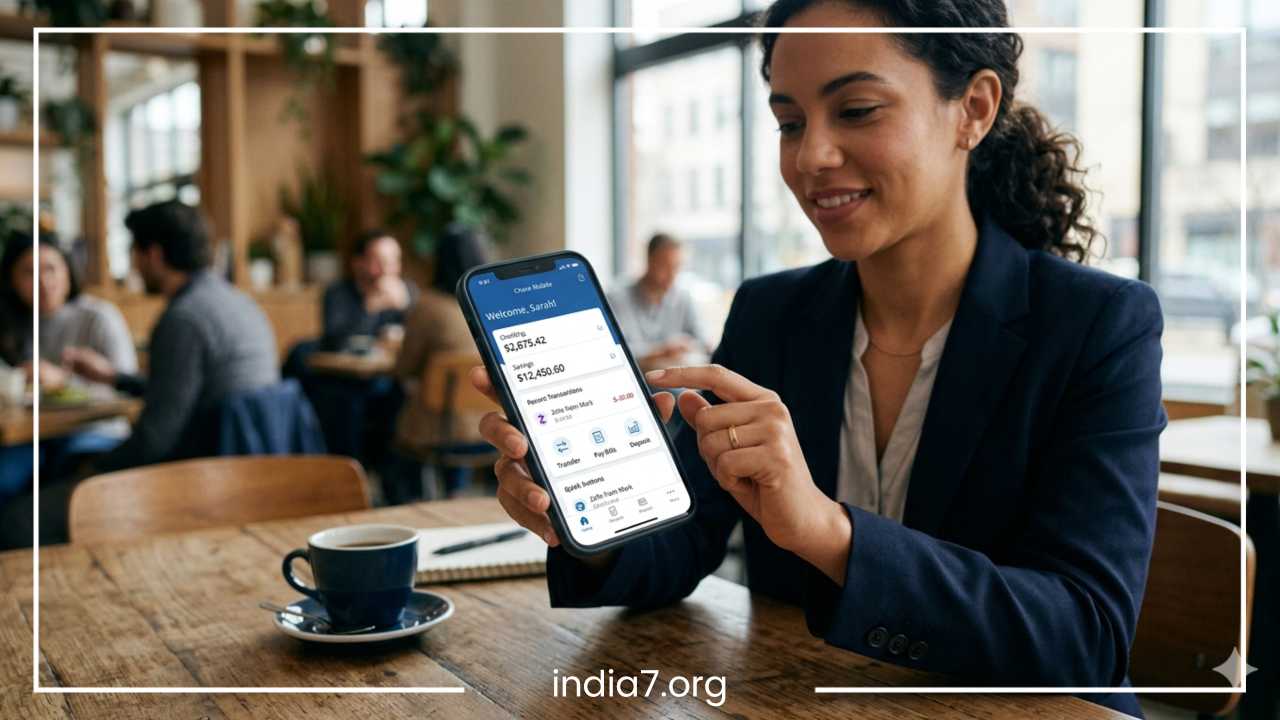
Best Banks for Easy-to-Use Mobile Apps | Top Banking Apps Compared
The way we manage our money has fundamentally changed. Gone are the days when picking a bank meant finding the branch closest to your house or looking for the friendliest teller. Today, our primary relationship with our money happens on a glass screen right in the palm of our hand. The quality of a digital banking experience is no longer just a convenient perk; it is often the deciding factor when consumers choose where to open an account.
A truly modern financial institution must provide tools that fit into the rhythm of daily life. Consumers expect to deposit a check while sitting on the couch, split a dinner bill in seconds, and track their monthly spending habits without opening a spreadsheet. For a financial institution, a frustrating user interface or a glitchy system is the modern equivalent of a locked vault door.
An easy-to-use mobile banking app eliminates friction, demystifies personal finance, and saves precious time. With dozens of institutions competing for space on your smartphone, discovering which ones truly deliver an exceptional user experience requires a close look at the details. This comprehensive guide breaks down the best banking apps on the market, analyzing their features, user ratings, and overall usability to help you find your perfect financial match.
Read: Confused About Making Investment Options? – Don’t Make Hasty Decisions
What Makes a Banking App Easy to Use?
An exceptional user interface is about more than just looking pretty. True ease of use is found at the intersection of intentional design, engineering reliability, and practical functionality. When evaluating the best banking apps, several core criteria separate the elite platforms from the mediocre ones.
Interface Quality and Layout
A clean interface is the foundation of a good app. When you open the software, your account balances should be instantly visible without requiring unnecessary clicks. The visual design should employ clear typography, high-contrast text, and an intuitive layout. If you have to hunt through three submenus just to find your routing number or look at recent transactions, the app has failed the basic test of navigation simplicity.
Core Features and Everyday Tools
The best easy-to-use mobile banking apps handle daily tasks seamlessly. This begins with fast login methods, such as integrated biometric authentication using fingerprint or facial recognition, which bypasses the need to type complex passwords every time. Mobile check deposit tools should be sharp and automated, capturing clear images of the check without constant errors.
Bill payment systems should let you schedule recurring payments and add payees with a few taps. Furthermore, real-time alerts are crucial for monitoring activity; the software should immediately ping your phone when a transaction occurs, helping you spot fraud or track spending instantly.
Advanced Management and Support
Beyond basic transactions, top-tier apps include built-in budgeting tools that automatically categorize your expenses and offer visual spending insights. They also provide direct card controls, allowing you to instantly freeze a misplaced debit or credit card rather than forcing you to call a hotline. If an issue does arise, customer support access should be built directly into the interface via 24/7 live chat or a quick tap to connect with a human representative.
Mobile Banking Ease-of-Use Checklist:
* Simple UI: Balanced layouts with clear account summaries on the home screen.
* Fast Transfers: Built-in peer-to-peer options and fluid account-to-account moves.
* Biometric Login: Instant access via facial recognition or fingerprint scanning.
* Low Crash Rates: Solid software optimization with minimal loading screens.
* 24/7 Support: Easy access to in-app text messaging support or live representatives.
Best Banks for Easy-to-Use Mobile Apps
Chase — Best Overall Mobile Banking Experience
Chase provides a masterclass in how a traditional brick-and-mortar institution can dominate the digital landscape. The Chase Mobile app serves millions of users while maintaining a remarkably high level of stability and customer satisfaction. It strikes a rare balance, offering a comprehensive suite of advanced financial tools without ever feeling cluttered or overwhelming to beginners.
Best App Features
The home screen opens to a highly readable summary of your checking, savings, credit card, and investment accounts. Navigation simplicity is achieved through a clean bottom menu bar that guides you to payments, deposits, and support. The platform features flawless Zelle integration for peer-to-peer money transfers, making it incredibly simple to send cash using just an email address or mobile number.
The built-in Chase Credit Journey tool tracks your credit score and provides personalized safety alerts, while the card management section lets you swap out replacement cards, lock compromised accounts, or set precise travel notifications instantly.
-
Pros: Exceptionally stable platform with minimal downtime; all-in-one platform covers everyday checking alongside J.P. Morgan wealth management; highly intuitive mobile check deposit process.
-
Cons: The wealth management features can occasionally trigger promotional pop-ups within the interface; basic savings accounts connected to the app offer very low interest rates.
-
Best For: Users who want a premium, dependable digital layout paired with the security and footprint of a massive national bank.
-
App Ratings: iOS: 4.8/5 | Android: 4.4/5
Bank of America — Best for Personalized Virtual Assistance
Bank of America has invested heavily in digital innovation, resulting in a mobile application that feels incredibly advanced yet remain highly accessible. The crown jewel of their digital banking experience is their AI-driven virtual assistant, which elevates the software from a simple transactional tool into an active financial companion.
Best App Features
The defining feature of this application is Erica, an AI virtual financial assistant that responds to voice, text, or tap commands. You can ask Erica to search for a specific transaction from six months ago, view your recurring subscriptions, or alert you if a bill doubles in cost.
The software also features the Bank of America Life Plan tool, which allows you to set long-term financial milestones and monitor your progress visually. Additionally, the app offers robust spending and budgeting tools that automatically slice your monthly expenses into clear, interactive pie charts.
-
Pros: Erica makes finding deep account history and tracking spending incredibly fast; seamless switching between banking assets and Merrill Edge investment portfolios; great security controls.
-
Cons: The sheer number of deep features means it can take a day or two for beginners to learn where everything lives; certain account options carry monthly maintenance fees if requirements are not met.
-
Best For: Tech-savvy users who want an intelligent, guided mobile experience that automates spending analysis.
-
App Ratings: iOS: 4.8/5 | Android: 4.6/5
Capital One — Best for Simple Navigation and Card Management
Capital One consistently earns rave reviews from users because it focuses on stripping away unnecessary steps. Its app design philosophy leans heavily on minimalism, making it one of the absolute easiest platforms to navigate for individuals who hate dealing with confusing financial jargon or multi-layered menus.
Best App Features
The interface utilizes large buttons, ample white space, and an unambiguous layout. A standout feature is Eno, Capital One’s proactive digital assistant. Unlike assistants that wait for you to ask a question, Eno works silently in the background and sends push notifications if it catches a duplicate charge, an unusually high tip, or an unexpected price jump on a recurring bill.
The application also includes CreditWise, letting you monitor your credit score for free, and an exceptional subscription manager that shows you exactly which companies are charging your card each month.
-
Pros: Beautifully minimalist interface that requires zero learning curve; instant, reliable push alerts for real-time transaction tracking; excellent digital card controls with instant lock/unlock capabilities.
-
Cons: Lacks some of the ultra-deep, customizable investment tracking tools found in competitors; fewer physical branches if you ever need in-person support.
-
Best For: Everyday consumers looking for a stress-free, modern interface that prioritizes card security and clear layout above all else.
-
App Ratings: iOS: 4.8/5 | Android: 4.6/5
Wells Fargo — Best for Simplified Bill Management
Wells Fargo has undergone a complete digital transformation, rebuilding its mobile app from the ground up to replace its older, clunkier legacy systems. The result is a highly polished, clean application that focuses heavily on streamlining monthly bills and everyday transfers.
Best App Features
The modern layout features an interactive personalized feed on the main page, delivering relevant insights based on your upcoming bills and historical spending habits. The mobile check deposit tool has been heavily optimized for speed, utilizing an auto-capture framework that takes the photo for you once the check is properly aligned. The bill pay control panel is a model of navigation simplicity, allowing you to see upcoming dues, past payments, and auto-pay settings in a single unified view.
-
Pros: Massive improvement in loading speeds and interface design; excellent automated check capture feature; highly detailed, real-time fraud monitoring alerts.
-
Cons: The savings tools are fairly standard and lack advanced goal-tracking systems like digital vaults or buckets; sparse investment tools inside the base banking application.
-
Best For: Traditional banking customers who want a clean, straightforward mobile app focused heavily on fast bill payments and account monitoring.
-
App Ratings: iOS: 4.8/5 | Android: 4.6/5
Citi — Best for Customized Financial Dashboard Views
The Citi Mobile app is built around personalization. It understands that different users care about different pieces of data, providing an adjustable interface that allows you to tailor your digital banking platform to your specific daily habits.
Best App Features
Citi features an innovative snapshot tool that lets you check your account balances and view recent transactions from your smartphone screen without even logging in completely. Once inside, you can rearrange your dashboard cards to prioritize credit card rewards, checking balances, or personal loan details. The platform also has an excellent international money transfer interface and an automated disputes module that allows you to flag unauthorized charges directly through the mobile app without making a phone call.
-
Pros: Highly customizable home screen layout; snapshot feature allows rapid balance checks; quick and painless in-app charge dispute system.
-
Cons: Finding deep settings options can occasionally feel like a maze; mobile check deposit processing can sometimes take slightly longer than online-only competitors.
-
Best For: Users who hold multiple credit lines or accounts and want a tailored dashboard to track everything quickly.
-
App Ratings: iOS: 4.7/5 | Android: 4.5/5
Ally Bank — Best for Automated Savings Optimization
As a pioneer in the online-only banking space, Ally Bank has spent years perfecting its digital customer experience. Because they do not operate physical brick-and-mortar locations, their mobile app is the bank, which is why it stands out as one of the most reliable and forward-thinking platforms available.
Best App Features
Ally’s app completely redefines how users interact with savings accounts through its proprietary buckets and boosters system. Instead of forcing you to open multiple savings accounts, the app allows you to divide a single account into ten distinct digital buckets for specific goals, such as an emergency fund, a vacation, or a car down payment.
The software also features automated boosters, which analyze your checking habits and silently transfer safe amounts of money into your savings buckets, optimizing your wealth accumulation without any manual effort.
-
Pros: The savings buckets provide the best visual tracking for financial goals on the market; complete absence of monthly maintenance fees; intuitive, ultra-clean design with no corporate fluff.
-
Cons: You cannot deposit physical cash directly into your account through an ATM; lacks a native built-in stock trading interface inside the primary banking app module.
-
Best For: Dedicated savers who want an automated, fee-free platform that organizes their money visually.
-
App Ratings: iOS: 4.7/5 | Android: 4.4/5
SoFi — Best for All-In-One Wealth and Banking Consolidation
SoFi operates under a bold premise: you should only need one financial app on your phone. Their mobile application is a powerful financial dashboard that unifies checking, high-yield savings, stock trading, retirement planning, and loan management under a single, highly energetic interface.
Best App Features
The app centers around SoFi Relay, a comprehensive money management system that links both your internal SoFi assets and external accounts to calculate your real-time net worth and track your spending habits across all platforms.
The banking section includes high-yield savings vaults that function similarly to digital piggy banks. Furthermore, the platform integrates an extensive rewards ecosystem where checking your credit score, setting up direct deposits, or monitoring your budget earns points that can be redeemed for real cash or used to pay down SoFi loans.
-
Pros: True all-in-one platform that allows you to check your checking balance and buy fractional stocks in three seconds; no account fees; brilliant automated net-worth tracker.
-
Cons: The interface is very dense with features, which can feel slightly busy or aggressive for individuals who just want a basic checking layout; rewards program requires active engagement.
-
Best For: Users who want to combine their checking, high-yield savings, budgeting software, and investment portfolios into a single application.
-
App Ratings: iOS: 4.8/5 | Android: 4.1/5
Chime — Best for True Financial Simplicity and Beginners
Chime disrupted consumer finance by creating an online banking experience that throws out the traditional handbook. Its mobile application is laser-focused on core banking functions, eliminating complex jargon, hidden fees, and confusing submenus in favor of pure, unfiltered accessibility.
Best App Features
The Chime interface is incredibly friendly, utilizing simple visual indicators and large text. Its key features center around accessibility and speed, providing users with early direct deposit access and a built-in fee-free overdraft system called SpotMe.
The app features a highly straightforward mobile check deposit tool and an intuitive map that points you to thousands of fee-free ATMs around your current location. The settings panel is perfectly streamlined, making it simple to toggle your debit card on or off with a single tap.
-
Pros: The absolute easiest interface for financial beginners or young adults; no hidden fees or complicated balance minimums; lightning-fast app load times.
-
Cons: Extremely limited advanced features; does not include built-in budgeting spreadsheets, deep investment tools, or joint account capabilities.
-
Best For: Individuals, students, or banking novices who want a zero-fee mobile experience focused strictly on clean checking and fast transfers.
-
App Ratings: iOS: 4.8/5 | Android: 4.7/5
Read: Prepaid Credit Cards – a Valuable Credit Store With No Hidden Fees or Charges
Mobile Banking App Features Compared
To give you an immediate bird’s-eye view of how these industry-leading mobile platforms stack up against one another, the following chart compares their fundamental ease of use, everyday digital features, and user ratings across major app stores.
| Bank | Ease of Use | Mobile Deposit | Budgeting Tools | Customer Support | App Rating |
| Chase | Excellent | Auto-Capture | Basic Insights | 24/7 Phone & In-App | 4.8 / 5 |
| Bank of America | Very Good | Auto-Capture | Advanced (Erica) | 24/7 AI + Live Chat | 4.8 / 5 |
| Capital One | Excellent | Manual Photo | Subscription Tracker | 24/7 Phone & Chat | 4.8 / 5 |
| Wells Fargo | Very Good | Auto-Capture | Personalized Feed | In-App & Phone | 4.8 / 5 |
| Citi | Good | Manual Photo | Spending Insights | Live Chat & Phone | 4.7 / 5 |
| Ally Bank | Excellent | Auto-Capture | Advanced Buckets | 24/7 Live Agent Chat | 4.7 / 5 |
| SoFi | Very Good | Auto-Capture | Advanced (Relay) | In-App Message & Phone | 4.5 / 5 |
| Chime | Excellent | Manual Photo | Basic Alerts | 24/7 In-App Chat | 4.8 / 5 |
Best Banking Apps for Different Users
No two consumers manage their money in the exact same way. A college student opening their first checking account has vastly different expectations for an app than a seasoned investor or a parent managing an entire household’s expenses. Matching your personal profile to the correct application design is the secret to finding the perfect digital banking platform.
Best App for Beginners: Chime
For those who are stepping into the world of personal finance for the first time, Chime strips away the intimidation factor. There are no confusing financial reports to parse, no complex investment graphs to analyze, and no hidden fine print regarding minimum balances. The app shows you exactly how much money you have, where you spent it, and where to find a free ATM. It is a completely stress-free introduction to digital money management.
Best App for Budgeting: Ally Bank
If your primary goal is to gain control over your spending and supercharge your savings, Ally Bank is unmatched. Its savings buckets turn a traditional spreadsheet task into an intuitive, visual experience. You can watch your vacation bucket fill up step-by-step, while the automated boosters work quietly in the background to grow your money without requiring you to manually calculate your monthly cash flow.
Best App for Online-Only Banking: Capital One
While Capital One does operate physical locations in certain states, its digital presence functions as a gold-standard online-only institution. The application is robust, incredibly secure, completely free of monthly maintenance fees, and runs with zero friction. It gives you all the power of a major banking conglomerate inside an interface that feels as nimble and innovative as a Silicon Valley startup.
Best App for Students: Chase
Chase offers a dedicated student checking option that links perfectly to their top-rated mobile app. It provides young adults with a world-class digital tool to master everyday finances via Zelle transfers and mobile check deposits, while giving parents easy oversight options. Furthermore, its massive national network of physical branches and ATMs provides a helpful safety net when students move away to college campuses.
Best App for Families: Bank of America
Managing a household requires coordination, and Bank of America’s mobile interface makes family tracking simple. With highly detailed custom text alerts, parents can keep tabs on multiple linked accounts or teenage checking lines in real time. The app’s detailed budgeting suite helps families analyze large expense categories like groceries, utilities, and entertainment over long periods.
Best App for Frequent Travelers: Capital One
Travelers need immediate card security and zero friction when crossing borders. Capital One’s mobile app allows you to set instant travel notices with a single tap, completely preventing accidental account freezes when you land in a new city. If you misplace your card in a hotel or airport, you can instantly lock it through the application and unlock it the second it is found under a seat cushion, saving you from vacation-ruining phone calls to customer service lines.
Best App for Investing + Banking: SoFi
For wealth-builders who want to put their idle cash to work instantly, SoFi consolidates your financial universe perfectly. You do not have to wait days for external bank transfers to clear to buy stocks. Within the same layout, you can move your paycheck from your checking vault directly into fractional shares, exchange-traded funds, or retirement accounts with a few rapid taps.
Read: Merchant Advance – Looking at It Once Again
Security Features to Look For in Banking Apps
A sleek user interface means nothing if the underlying architecture fails to keep your money safe. Digital banking requires an uncompromising approach to security. The top platforms utilize complex, multi-layered defense mechanisms to protect your sensitive personal data and financial assets.
When evaluating an app, make sure it includes these essential protective measures:
-
Advanced Biometric Authentication: The application should support immediate facial recognition or fingerprint login protocols. This creates a secure, hardware-encrypted entry barrier that prevents unauthorized access even if someone steals or learns your numerical phone passcode.
-
Multi-Factor Authentication (MFA): When logging in from an unrecognized device or initiating a large external transfer, the app must require a secondary verification step, such as a temporary token code sent via an authenticated app or secure text message.
-
Instant Card Freezing: A premier mobile app must give you immediate, autonomous control over your physical debit or credit cards. If you lose your wallet, you should be able to toggle the card to a locked state instantly from the home screen, cutting off fraudulent attempts before they can start.
-
Real-Time Transaction Alerts: The software should send immediate push notifications directly to your phone screen the second a charge hits your account, allowing you to instantly catch unauthorized merchant activity.
-
End-to-End Encryption: All data transmitted between your mobile phone and the bank’s main network servers must be protected using advanced encryption standards, keeping your account numbers and account passwords invisible to hackers on public Wi-Fi networks.
Traditional Banks vs. Digital Banks Apps
The battle for digital banking supremacy features two distinct types of institutions: heritage brick-and-mortar traditional banks and modern, agile online-only digital banks. While both options let you send money and pay bills from your smartphone, their underlying philosophies create distinct user experiences.
Traditional Bank Apps
Traditional giants like Chase, Bank of America, and Wells Fargo have poured billions of dollars into optimizing their digital infrastructure. The primary strength of their applications lies in their sheer scope. They act as unified control rooms where you can oversee checking accounts, credit cards, auto loans, mortgages, and traditional brokerage accounts all in one place.
Furthermore, the mobile application acts as an extension of their physical presence, letting you locate nearby branch locations or schedule face-to-face appointments with wealth advisors. However, because these applications carry heavy legacy code, their menus can occasionally feel more complex, and their core checking or savings accounts are more likely to carry balance requirements or monthly fees.
Digital Bank Apps
Online-only institutions like Ally, Chime, and SoFi approach app design from a clean slate. Because they don’t have to fund the real estate and staffing costs of thousands of physical properties, they pass those savings directly to the user in the form of higher interest rates and lower fees.
Their applications are built specifically for speed and specialized innovation, giving birth to clever tools like automated savings buckets, instant paycheck advances, and incredibly minimalist, fast layouts. The downside is that they lack face-to-face service alternatives; if you experience a complex account issue or need to deposit large stacks of physical cash, doing so solely through a digital customer service portal can occasionally present logistical hurdles.
Tips for Choosing the Right Mobile Banking App
Finding the right mobile application requires looking past marketing claims and evaluating how an app fits into your actual daily life. Use these practical strategies to test drive a platform before moving your primary direct deposits:
Read Recent App Store Reviews
Don’t just look at the overall star rating, which can be inflated by years of historical data. Sort user reviews on the Apple App Store or Google Play Store by “Most Recent.” This allows you to see how the app is performing right now after its latest software updates. If users are complaining about frequent app crashes or slow loading screens on the latest operating systems, it’s a clear red flag.
Inspect the Feature Specifics
Make sure the platform’s core strengths match your primary pain points. If you receive physical paper checks from freelance work or clients, thoroughly check user feedback regarding the app’s mobile check deposit tool. If you use a peer-to-peer app daily to split living expenses with roommates, ensure the platform provides seamless, native Zelle integration without imposing low daily transfer restrictions.
Verify the In-App Customer Support Flow
Open the app store screenshots or download the application to see how easy it is to find help. If an app hides its customer support contact button under four layers of legalese or forces you to interact with a repetitive, unhelpful robot without letting you request a human agent, look elsewhere. A great application makes getting real help fast and painless.
Evaluate Your Physical Cash Habits
Think about how often you handle physical paper currency. If you regularly tip cash or receive cash payments, ensure the mobile banking app features an interactive, reliable ATM locator that points you to free regional networks. For online-only banks, confirm whether the app provides a convenient digital barcode system that allows you to add cash to your account at major retail registers.
Final Thoughts
The quality of a bank’s mobile application is no longer a secondary consideration; it dictates your daily relationship with your money. Selecting an easy-to-use platform removes the anxiety from tracking personal expenses, speeds up routine bill payments, and helps your savings grow automatically through smart, intentional design.
For consumers who prefer a massive all-in-one financial dashboard backed by a nationwide physical footprint, traditional institutions like Chase and Bank of America deliver highly stable, feature-rich ecosystems. If your priority is maximizing your savings through innovative, fee-free automation, online-first platforms like Ally Bank or all-in-one wealth tools like SoFi provide the ultimate modern blueprint. For absolute simplicity without any unnecessary corporate fluff, Chime remains a premier choice for beginners.
The right app depends entirely on your personal financial habits and comfort level with digital tools. Before committing to a brand-new primary account, take the time to browse recent customer reviews, look at app store feature lists, and consider how a platform’s interface aligns with your long-term financial goals. Take control of your financial future by choosing a mobile partner that makes managing your money feel like a breeze.
Frequently Asked Questions
What are the safest mobile banking apps to protect my money?
The safest mobile banking apps are those backed by traditional institutions like Chase and Bank of America, as well as highly rated digital platforms like Capital One. These apps employ institutional-grade encryption, biometric logins (such as face and fingerprint recognition), and multi-factor authentication (MFA). To maximize your security, ensure your app offers instant card freezing capabilities and real-time fraud monitoring alerts so you can shut down unauthorized transactions immediately.
Which online bank has the best user interface for beginners?
Chime is widely considered the best online banking app for beginners due to its minimalist design. The platform eliminates dense financial jargon, complex menu hierarchies, and hidden account fee fine print. It prioritizes highly readable account balances, simple peer-to-peer transfer buttons, and an integrated fee-free ATM map locator, making it incredibly approachable for individuals managing an account for the first time.
How do I choose between a traditional bank app and a neobank app?
Choosing between a traditional bank app and a neobank (digital-only) app depends on your lifestyle and cash habits. Traditional apps like Bank of America or Wells Fargo are superior if you want a centralized dashboard to manage checking accounts alongside mortgages, auto loans, and physical branch access. Digital neobanks like Ally or SoFi are ideal if you want to avoid monthly fees, receive automated high-yield savings tools, and do not require in-person teller support.
Do mobile banking apps work if my phone has no internet connection?
Mobile banking apps require an active internet connection via cellular data or Wi-Fi to refresh balances, process transfers, or deposit checks. If your phone is offline, the application will lock you out or display cached data from your last logged-in session to maintain strict security compliance. If you need to check basic card balances without data, look into setting up SMS text banking keywords with your institution.
Why is my bank app mobile check deposit failing constantly?
Mobile check deposit failures are usually caused by bad lighting, poor image contrast, or camera motion blur. To fix this issue, place your paper check flat on a dark, non-reflective surface and ensure all four corners are visible inside the app’s camera frame. Traditional bank apps like Chase and Wells Fargo utilize optimized auto-capture tools that dramatically lower these image rejection rates.
What should I do if my phone is lost or stolen with a banking app installed?
If your phone is lost or stolen, your financial data remains secure behind your phone screen lock and your app’s biometric verification requirements. However, as an immediate safety precaution, you should log into your bank’s website from a computer or call their support line to deactivate mobile banking access for that specific device. This instantly revokes all digital tokens linked to your smartphone.