Tips for Engaging Facebook Live Sessions
10 Tips for Engaging Facebook Live Sessions | Boost Views
The landscape of digital marketing has shifted permanently toward real-time human connection. Over the last few years, live video marketing has transformed from a novel feature into a cornerstone strategy for brands, creators, and businesses worldwide. While pre-recorded video allows for polished editing and meticulous scripting, it lacks the raw, unscripted authenticity that modern audiences crave. This is where Facebook Live continues to hold immense value. It bridges the gap between distant organizations and everyday consumers, offering a digital town square where real-time conversations can thrive.
For businesses looking to maximize their online presence, mastering Facebook Live marketing is no longer optional. The platform prioritize broadcast formats that generate genuine human interaction. When you host an engaging live stream, you unlock a cascade of benefits that pre-recorded uploads simply cannot match. Highly interactive broadcasts enjoy significantly higher watch time, as viewers stick around to see if their comments are answered. This extended watch time signals the Facebook algorithm that your content is valuable, leading to better reach across user feeds. Furthermore, because live streams inherently invite participation, they accumulate more comments and shares, driving exponential organic visibility.
Beyond algorithmic advantages, the real power of live streaming lies in trust building. When an audience sees you unfiltered and responding to them live, barriers fall. This heightened trust translates directly into increased conversions, turning casual viewers into loyal customers. To achieve these results, you need a systematic approach to your broadcasts. This comprehensive guide details the top ten Facebook Live tips to elevate your production value, spark deep audience engagement, and dramatically increase Facebook Live viewers.
Read: The SEO Checklist for Website Redesigns
Promote Your Facebook Live Before Going Live
A common mistake many broadcasters make is assuming that simply clicking the live button will automatically draw a crowd. In reality, a successful live stream requires a deliberate pre-launch promotional strategy. If your audience does not know you are going live, they cannot plan to join you. Cultivating an audience ahead of time ensures a strong baseline of viewers from the very first minute of your stream.
To build anticipation, you must announce your broadcasts well in advance. Start talking about your upcoming live session at least three to five days before the scheduled date. Facebook provides a native tool to schedule live videos, which generates a dedicated post on your page. When users see this post, they can click an event reminder button. Facebook will then automatically send them a notification just as your broadcast begins, acting as your automated wake-up call to interested followers.
Do not limit your promotional efforts to your main Facebook feed. Utilize Facebook Stories to post daily countdowns, using the interactive countdown sticker to build a sense of urgency. Cross-promote the event across your other social media channels, and crucially, email your subscriber list. Your email list consists of your most dedicated fans; sending them a direct invitation with a link to your upcoming broadcast is one of the fastest ways to guarantee a high turnout.
Read: International SEO: Expanding Your Reach Globally
| Promotion Channel | Recommended Action Timing | Key Asset to Use |
| Facebook Page Post | 3 to 5 Days Before | Scheduled Live Event Link |
| Facebook Stories | 24 to 48 Hours Before | Interactive Countdown Sticker |
| Email Newsletter | 24 Hours Before | Calendar Invite and Agenda Bullet Points |
| Cross-Channel Socials | Day of Broadcast | Quick Teaser Video or Graphic |
The fundamental reason this pre-work matters boils down to algorithmic momentum. When more people join your stream from the start, it triggers a positive feedback loop. Facebook detects the immediate influx of viewers, marks the content as trending or high-value, and aggressively pushes the stream further into the feeds of your non-followers, multiplying your organic reach.
Choose Topics Your Audience Actually Wants
No amount of marketing flair can save a live stream centered on a topic your audience finds boring. To build truly engaging Facebook Live sessions, your content strategy must be rooted in deep audience research. You must step away from what you assume your audience wants to hear and instead look at hard data regarding their actual needs and interests.
Start your research by auditing your current customer touchpoints. Review the frequently asked questions that land in your customer support inbox or your social media direct messages. If multiple people are asking the same question, it is a clear sign that a live, in-depth explanation is warranted. You can also directly involve your audience in the planning process by utilizing Facebook polls and surveys. Ask your followers to vote between two or three potential topics for your next stream. This not only guarantees interest but also makes your community feel valued and co-responsible for your content creation.
Additionally, pay close attention to trending industry discussions and recurring customer pain points. Keep tabs on relevant forums, community groups, and industry blogs to see what topics are generating heated debates or widespread confusion. By positioning your live stream as the definitive source of clarity on these trending matters, you naturally attract an eager audience.
To keep your broadcast schedule diverse, mix and match different content formats based on your chosen topics. Consider hosting live question-and-answer sessions where you spend the entire hour addressing user submissions. Run step-by-step product demonstrations that highlight hidden features or creative use cases. Deliver high-value tutorials that solve a specific problem, or bring on external guests for insightful interviews. Aligning these formats with genuine audience desires forms the bedrock of a successful long-term Facebook Live strategy.
Read: Voice Search SEO: Optimizing for Conversational Queries
Create a Strong First 60 Seconds
The first minute of a live stream is arguably the most volatile. This is the precise window where viewers decide whether they will commit to your broadcast or swipe away to something else. Unfortunately, many creators waste this critical period by sitting in silence, adjusting their camera angles, or saying, “We will just wait for a few more people to hop on before we start.”
You must remember that viewers join gradually, and those who arrive first should not be penalized with boring dead air. Furthermore, the replay audience will experience those first 60 seconds without any delay. If the replay starts with two minutes of awkward waiting, they will click off instantly. Therefore, your mission is to hook your audience immediately, projecting high energy from the second your feed goes live.
Begin by introducing yourself and your brand within the first fifteen seconds. Keep it brief and professional, then immediately transition into explaining exactly what they will learn during the session. State the core value proposition clearly and confidently. Mention the specific, actionable key takeaways they will walk away with if they stay until the end of the broadcast.
To immediately break the ice and train your audience to interact, encourage comments early. Craft a compelling opening statement that demands a response. For instance, you could say: “Welcome everyone! Today I will show you three ways to double your Facebook engagement without spending a dime on ads. Before we dive into the first tactic, let me know in the comments where you are tuning in from today.” This structure hooks the viewer intellectually with a big promise while immediately prompting physical engagement in the comments section.
Interact Constantly With Viewers
The defining characteristic of live video is interactivity. If you wanted to deliver a one-way monologue, you would be better off filming a pre-recorded video. A true Facebook Live strategy requires you to treat your broadcast as a two-way conversation. You are not speaking at an audience; you are speaking with them.
To achieve continuous Facebook Live audience engagement, you must actively monitor the comment section throughout your entire broadcast. Do not save questions just for the end of the video. Instead, weave user interactions into the fabric of your presentation. When you see a great comment or a relevant question pop up, pause your planned talking points to acknowledge it.
When addressing comments, make it a habit to use viewers’ names aloud. Hearing one’s name spoken by a broadcaster builds an instant personal connection and makes the viewer feel seen and appreciated. Read their comments aloud before responding so that the rest of the audience has context for what you are discussing. This real-time validation encourages other quiet lurkers to start typing their own questions, turning your comment section into a vibrant hub of activity.
If the comments start to slow down, proactively restart the conversation by throwing out specific engagement prompts. Avoid vague questions like “Any thoughts?” Instead, use highly targeted, easy-to-answer prompts that require minimal effort from the viewer.
-
“Where are you joining from today? Drop your city and country in the comments!”
-
“Type YES in the comments if you have ever experienced this specific issue in your business.”
-
“On a scale of one to ten, how confident do you feel about your current marketing strategy?”
By lowering the barrier to entry for participation, you cultivate an inclusive environment that keeps your audience glued to the screen.
Use High-Quality Video and Audio
While Facebook Live is praised for its raw authenticity, there is a massive difference between being authentic and being unprofessional. Viewers will tolerate minor technical glitches, but consistently poor production quality causes viewers to leave quickly. If people cannot clearly see your face or hear your voice, they will not stay, regardless of how incredible your advice is.
Prioritizing your technical setup is a core tenet of Facebook Live best practices. The good news is that you do not need to spend thousands of dollars on Hollywood-grade studio equipment. Remarkable improvements can be achieved by simply optimizing the tools you already have.
Perfect Your Lighting
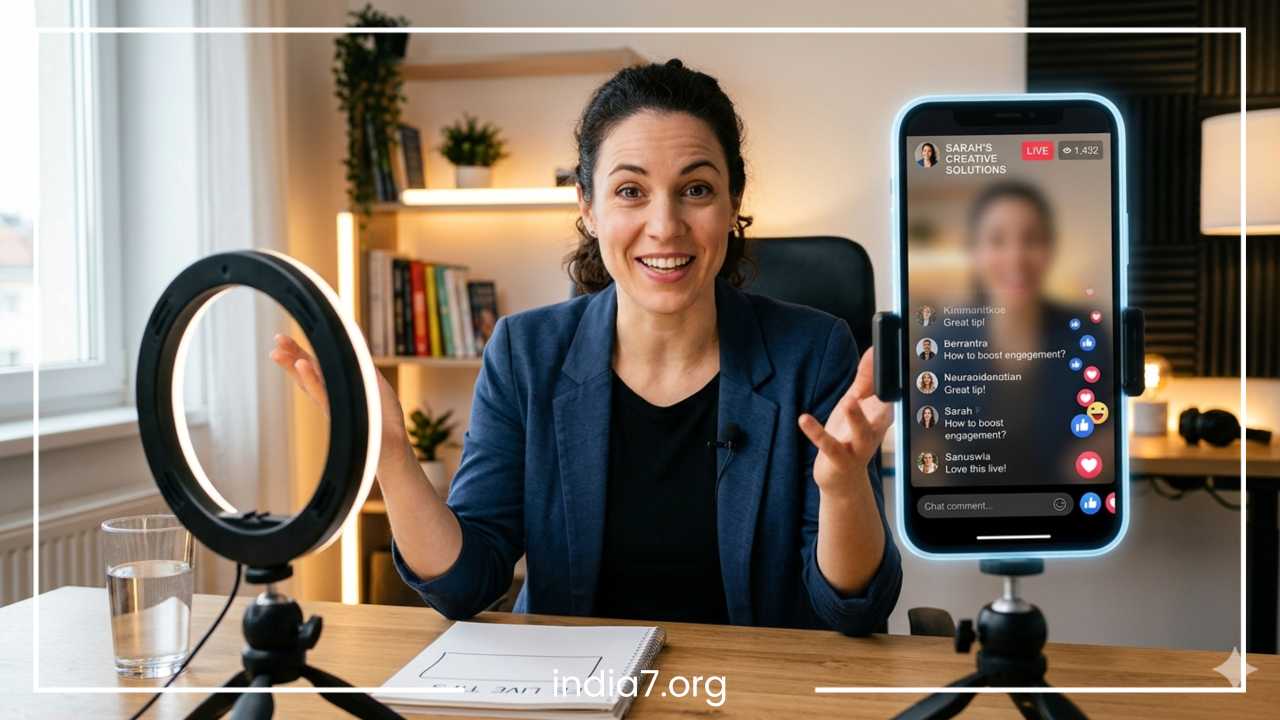
Never rely solely on overhead residential lighting, which creates harsh shadows under your eyes. Instead, position your primary light source directly in front of you, slightly above eye level. If you are working on a budget, facing a large open window provides beautiful, soft natural light. If you shoot in a dark room, investing in an affordable LED ring light or a desktop softbox will instantly give your stream a crisp, professional look.
Isolate Your Audio
Audio is actually more critical than video quality. A viewer might look away from a slightly grainy video while listening to clean audio, but they will instantly abandon a crystal-clear video if the sound is muffled, echoey, or plagued by background static. Avoid using your computer or phone’s built-in microphone. Instead, use an external lapel microphone or a USB directional microphone to isolate your voice and eliminate ambient room noise.
Ensure Network and Camera Stability
A glitchy, buffering stream is the fastest way to kill your viewership numbers. Always test your internet speeds before going live. Whenever possible, connect your computer directly to your router using an Ethernet cable rather than relying on Wi-Fi. If you must stream from a mobile device, ensure you have a full cellular data connection or a dedicated, uninterrupted Wi-Fi signal. Additionally, always use a sturdy tripod to eliminate shaky, handheld footage, and position your camera at eye level to maintain a natural, conversational perspective with your viewers.
Keep the Session Structured
An engaging live stream feels natural and spontaneous, but behind that effortless exterior lies a rigid structural framework. Rambling aimlessly, losing your train of thought, or repeating yourself will quickly alienate viewers who value their time. To maintain momentum and protect your pacing, you must keep the session structured from start to finish.
Before you ever hit the live button, create a detailed text outline of your broadcast. You do not need to write a verbatim script; doing so will make you sound robotic and detached. Instead, write down bullet points outlining your core concepts, specific statistics you want to cite, and key phrases you want to remember. Keep this outline on a physical notepad next to your camera or open in a text document on your screen where you can easily glance at it without breaking eye contact with your lens.
Segment your content into distinct, digestible modules. This allows you to break your main topic down into smaller sub-topics, making it much easier for the audience to follow along. It also gives you natural transition points where you can take a brief break, check the comments, answer a couple of questions, and then smoothly guide the audience into the next segment.
| Broadcast Segment | Suggested Time Allocation | Segment Objective |
| Hook and Intro | First 2 to 3 Minutes | State the value, welcome early joiners, prompt engagement. |
| Core Content Delivery | 20 to 30 Minutes | Deliver the main bullet points, broken into clear sub-topics. |
| Open Q&A Session | 10 to 15 Minutes | Address deeper viewer questions gathered during the stream. |
| Wrap-up and CTA | Final 3 to 5 Minutes | Deliver a singular, powerful call to action and sign off. |
Adhering to a reliable example format ensures that you deliver massive value efficiently, preventing the mid-stream drop-offs that occur when a broadcaster begins to lose focus and ramble.
Encourage Shares and Reactions
One of the unique advantages of Facebook’s ecosystem is its emphasis on virality. When a user reacts to or shares a post, that action is often broadcasted to their personal network of friends. To significantly increase your organic visibility and how to get more views on Facebook Live, you must turn your viewers into active promoters.
Do not be shy about asking your viewers to share the broadcast. However, the timing and phrasing of your request matter immensely. Avoid asking for shares at the very beginning of the video before you have provided any real value. Instead, wait until you have just dropped a highly impactful tip or a fascinating piece of industry insight. When the audience is actively feeling the value of your stream, that is the perfect moment to make your request.
When asking for support, explain exactly why sharing helps. Connect the action to a broader benefit. For example, instead of a dry “Please share this video,” use an actionable request like: “If you found this specific tip useful for your business, please take a second to hit the share button right now so we can help your fellow entrepreneurs optimize their pages too.”
Similarly, request live reactions throughout the stream. Ask viewers to hit the heart or thumbs-up buttons if they agree with a point you just made. These live reactions do not just look pretty floating across the screen; they serve as powerful real-time engagement signals. The Facebook algorithm tracks the density of these reactions. A sudden spike in hearts tells the system that the live stream is invoking a strong emotional response, prompting the algorithm to boost Facebook Live reach by placing the broadcast higher in other users’ news feeds.
Use Guests, Interviews, and Collaborations
If you find that your live stream growth has hit a plateau, introducing external voices is an exceptional way to inject fresh energy into your channel. Collaborating with other individuals expands your content horizons and breaks up the monotony of a single presenter.
Bringing on industry experts, niche influencers, trusted customers, or strategic business partners yields immense mutual benefits. From a content perspective, guests bring fresh viewpoints, specialized expertise, and diverse storytelling styles that keep your audience deeply intrigued. An interview format also naturally creates a dynamic, conversational flow that is incredibly easy to watch.
From a marketing standpoint, collaborations are one of the most effective ways to break into entirely new target demographics. When you invite a guest onto your Facebook Live session, they are highly likely to promote the event to their own loyal following. This means that when your stream starts, a substantial portion of their audience will cross over to your page to watch the broadcast. If you deliver an engaging experience, many of those guest viewers will click the follow button on your page, permanently growing your asset base.
Furthermore, aligning your brand with respected experts in your field increases your industry credibility by association. It establishes your page as a central knowledge hub where top-tier discussions take place, raising your authority and making your future Facebook Live streaming tips and broadcasts highly anticipated events.
Include Clear Calls to Action
Every marketing effort must have an ultimate goal, and your live streams are no exception. While building community and answering questions is wonderful, you must explicitly guide your viewers on what step to take next. Without a clear call to action, your viewers will simply close the app once you log off, causing you to lose all the momentum you built during the session.
Your call to action should align perfectly with the overall topic of your live stream. If you spent the last half hour talking about social media strategy, your call to action could be directing users to download a free PDF checklist on that exact topic. If you were demonstrating a physical product, direct them to a specific landing page to purchase it with a limited-time live-stream discount code.
Examples of Focused Calls to Action
-
Follow the Page: Ask them to click the follow button and turn on live notifications so they never miss a future broadcast.
-
Visit the Website: Direct them to a clean, easy-to-remember URL for deep-dive resources or product listings.
-
Download a Resource: Offer a free lead magnet (like an ebook, worksheet, or template) to transition viewers into email subscribers.
-
Join a Community: Invite them to request entry into your private Facebook Group to continue the discussion with like-minded peers.
The absolute best practice here is to avoid being overly promotional or spammy. Do not scream sales pitches every two minutes. Instead, present your call to action as the logical, helpful next step to the valuable information you just shared for free. Pick one primary call to action per stream so you do not confuse your audience, mention it clearly toward the end of your broadcast, and pin a direct link to that resource at the top of your comment section so it is effortless for viewers to access.
Repurpose the Live Video After the Broadcast
Your relationship with your live video should not end when you click the finish button. In fact, the broadcast itself is just the initial phase of a long-term content ecosystem. A single 45-minute Facebook Live session contains a massive wealth of information that can be sliced, diced, and distributed across multiple platforms to extend your reach long after the live stream ends.
Once your broadcast is complete, download the high-definition recording from your Facebook video library. From there, you can pass the file through video editing software to extract short, punchy clips. Look for sections where you answered a specific question brilliantly or delivered an insightful soundbite. Crop these clips into vertical formats to create high-performing Reels, YouTube Shorts, and TikTok videos. These bite-sized pieces of content act as miniature advertisements, driving traffic back to your main Facebook page.
You can also transform the audio and text components of your video into completely different mediums. Send the audio file to a transcription service and use the resulting text as the foundational draft for an optimized blog post on your website. Take the core quotes from your broadcast and design simple, visually striking text graphics for your Instagram or LinkedIn feeds.
Additionally, summarize the key takeaways of the stream into a clean, educational newsletter for your email subscribers, embedding a link to the replay for anyone who missed the live event. This comprehensive repurposing loop ensures that you squeeze every drop of marketing value out of your production efforts, keeping your content calendar full while consistently capturing new eyeballs across the entire digital landscape.
Common Facebook Live Mistakes to Avoid
As you build out your broadcast schedule, being aware of common pitfalls is just as important as implementing positive strategies. Avoiding these frequent missteps will keep your brand’s reputation pristine and ensure your engagement metrics trend consistently upward.
Launching Without Warning
Stepping onto the digital stage without prior announcement forces you to start your video with zero viewers. This creates an awkward opening environment and misses the critical initial algorithmic boost that occurs when an eager crowd arrives simultaneously at launch.
Ignoring the Comment Feed
Treating your stream as a rigid, one-way television broadcast kills user engagement. If viewers realize that you are completely ignoring their live inputs, questions, and reactions, they will quickly log off and seek out creators who actively value their participation.
Tolerating Subpar Audio
Never compromise on your audio quality. While an audience will happily watch a casual, raw mobile video feed, they will not tolerate muffled, windy, or distorted sound that strains their ears. Invest in a dedicated microphone from day one.
Winging the Presentation
Streaming without an outline or a set agenda inevitably leads to rambling, repeating information, and awkward pauses. This lack of direction causes your pacing to drag, driving away busy viewers who expect clear, structured value.
Overstaying Your Welcome
While Facebook allows for exceptionally long broadcasts, going too long without fresh insights or ongoing audience interaction causes massive viewer fatigue. Keep your sessions tight, concise, and packed with action items.
Disregarding Connection Tests
Forgetting to verify your upload speeds before streaming frequently results in choppy video, pixelated graphics, and sudden drop-outs. Always perform a quick connection test to guarantee a smooth, professional viewing experience for your community.
Final Thoughts
Creating consistently engaging Facebook Live sessions is a skill that blends careful technical preparation with active, real-time community management. Success on the platform does not require a Hollywood budget or flawless, scripted execution. Instead, it demands that you show up consistently, project great energy, and prioritize your audience’s needs above all else.
By implementing a rigorous pre-stream promotional strategy, choosing highly sought-after topics, and engineering an unmistakable hook in your opening minute, you lay a solid foundation for high viewership. By interacting continuously with your viewers, maintaining a reliable production setup, adhering to a clear structural outline, and aggressively repurposing your final assets, you maximize the return on your creative investment.
Ultimately, remarkable live streaming comes down to a single core philosophy: deliver massive, undeniable value while treating your viewers as valued conversation partners. Focus on building real human connections, listen intently to the feedback in your comment section, and remain patient as your community grows. With time and consistent application of these best practices, your Facebook Live broadcasts will become a powerful engine for visibility, trust, and long-term brand loyalty.
Frequently Asked Questions
What is the best time to go live on Facebook to maximize viewer turnout?
The ideal time to schedule a broadcast depends entirely on your specific audience demographics, geographic location, and daily habits. To find your optimal window, navigate to your Facebook Page Insights and analyze the data under the posts tab to see exactly when your followers are most active online. As a general industry benchmark, mid-week broadcasts flowing between Tuesday and Thursday during lunch breaks (12:00 PM to 1:00 PM) or right after standard working hours (5:00 PM to 6:30 PM) yield the highest immediate organic traffic.
How do I get more views on Facebook Live after the broadcast ends?
The majority of your cumulative views will actually accumulate through replay traffic long after you disconnect your live feed. To maximize post-stream visibility, immediately edit the video description to include targeted SEO keywords, a compelling summary, and clean timestamps breaking down the chapters of your discussion. Pin the video to the top of your business page feed, share the direct link with your email subscriber list, and create short vertical video clips to distribute as Facebook Reels to continuously capture new interest.
Why is my Facebook Live video quality blurry or constantly buffering?
Low visual quality and mid-stream buffering are almost always caused by an insufficient network upload speed. While a standard download speed handles everyday browsing, streaming high-definition live video requires a stable upload speed of at least 10 Mbps. Before launching any broadcast, run a quick network check via a free online speed test tool. To secure a flawless connection, shut down background apps on your streaming device, ask others on your network to pause data-heavy tasks, or connect via a physical Ethernet cable.
How long should an engaging Facebook Live session last to rank well?
Your live stream should maintain an absolute minimum duration of 10 minutes, though the sweet spot for business growth sits comfortably between 30 and 60 minutes. The Facebook algorithm requires time to index your active stream, generate system notifications, and distribute the feed across your followers’ news feeds. Staying online longer gives passive scrollers a realistic window to discover your broadcast, drop a comment, and invite their friends to join the conversation.
Can you do a private practice run on Facebook Live before streaming publicly?
Yes, you can easily conduct a private technical rehearsal by adjusting your broadcast privacy settings. Before clicking the final stream button, change the audience designation from “Public” to “Only Me.” This creates an isolated sandbox environment where you can speak aloud, verify your lapel microphone clarity, adjust your front-facing LED lighting, and ensure your internet connection is perfectly stable without a single follower seeing the test footage. Once you are satisfied with the setup, simply end the test and flip the toggle back to “Public” for the real event.