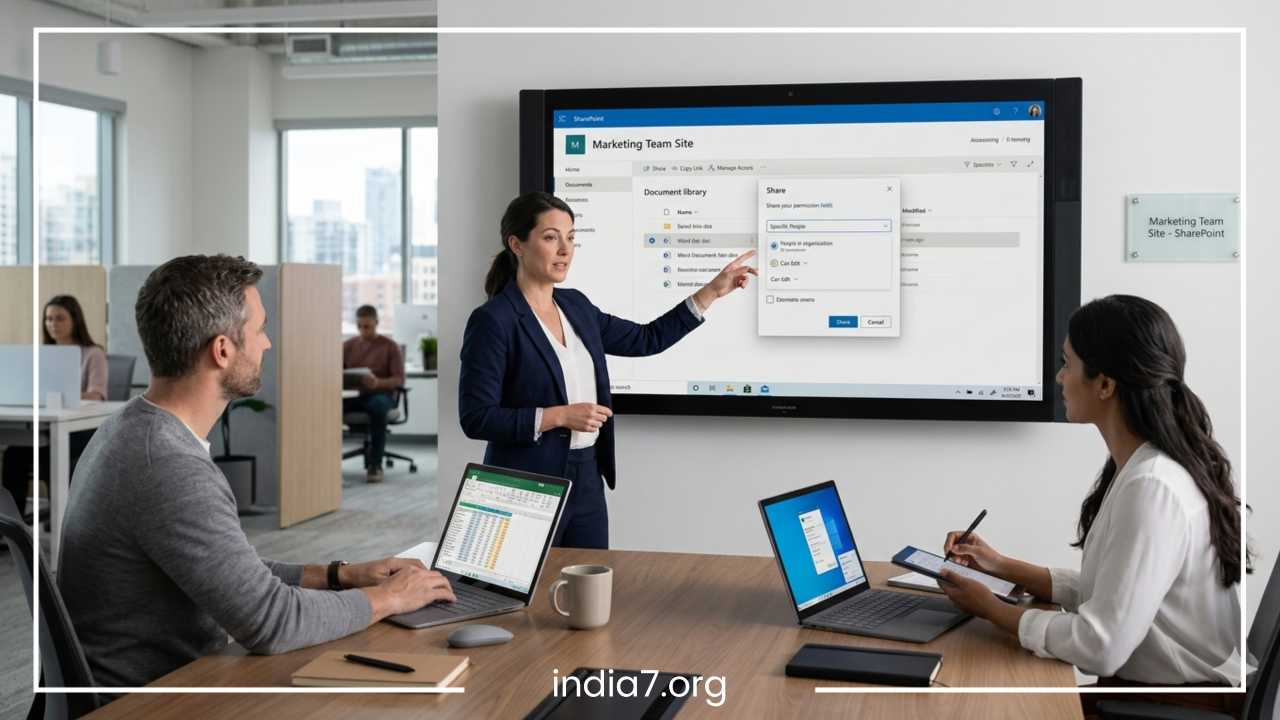
Top Digital Tools for Remote Work

Top Digital Tools for Remote Work: Boost Your Productivity
The landscape of the modern workforce has undergone a seismic shift. What once served as a temporary solution for business continuity has evolved into a permanent, global standard: remote work. This transition from traditional office cubicles to home offices, coworking spaces, and digital nomad hubs has redefined the boundaries of professional collaboration. However, the move away from centralized physical locations brings a unique set of challenges. Communication gaps can lead to misalignment, domestic distractions can derail focus, and navigating multiple time zones can complicate even the simplest tasks.
In this decentralized environment, digital tools are no longer merely optional conveniences; they are the essential infrastructure of the modern enterprise. They serve as the virtual glue that holds teams together, ensuring that information flows freely and projects move forward. To thrive in a remote setting, professionals must master a specific tech stack designed to bridge the distance. This guide explores the premier digital solutions across various categories to help you and your team maximize efficiency and maintain a healthy work-life balance.
Read: Don’t Overlook the Marketing Potential in Your Own Office
Communication Tools
Effective communication is the heartbeat of any successful organization, but in a remote setting, it requires intentionality and the right platforms. Without the ability to walk over to a colleague’s desk, teams must rely on a mix of real-time (synchronous) and delayed (asynchronous) communication tools to maintain momentum.
Slack
Slack has become synonymous with remote team communication. It organizes conversations into channels, which can be dedicated to specific projects, departments, or even social topics. This prevents the “inbox overwhelm” common with email by categorizing information where it is most relevant.
One of Slack’s greatest strengths is its ecosystem of integrations. By connecting tools like Google Calendar or Jira directly into a channel, teams can receive automated updates without switching tabs. However, the “always-on” nature of instant messaging can lead to notification fatigue. Successful remote workers often combat this by setting strict “do not disturb” hours and using status updates to signal deep-work blocks.
Microsoft Teams
For organizations already embedded in the Microsoft ecosystem, Teams offers a highly integrated solution. It combines chat, video conferencing, and file storage within a single interface. The seamless transition from a text chat to a high-definition video call makes it a powerhouse for internal collaboration. Because it is built on the backbone of SharePoint and OneDrive, document security and version control are handled natively, making it a favorite for enterprise-level remote work.
Zoom
While chat handles day-to-day coordination, video conferencing is vital for maintaining human connection and handling complex discussions. Zoom remains a leader in this space due to its reliability and ease of use. Features such as breakout rooms allow for smaller group discussions within a larger meeting, mimicking the flow of an in-person workshop.
Strategic Communication: Chat vs. Video vs. Email
Knowing which tool to use is just as important as the tool itself.
-
Chat (Slack/Teams): Best for quick questions, social interaction, and urgent updates.
-
Video (Zoom/Teams): Essential for brainstorming, performance reviews, or resolving misunderstandings that text cannot convey.
-
Email: Reserved for formal documentation, external communication with clients, or long-form updates that do not require an immediate response.
Read: Tech Savvy Businesses Still Love Managed Colocation: Here’s Why
Project Management and Task Tracking
Without a physical whiteboard or a manager visible in the office, project management tools become the “single source of truth” for a remote team. These platforms ensure that every team member knows what they are responsible for, what their colleagues are doing, and when deadlines are approaching.
Trello
Trello utilizes a Kanban-style approach, representing tasks as cards on a digital board. This visual method is incredibly intuitive for tracking the flow of work from “To Do” to “Doing” to “Done.” It is particularly effective for creative teams or individuals who prefer a highly visual overview of their workload. While simple to start, its “Power-Ups” allow for advanced automation, such as automatically moving a card when a checklist is completed.
Asana
Asana is built for flexibility, offering list, board, timeline, and calendar views. It excels at breaking down complex, multi-layered projects into manageable sub-tasks. The “Timeline” view is especially helpful for project managers to visualize dependencies—ensuring that Team Member B knows they cannot start their task until Team Member A finishes theirs. Asana’s reporting features also provide high-level insights into team bandwidth, helping to prevent burnout.
ClickUp
ClickUp markets itself as the “one app to replace them all.” It is highly customizable, allowing users to build their own workspace hierarchy. While it has a steeper learning curve than Trello, its built-in features—such as document editing, goal tracking, and time tracking—mean teams spend less time jumping between different applications.
Comparison of Management Styles
| Feature | Trello | Asana | ClickUp |
| Primary View | Kanban Board | List / Timeline | Multiple / Custom |
| Best For | Simple workflows | Large team projects | All-in-one enthusiasts |
| Learning Curve | Low | Medium | High |
| Automation | Basic (Butler) | Advanced | Robust / Built-in |
Time Management and Focus Tools
Remote work offers freedom, but that freedom can be a double-edged sword. Without the structure of an office environment, managing one’s own time becomes a critical skill. Productivity in a remote setting is often measured by output rather than hours logged, making focus-enhancing tools invaluable.
RescueTime
For those who wonder where their day went, RescueTime provides the answer. It runs in the background of your computer or phone, tracking how much time you spend on different applications and websites. At the end of the week, it provides a detailed report on your “Productivity Score.” This objective data allows remote workers to identify digital distractions—like social media or news sites—and set goals to limit them.
Forest
Forest is a unique productivity app that uses gamification to encourage focus. When you want to work, you “plant a tree” in the app. If you leave the app to check your phone, the tree withers and dies. Over time, users can grow a virtual forest representing their focused hours. For many, this simple visual incentive is enough to keep them away from distracting mobile notifications during deep-work sessions.
Toggl Track
While RescueTime tracks everything, Toggl Track is designed for intentional time logging. It is widely used by freelancers and agencies who need to bill clients accurately. By hitting “start” on a timer for a specific task, users become more mindful of how long certain activities actually take, leading to more accurate project estimates in the future.
The Pomodoro Technique and Deep Work
Many of these tools support the Pomodoro Technique, which involves working for 25 minutes followed by a 5-minute break. This cycle helps maintain high levels of mental energy throughout the day. Coupled with “Deep Work”—a state of distraction-free concentration—these tools help remote employees achieve more in four focused hours than they might in eight distracted ones.
Read: Wholesale Business Guide: Launch & Grow Your Empire
File Sharing and Collaboration
The ability to co-author documents and access files from anywhere is the foundation of the paperless remote office. Security and version control are the two primary concerns when moving files to the cloud.
Google Drive
Google Drive (including Docs, Sheets, and Slides) remains the gold standard for real-time collaboration. Multiple users can edit a single document simultaneously, with changes appearing instantly. The “comments” and “suggestions” features allow for a collaborative editing process that eliminates the need for “Version 1,” “Version 2_FINAL,” and other confusing file-naming conventions.
Dropbox
Dropbox is favored by teams dealing with large file types, such as video editors or graphic designers. Its “Smart Sync” feature allows users to see and organize all their files on their desktop without taking up hard drive space until the file is actually opened. Dropbox Paper also offers a clean, minimalist environment for collaborative brainstorming and project planning.
Notion
Notion is more than a file storage system; it is a “workspace” that combines notes, databases, and wikis. It is an excellent tool for creating a company “Knowledge Base” or “Internal Wiki.” Instead of searching through old emails for a company policy, remote employees can find everything in a centralized, searchable Notion page.
Virtual Collaboration and Whiteboarding
One of the hardest things to replicate remotely is the “war room” experience—where a team gathers around a physical whiteboard to map out ideas. Virtual whiteboarding tools have stepped in to fill this void.
Miro
Miro provides an expansive digital canvas where teams can place “sticky notes,” draw diagrams, and map out user journeys in real-time. It is particularly effective for Agile teams running sprint planning or retrospective meetings. With built-in voting tools and timers, Miro keeps remote workshops organized and interactive.
MURAL
Similar to Miro, MURAL focuses on “visual thinking.” It offers templates for design thinking, business model canvases, and brainstorming sessions. These tools are vital for maintaining team engagement, as they allow every participant to contribute visually rather than just listening to a speaker on a video call.
Automation and Integration Tools
The more digital tools a team uses, the more “busy work” is created by moving data between them. Automation tools act as the glue between disparate applications, reducing manual data entry and repetitive tasks.
Zapier
Zapier allows users to create “Zaps”—automated workflows that connect over 5,000 different apps. For example, you can set a Zap to automatically save every email attachment you receive to a specific folder in Google Drive, or to post a message in Slack whenever a new lead fills out a form on your website. This type of automation can save hours of administrative work every week.
IFTTT (If This Then That)
While Zapier is often used for professional workflows, IFTTT is popular for personal productivity and smart home integrations. It can be used to sync different calendar apps or even to automate your environment—such as turning on your office lights when your work timer starts.
Cybersecurity and Privacy Tools
Remote work often involves accessing sensitive company data over home networks or public Wi-Fi in cafes. This decentralization increases the surface area for potential cyberattacks, making security tools non-negotiable.
NordVPN
A Virtual Private Network (VPN) creates a secure, encrypted “tunnel” for your internet traffic. This is essential for protecting your data from hackers on unsecured networks. By masking your IP address, a VPN also allows remote workers to access region-locked content or services, which is particularly useful for international travelers.
LastPass and 1Password
Managing unique, complex passwords for dozens of different digital tools is impossible without a password manager. LastPass and 1Password store all your credentials in an encrypted vault, accessible via one master password. These tools also allow for secure password sharing within teams, ensuring that no one is ever locked out of an essential tool because a colleague is offline.
Best Practices for Security
-
Two-Factor Authentication (2FA): Always enable 2FA on every tool that supports it.
-
Public Wi-Fi Caution: Never access banking or sensitive company portals on public Wi-Fi without a VPN.
-
Password Hygiene: Use a password manager to generate unique passwords for every single service.
Choosing the Right Tools
The “perfect” tech stack does not exist. The right tools for a freelance graphic designer will differ significantly from those required by a 500-person software development firm. When selecting your tools, consider the following factors:
Team Size and Budget
Most digital tools offer tiered pricing. Small teams and freelancers can often get by with the “Free” versions of Trello, Slack, and Zoom. However, as teams grow, the need for advanced administrative controls, increased storage, and enhanced security usually necessitates a shift to “Pro” or “Enterprise” tiers.
Workflow Alignment
Before adopting a tool, map out your existing workflow. If your team struggles with clear communication, focus on improving your Slack channels or Zoom cadence before buying a project management tool. Avoid “tool overload”—the phenomenon where having too many apps actually decreases productivity because employees are constantly switching between them.
Integration Over Quantity
Choose tools that talk to each other. An integrated ecosystem (e.g., Slack + Google Drive + Asana) is much more powerful than a collection of isolated apps. The goal is to create a seamless environment where information flows automatically.
Future Trends in Remote Work Tools
The technology supporting remote work is evolving rapidly. We are moving away from simple “digital versions of office tasks” toward entirely new ways of working.
AI Assistants and Automation
Artificial Intelligence is being integrated into almost every tool mentioned in this guide. AI can now summarize long Slack threads, draft emails, and even automatically schedule meetings by analyzing the calendars of multiple participants. This “Augmented Productivity” will likely become the standard for remote professionals.
Asynchronous Work Focus
There is a growing trend toward “Async-First” communication. This involves using tools like Loom (video messaging) to explain complex ideas without needing a live meeting. By reducing the number of “synchronous” hours required, global teams can operate more efficiently across vastly different time zones.
Virtual Offices
While the “Metaverse” is still in its early stages, virtual office platforms like Gather or Tandem are creating 2D and 3D spaces where remote workers can “sit” next to each other. This attempts to bring back the “serendipitous watercooler moments” that are often lost in remote settings.
Final Thoughts
The transition to remote work is more than a change of location; it is a change of methodology. To be successful, individuals and organizations must embrace a digital-first mindset. The tools explored in this guide—from Slack for communication to Miro for brainstorming and Zapier for automation—provide the framework necessary to build a high-performing remote culture.
However, it is important to remember that tools are only as effective as the people using them. Technology can facilitate productivity, but it cannot replace a clear strategy, a disciplined mindset, and a commitment to transparent communication. By intentionally selecting and mastering your digital toolkit, you can turn the challenges of remote work into a competitive advantage, achieving a level of focus and collaboration that was once thought impossible outside the traditional office. Experiment with these solutions, find the combination that fits your unique workflow, and continue to refine your process as the world of remote work continues to evolve.
Frequently Asked Questions
What are the best free digital tools for remote work?
For those just starting, the most effective free digital tools include Slack (Free version) for messaging, Trello for task management, and Google Drive for document collaboration. Many remote workers also use the free tier of Zoom for meetings (with a 40-minute limit) and Toggl Track for basic time management. These tools allow you to build a professional remote infrastructure without any upfront investment.
How do I manage a remote team across different time zones?
Managing a global team requires a mix of asynchronous communication and visual scheduling tools. Using a project management tool like Asana ensures tasks move forward even while you sleep. Additionally, tools like World Time Buddy or integrating multiple time zones into your Google Calendar can help you find “overlap hours” for live meetings without causing burnout for team members in different regions.
Which remote work tools are best for small business owners?
Small business owners should prioritize all-in-one platforms to save on subscription costs and reduce complexity. ClickUp is highly recommended because it combines tasks, docs, and time tracking in one place. For communication, Microsoft Teams is often a cost-effective choice if the business already utilizes a Microsoft 365 subscription.
How can I stay productive and avoid distractions while working from home?
Staying productive requires both a disciplined mindset and the right software. Focus tools like Forest or RescueTime help you identify and block digital distractions. Implementing the Pomodoro Technique—working in 25-minute sprints—is also a proven method for maintaining high energy levels. Creating a dedicated workspace and using noise-canceling software like Krisp for calls can further minimize domestic interruptions.
Are remote work tools secure for sensitive company data?
Security is a major concern for remote teams. To ensure data privacy, always use a reputable VPN like NordVPN when accessing public networks. Furthermore, using a password manager like 1Password ensures that team credentials are encrypted and shared safely. Most enterprise-grade tools, such as Microsoft Teams and Slack, also offer built-in two-factor authentication (2FA) and data encryption to protect against breaches.
What is the best alternative to Zoom for remote meetings?
If you are looking for an alternative to Zoom, Google Meet is a top contender for its simplicity and browser-based access. Microsoft Teams is the best choice for deep integration with office documents, while Discord has gained popularity among creative and tech teams for its “always-on” voice channels that mimic an open-office environment.
How do automation tools like Zapier help remote workers?
Automation tools like Zapier or Make (formerly Integromat) act as a bridge between your different apps. They eliminate “manual work” by automatically moving information—for instance, taking a lead from a website form and instantly creating a task in Trello while sending a notification to Slack. This reduces human error and frees up time for more high-value tasks.