Should You Use WordPress or Blogger?
Should You Use WordPress or Blogger? The Ultimate Guide to Choosing Your Blogging Platform
Choosing a blogging platform is the first and perhaps most critical decision you will make in your digital journey. It is the foundation upon which your content, your brand, and your potential income will rest. For over two decades, two names have dominated this space: WordPress and Blogger. While both allow you to publish content to the web, they represent two fundamentally different philosophies of web development and content management.
Blogging platforms serve as the bridge between your ideas and your audience. They provide the interface where you write, the database where your thoughts are stored, and the design framework that presents those thoughts to the world. For a beginner, the choice often feels like a toss-up between “free and easy” or “powerful and complex.” However, as your blog grows, the nuances of these platforms—ownership, scalability, and monetization—become far more important than the initial setup time.
Read: Creating a Professional Corporate Blog
This comparison is designed for everyone: the hobbyist looking for a digital diary, the aspiring influencer wanting to build a personal brand, and the business owner seeking to drive traffic via content marketing. By the end of this guide, you will have a clear understanding of the architectural differences, the long-term implications of each choice, and a definitive answer on which platform aligns with your specific goals.
What is WordPress?
When people talk about WordPress, there is often a bit of confusion because “WordPress” actually refers to two different things. For the purpose of this comparison, we are primarily focusing on WordPress.org, also known as self-hosted WordPress.
The Difference Between WordPress.com and WordPress.org
-
WordPress.com is a hosting service similar to Blogger. You sign up for an account, and they host your site for you. It has various tiers, ranging from free to expensive business plans.
-
WordPress.org is open-source software. You download the software for free, but you must provide your own web hosting and domain name. This version offers the legendary flexibility that has made WordPress the most popular Content Management System (CMS) in the world, powering over 40% of all websites on the internet.
Key Features and Ownership
WordPress is owned by the community but was co-founded by Matt Mullenweg, whose company, Automattic, runs WordPress.com. The software itself is open-source, meaning anyone can modify it. This has led to a massive ecosystem of:
-
Plugins: Small pieces of software that “plug in” to your site to add specific features (like contact forms, SEO tools, or storefronts).
-
Themes: Templates that control the visual appearance of your site.
WordPress is essentially a “Lego set” for websites. You start with a base and can build anything from a simple one-page blog to a multi-million dollar eCommerce store like those used by major global brands.
Read: Who Are You Blogging for? Knowing Your Audience
What is Blogger?
Blogger is one of the oldest blogging platforms on the internet, launched in 1999 and acquired by Google in 2003. Unlike WordPress, which is a versatile CMS, Blogger is a dedicated blogging service. It is designed to do one thing: help you publish blog posts quickly and easily.
Overview and Google Integration
Blogger is completely integrated into the Google ecosystem. If you have a Gmail account, you already have a Blogger account. It is a “hosted” platform, meaning Google provides the servers, handles the security, and manages the technical backend. Your site typically lives on a subdomain (e.g., https://www.google.com/search?q=yourname.blogspot.com), though you can redirect it to a custom domain (e.g., yourname.com).
Best For Hobbyists and Journaling
Blogger shines in its simplicity. There are no software updates to run, no hosting fees to pay, and no complex databases to manage. For a hobbyist who wants to share recipes with family or a traveler keeping a digital journal, Blogger offers a “set it and forget it” experience. It is reliable, fast, and entirely free, making it the go-to for those who have no interest in the “business” of blogging but simply want a voice online.
Read: Business Blogging Link Building Strategies
Ease of Use
The “Ease of Use” argument is where the two platforms diverge most sharply.
Blogger: The Quick Start
Setting up a Blogger site takes approximately five minutes. You sign in with your Google account, choose a name for your blog, pick a basic template, and start typing. The dashboard is minimalist, mirroring the feel of other Google services like Google Drive or Gmail. If you can write an email, you can use Blogger. There is no “installation” process, and you never have to see a line of code unless you want to.
WordPress: The Learning Curve
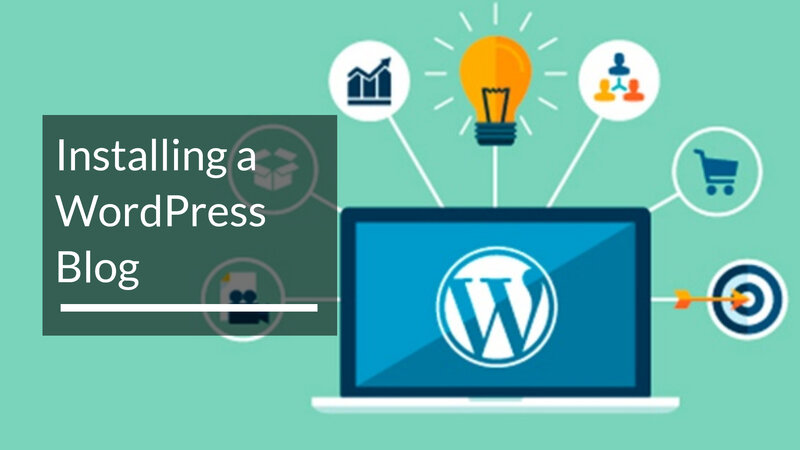
WordPress has a steeper learning curve, but it has become significantly more user-friendly over the years. To start a WordPress.org site, you must:
-
Purchase a domain name.
-
Sign up for a hosting provider.
-
Install WordPress (most hosts offer a one-click install).
-
Configure your settings.
The WordPress dashboard is much more dense than Blogger’s. There are menus for posts, pages, media, appearance, plugins, and tools. While the block editor (Gutenberg) makes writing easy, the sheer volume of options can be overwhelming for a total novice. However, this “complexity” is actually “control.” You have the power to change every pixel, which is a trade-off many are willing to make.
Customization and Design
Your blog’s design is your digital first impression.
WordPress: Unlimited Flexibility
WordPress is the undisputed king of customization. There are thousands of free themes in the official directory and thousands more premium themes on marketplaces like ThemeForest. Beyond themes, WordPress offers “Page Builders” like Elementor, Divi, or Beaver Builder. These drag-and-drop tools allow you to design custom layouts without knowing how to code. Whether you want a dark mode, a masonry grid layout, or a corporate professional look, WordPress can do it.
Blogger: Limited Templates
Blogger offers a small selection of native templates. While they are clean and mobile-responsive, they are quite basic. You can customize colors and fonts via the “Blogger Theme Designer,” but making significant layout changes requires knowledge of HTML and CSS. There are third-party Blogger templates available online, but installing them involves editing the XML code of your blog, which can be intimidating and prone to errors. If you use Blogger, your site will often “look like a blog,” whereas a WordPress site can look like anything.
Features and Functionality
Functionality determines what your website can actually do besides displaying text.
The Plugin Ecosystem of WordPress
The real power of WordPress lies in its plugins. Currently, there are over 50,000 free plugins available.
-
Want a store? Install WooCommerce.
-
Want a forum? Install bbPress.
-
Want to sell a course? Install a Learning Management System (LMS) plugin.
-
Want a pop-up for your newsletter? There are hundreds of options.
This extensibility means your site can grow with your ambitions. You might start as a blogger but end up as a retailer, and WordPress handles that transition seamlessly.
Blogger’s Built-in Limitations
Blogger comes with “Gadgets”—basic widgets for things like a search bar, an archive, or a profile blurb. However, the functionality is largely fixed. You cannot easily add an eCommerce store or a complex membership portal to Blogger. It is a closed system. While this prevents you from “breaking” your site, it also puts a low ceiling on what your site can become.
SEO Capabilities
Search Engine Optimization (SEO) is the art of getting your site to appear in Google search results.
WordPress: Professional Grade Tools
WordPress is widely considered the best platform for SEO. The code generated by WordPress is high-quality and easy for search engines to crawl. More importantly, plugins like Yoast SEO, Rank Math, and All in One SEO provide a comprehensive checklist for every post you write. They help you manage meta descriptions, titles, XML sitemaps, and “schema markup” (which helps Google understand your content). You have full control over your URL structures (Permalinks), which is a vital SEO factor.
Blogger: The Basics
Ironically, even though Google owns Blogger, it doesn’t give Blogger sites a special advantage in search rankings. In fact, Blogger’s SEO tools are quite basic. You can edit your permalinks and add meta tags, but you don’t get the sophisticated real-time analysis that WordPress plugins provide. For a casual blogger, this is fine, but for someone trying to compete in a crowded niche, the lack of advanced SEO tools is a major disadvantage.
Ownership and Control
This is arguably the most important section of this article. Who actually owns your content?
Blogger: You are a Tenant
When you use Blogger, you are essentially “renting” space on Google’s servers. Google owns the platform, and they have the right to shut it down or terminate your account at any time if they believe you have violated their terms of service. Over the years, Google has “retired” many of its services (like Google Reader or Google+). While Blogger is unlikely to disappear tomorrow, you have very little recourse if Google decides to change the rules.
WordPress: You are the Landlord
With a self-hosted WordPress.org site, you own everything. You own the files, the database, and the domain. You can move your site from one hosting company to another. You can back up your data and store it on your own hard drive. No one can shut down your site because they don’t like your content (provided you aren’t violating laws). This level of sovereignty is essential for professional businesses and serious creators.
Security and Maintenance
With great power comes great responsibility.
WordPress: Hands-on Management
Because you own the software, you are responsible for maintaining it. You must regularly update the WordPress core, your themes, and your plugins. Failure to do so can leave your site vulnerable to hackers. You also need to manage your own backups and security protocols (though many hosts offer these services). For some, this technical “overhead” is a burden.
Blogger: Managed Security
Blogger is incredibly secure because it sits behind Google’s massive security infrastructure. You never have to worry about updating software, patching a server, or your site being hacked due to an outdated plugin. Google handles all the technical maintenance. For a user who is “tech-phobic,” this peace of mind is a massive selling point.
Monetization Options
Can you make money on these platforms?
WordPress: No Restrictions
WordPress offers unlimited monetization potential. You can:
-
Run any ad network (AdSense, Mediavine, AdThrive).
-
Create an eCommerce store.
-
Sell sponsored posts.
-
Build a membership site.
-
Use affiliate links without restriction.
There are no “middlemen” taking a cut of your earnings other than the payment processors you choose to use.
Blogger: Google-Centric
Blogger makes it very easy to integrate Google AdSense, which is great for beginners. However, it is more difficult to scale. While you can use affiliate links, some high-end ad networks are harder to integrate because they often require specific header code or file uploads that Blogger’s interface makes difficult. Furthermore, because you don’t “own” the platform, building a high-value business on Blogger is risky; investors are less likely to buy a business built on a platform they don’t control.
Cost Comparison
The Cost of WordPress
WordPress software is free, but running it is not.
-
Hosting: $3 to $30+ per month.
-
Domain Name: $10 to $20 per year.
-
Premium Themes/Plugins (Optional): $50 to $200 (one-time or annual).
A basic WordPress site usually costs around $60–$100 per year to keep running.
The Cost of Blogger
Blogger is 100% free. Google provides the hosting and the blogspot.com subdomain for $0. The only potential cost is if you choose to buy a custom domain (e.g., .com), which costs about $12 per year. This makes Blogger the clear winner for those with zero budget.
Performance and Speed
Blogger’s Consistency
Blogger sites are generally very fast. Since they are hosted on Google’s global servers, they handle traffic spikes well and load quickly without any effort from the user. You don’t have to worry about “caching” or “CDN” (Content Delivery Networks).
WordPress’s Variability
The speed of a WordPress site depends entirely on you. If you use a cheap, low-quality host and install forty heavy plugins, your site will be slow. However, if you use high-quality hosting and optimization plugins (like WP Rocket), a WordPress site can be faster than a Blogger site. Performance in WordPress is a skill you have to manage.
Pros and Cons
WordPress Pros
-
Complete ownership and control over your data.
-
Limitless customization through 50,000+ plugins.
-
Industry-leading SEO capabilities.
-
Scalable from a small blog to a global enterprise.
WordPress Cons
-
Requires a monthly financial investment (hosting).
-
Learning curve for beginners.
-
User is responsible for security and updates.
Blogger Pros
-
Completely free to use.
-
Extremely easy to set up and manage.
-
High level of security and reliability provided by Google.
-
Zero maintenance required.
Blogger Cons
-
Limited design and functional flexibility.
-
Poor long-term SEO potential compared to WordPress.
-
No true ownership; Google can delete your blog.
-
Harder to monetize at a professional level.
WordPress vs Blogger: Quick Comparison Table
| Feature | WordPress (Self-Hosted) | Blogger |
| Ease of Use | Moderate (Learning Curve) | Very Easy (Beginner Friendly) |
| Customization | Unlimited (Themes & Plugins) | Very Limited (Basic Templates) |
| SEO | Excellent (Advanced Tools) | Basic |
| Ownership | You own everything | Google owns the platform |
| Cost | Paid (Hosting & Domain) | Free |
| Maintenance | Manual (Updates/Backups) | Automated by Google |
| Monetization | Full Control | Primarily AdSense-focused |
Which One Should You Choose?
The “better” platform depends entirely on your goals.
Choose WordPress if:
-
You want to build a brand or business: If you intend to make money, sell products, or build a professional reputation, WordPress is the only serious choice.
-
You care about SEO: If your strategy involves ranking on the first page of Google for competitive keywords, the tools in WordPress are essential.
-
You want full control: If the idea of a third party being able to delete your content scares you, go with WordPress.
-
You are a “tinkerer”: If you enjoy customizing your site’s look and feel, you will find Blogger frustratingly restrictive.
Choose Blogger if:
-
You are a hobbyist: If you just want to share updates with friends or write for the love of writing, Blogger is perfect.
-
You have a zero budget: If you cannot afford $5 a month for hosting, Blogger allows you to start for free.
-
You are tech-averse: If the thought of “updating a plugin” or “configuring a server” gives you anxiety, Blogger’s “hands-off” approach is a blessing.
-
You need a “burner” blog: If you just need a quick site for a temporary project, Blogger’s speed of setup is unbeatable.
Final Verdict
In the debate of WordPress vs Blogger, there is no objective “winner,” only a “better fit.”
Blogger is a fantastic service for what it is: a free, reliable, and simple tool for personal expression. It has served millions of users for over two decades and continues to be the entry point for many writers.
However, for anyone looking to build something that lasts—a digital asset, a source of income, or a professional portfolio—WordPress is the superior choice. The investment in hosting and the time spent learning the interface pay dividends in the form of total ownership, better search rankings, and the ability to grow your site in any direction you choose.
If you are still undecided, start with Blogger to get a feel for writing online. You can always migrate to WordPress later once you realize you need more power. But if you know you’re in this for the long haul, save yourself the migration headache and start on WordPress today.
Frequently Asked Questions
Is WordPress better than Blogger for SEO?
Yes. While Blogger provides basic SEO settings, WordPress allows for total control over technical SEO, including schema markup, advanced sitemap management, and deep content analysis through plugins.
Can I switch from Blogger to WordPress later?
Yes, it is possible to export your Blogger content and import it into WordPress. However, you may lose some formatting, and you will need to set up redirects to ensure you don’t lose your search engine rankings.
Is Blogger still relevant?
Blogger is less popular than it was ten years ago, as many casual users have moved to social media or platforms like Substack and Medium. However, it remains a very stable and functional choice for those who want a traditional blog format for free.
Do I need to know how to code to use WordPress?
No. With modern themes and page builders, you can build a stunning, professional WordPress site without ever writing a single line of code.
How do I move from Blogger to WordPress?
To migrate, you will first need to set up a WordPress site with a host. Then, use the “Blogger” importer tool found in the WordPress dashboard under Tools > Import. This will pull in your posts, comments, and images. Finally, you should use a plugin to redirect your old Blogger URLs to your new WordPress URLs so your visitors don’t see “404 Not Found” errors.