Best Ways to Optimize Your Pinterest Pins
Best Ways to Optimize Your Pinterest Pins for More Traffic
Pinterest is a powerhouse for driving organic traffic, yet many creators still treat it like a standard social media platform. Unlike Instagram or TikTok, which rely on chronological feeds and fleeting engagement, Pinterest functions primarily as a visual search engine. Users come to the platform with intent; they are looking for inspiration, solutions to problems, or products to buy. This distinction is crucial because it means your content has a much longer shelf life than a typical social post. A well-optimized pin can drive traffic to your website for months or even years after it was first published.
To succeed on the platform today, you must move beyond simply posting pretty pictures. Optimization is a multifaceted process that combines graphic design, search engine optimization (SEO), and strategic data analysis. By aligning your content with how the Pinterest algorithm categorizes and distributes information, you can unlock a consistent stream of leads, affiliate sales, and brand awareness. In this guide, we will explore the essential pillars of pin optimization, from keyword research and visual psychology to technical setup and advanced analytics.
Read: E-Purchasing: How Does It Work?
Understanding the Pinterest Algorithm
To optimize your presence effectively, you must first understand the mechanics of the Pinterest algorithm. Pinterest’s primary goal is to show the right content to the right user at the right time. To do this, it evaluates pins based on several core signals: domain quality, pin quality, pinner quality, and topic relevance.
Relevance and Engagement
Pinterest prioritizes relevance above all else. When a user types a query into the search bar, the algorithm looks for pins that match the intent of those keywords. However, relevance isn’t just about text; it is also about engagement. If a pin receives a high volume of saves and outbound clicks relative to its impressions, Pinterest views it as high-quality content and will show it to more people. This creates a compounding effect where popular pins continue to gain momentum.
Engagement is not just a vanity metric on Pinterest; it is a signal of “utility.” If someone saves your pin, they are telling the algorithm that your content is worth returning to. If they click through, they are confirming that your pin accurately represented the destination URL. Both of these actions increase your “pinner quality” score, making the algorithm more likely to distribute your future content to a wider audience.
The Importance of Fresh Content
For several years, the algorithm has shifted to prioritize fresh pins. A fresh pin is defined as an image or video that has not been seen on the platform before. While you can still link multiple pins to the same blog post or product page, each pin should feature a unique design, different background image, or a new text overlay.
The era of “repining” the same graphic to ten different boards is largely over. In fact, doing so can now hurt your reach. Pinterest wants to see new visual perspectives. For creators, this means that instead of creating one pin per blog post, you should aim to create five to ten distinct variations. This not only satisfies the algorithm’s hunger for freshness but also allows you to test different visual hooks to see what resonates with different segments of your audience.
Search Intent and Discovery
Pinterest discovery happens in three main areas: the home feed, the search results, and the related pins section.
-
The Home Feed: This is highly personalized. It is curated based on a user’s past behavior, their followed creators, and their general interests. To show up here, you need to be consistent so the algorithm can build a profile of who your “ideal” audience is.
-
Search Results: This is driven almost entirely by keywords. If a user is looking for “minimalist living room ideas,” they will see pins that have those specific keywords in the metadata.
-
Related Pins: Often found beneath a pin someone has already clicked on, these are determined by visual similarity and shared metadata. Pinterest uses sophisticated image recognition technology to identify objects within your pin (like a specific type of chair or a bowl of pasta) and matches it with similar content.
Read: 5 Reasons Social Media is a Crucial Tool for Your Startup Business
How to Do Pinterest Keyword Research
Keyword research is the foundation of Pinterest SEO. Since Pinterest is a search engine, your pins need to be tagged with the right language so the algorithm knows where to index them. Without proper keywords, even the most beautiful design will remain invisible to your target audience.
Finding the Right Keywords
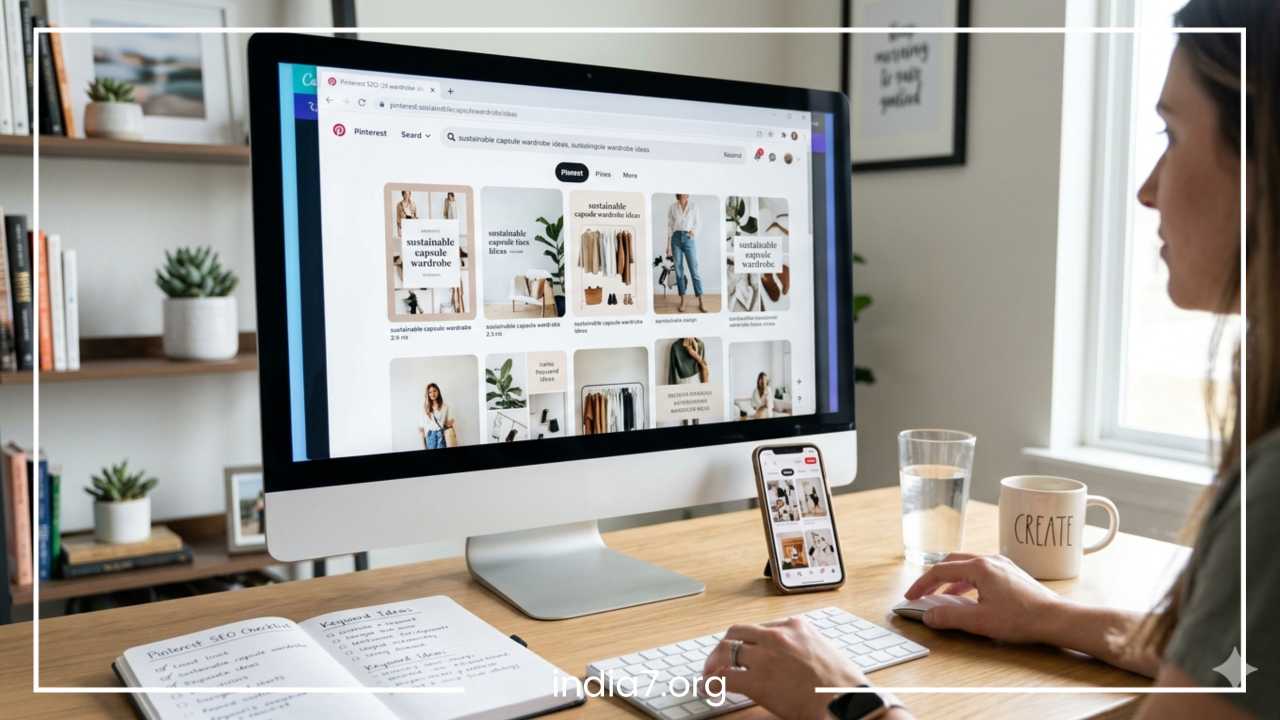
The most effective way to find keywords is to use the platform itself. Start by typing a broad term related to your niche into the Pinterest search bar. As you type, Pinterest will provide autocomplete suggestions. These are the exact phrases that users are currently searching for in real-time.
Once you hit enter, look at the colored tiles that appear at the top of the results. These are guided search terms that help users narrow down their query. For example, if you search for “meal prep,” these tiles might suggest “for beginners,” “vegetarian,” or “on a budget.” These are goldmines for long-tail keywords. Long-tail keywords (phrases with three or more words) are often easier to rank for and attract a more specific, high-intent audience.
Another tool at your disposal is Pinterest Trends. This interface allows you to see the search volume for specific terms over time. You can compare two different keywords—like “slow cooker recipes” vs “instant pot recipes”—to see which is currently trending higher. This helps you plan your content around seasonal peaks, ensuring your pins are ready to be discovered exactly when the demand is highest.
Strategic Keyword Placement
Once you have identified a list of primary and secondary keywords, you must place them strategically. The algorithm scans several areas to understand your pin’s context:
-
Pin Title: This is the most important spot for your primary keyword. Use natural language, but ensure the keyword is prominent.
-
Pin Description: Use this space to write a few sentences of natural prose that incorporate secondary and long-tail keywords. Think of this as the “bridge” between the visual and the click.
-
Image Text Overlay: Pinterest uses optical character recognition (OCR) to read the text directly on your images. If your image says “Easy 10-Minute Workouts,” the algorithm will index you for those terms.
-
Alt Text: This is not only great for accessibility but also provides another hidden signal to Pinterest about the pin’s content.
-
Board Titles and Descriptions: Ensuring your boards are keyword-optimized helps Pinterest understand the context of the pins saved within them. If a pin about “keto bread” is saved to a board titled “Low Carb Recipes,” the relevance is reinforced.
Read: Startups and Social Media Opportunities
Best Pinterest Pin Design Practices
Visuals are the first thing a user notices. In a sea of content, your pin has only a fraction of a second to grab attention and encourage a click. High-performance pin design is a science that balances aesthetics with clarity and branding.
Technical Specifications
Pinterest is a mobile-first platform, with the vast majority of users browsing on their phones. Consequently, your designs must be optimized for vertical screens. The standard recommended aspect ratio is 2:3, typically 1000 x 1500 pixels. Horizontal images or square posts generally underperform because they take up less vertical real estate in the feed. When a pin is taller, it forces the user to scroll past it for a longer duration, increasing the likelihood of an interaction.
Avoid making pins excessively long (often called “giraffe pins”), as Pinterest may truncate these in the feed, leading to a poor user experience. Stick to the 2:3 ratio for maximum compatibility and performance across all devices.
Creating High-Impact Visuals
-
High-Quality Imagery: Use bright, clear, and high-resolution images. Avoid stock photos that look generic or overused. If possible, use original photography that feels authentic to your brand. Pins with “lifestyle” imagery (showing a product or service in use) often perform better than flat-lay product shots because they help the user visualize themselves using the item.
-
Readability is King: Use bold, sans-serif fonts for your main headings. Avoid delicate script fonts that are difficult to read on small screens. Ensure there is high contrast between your text and the background. If your image is busy, use a text box or a semi-transparent overlay to make the words pop.
-
Brand Consistency: Include your logo on every pin, but keep it subtle. Avoid placing it in the bottom right corner, as the Pinterest interface icons (like the save button) can sometimes cover that area. Consistent use of brand colors and fonts helps frequent users recognize your content instantly, which builds trust and improves click-through rates.
Designing for the Click
Your pin should promise a specific benefit or solve a problem. Using “curiosity headlines” can be very effective. Instead of a flat title like “How to Save Money,” try “7 Surprising Hacks to Slash Your Grocery Bill.”
Certain types of pins consistently perform well:
-
Tutorials: Step-by-step visuals that show a process.
-
Lists: “Top 10” style pins that promise a wealth of information.
-
Before and After: These provide immediate visual proof of transformation and are highly clickable in the home decor and fitness niches.
-
Infographics: Useful data presented visually can earn a high number of saves.
Writing Better Pin Titles and Descriptions
While the image gets the user to stop scrolling, the text often provides the final nudge to click through to your website. Effective copywriting on Pinterest is a blend of SEO-driven keywords and persuasive calls to action (CTA).
Crafting the Perfect Title
Your pin title should be clear and descriptive. You have up to 100 characters, but usually only the first 30 to 40 characters show up in the main feed before being cut off. Put your most important information and primary keywords at the beginning.
Think about what a user would type into a search bar to find your content. If you are sharing a travel guide, a title like “Ultimate 3-Day Paris Itinerary” is far more effective than “My Trip to France.” Use power words like “Easy,” “Professional,” “Complete,” or “Budget-friendly” to add emotional weight to your titles.
Writing Engaging Descriptions
Many creators make the mistake of either leaving the description blank or stuffing it with a list of hashtags. Instead, write two to three sentences of helpful text. Explain what the user will find if they click the link. Think of it as a meta description for a blog post.
At the end of your description, always include a call to action. Direct instructions like “Click to download your free checklist” or “Save this pin for your next home renovation” have a measurable impact on user behavior. While Pinterest allows up to 500 characters, the most critical information—including your CTA—should be in the first 100 characters.
Avoid being overly salesy. Pinterest is a place for discovery and inspiration, so your tone should be helpful and inviting rather than aggressive.
How to Optimize Pinterest Boards
Your boards act as the filing cabinet for your content. If your boards are messy and unorganized, the algorithm will struggle to categorize your pins correctly. Properly optimized boards help define your account’s “authority” in a specific niche.
Board Titles and Categorization
Avoid creative or cryptic board names that don’t contain keywords. A board named “Inspiration” is too broad and provides no SEO value. Instead, use specific names like “Modern Farmhouse Kitchen Decor” or “Quick Vegan Breakfast Recipes.” This tells Pinterest exactly what kind of content belongs there.
Additionally, always select a relevant category for each board in the settings. This metadata helps Pinterest’s engine map your content to specific user interests and “Interest” feeds.
The Role of Board Descriptions
Every board should have a description of 200–300 characters. This is an excellent place to use broader keywords related to the niche. For example, a board about “Digital Marketing” might include keywords like “social media strategy,” “content creation,” and “email marketing” in the description.
This strengthens the topical authority of the board and, by extension, the pins you save to it. Think of your board as a “hub” of information. The more relevant and keyword-rich the hub is, the more power it gives to the individual “spokes” (the pins) attached to it.
Using Rich Pins and Analytics
To take your optimization to a professional level, you must utilize the technical tools Pinterest provides for business accounts. These tools transform your pins from simple images into data-rich resources.
The Power of Rich Pins
Rich Pins are a type of organic pin that automatically syncs information from your website to your pins. Once you have validated your website and applied for Rich Pins, your content will include extra details that standard pins lack. There are three main types:
-
Article Pins: These automatically pull the headline, author, and story description from your blog post. They provide a more professional look and ensure the title remains consistent even if someone else repins your content.
-
Product Pins: These are vital for e-commerce. They include real-time pricing, availability, and information on where to buy. If you change the price on your website, the pin updates automatically.
-
Recipe Pins: These display ingredients, cooking times, and serving sizes directly on the pin. This makes your content incredibly “saveable” because users can see at a glance if they have the necessary ingredients.
Interpreting Pinterest Analytics
Optimization is an iterative process. You must regularly check your Pinterest Analytics to see what is working. Don’t just look at impressions, as these can be a “vanity metric” that doesn’t necessarily result in traffic. Instead, focus on:
-
Outbound Clicks: This is the most important metric for most creators. It shows how much traffic you are actually sending to your site.
-
Saves: This indicates how many people found your content valuable enough to keep for later. High save rates tell the algorithm that your content is high quality.
-
Pin Type Performance: Compare your standard pins against video pins to see which format your audience prefers.
-
Demographics: Understand where your audience is located and what other topics they are interested in. This can spark new content ideas.
By identifying your top-performing pins, you can “double down” on those topics or design styles. If you see that pins with blue backgrounds outperform pins with white backgrounds, you have a data-driven reason to adjust your design strategy.
Posting Strategy for Pinterest Growth
Consistency is more important than quantity on Pinterest. Posting fifty pins in one day and then disappearing for a month will hurt your visibility. A steady stream of content signals to the algorithm that you are an active, reliable creator who provides fresh value to the community.
Frequency and Timing
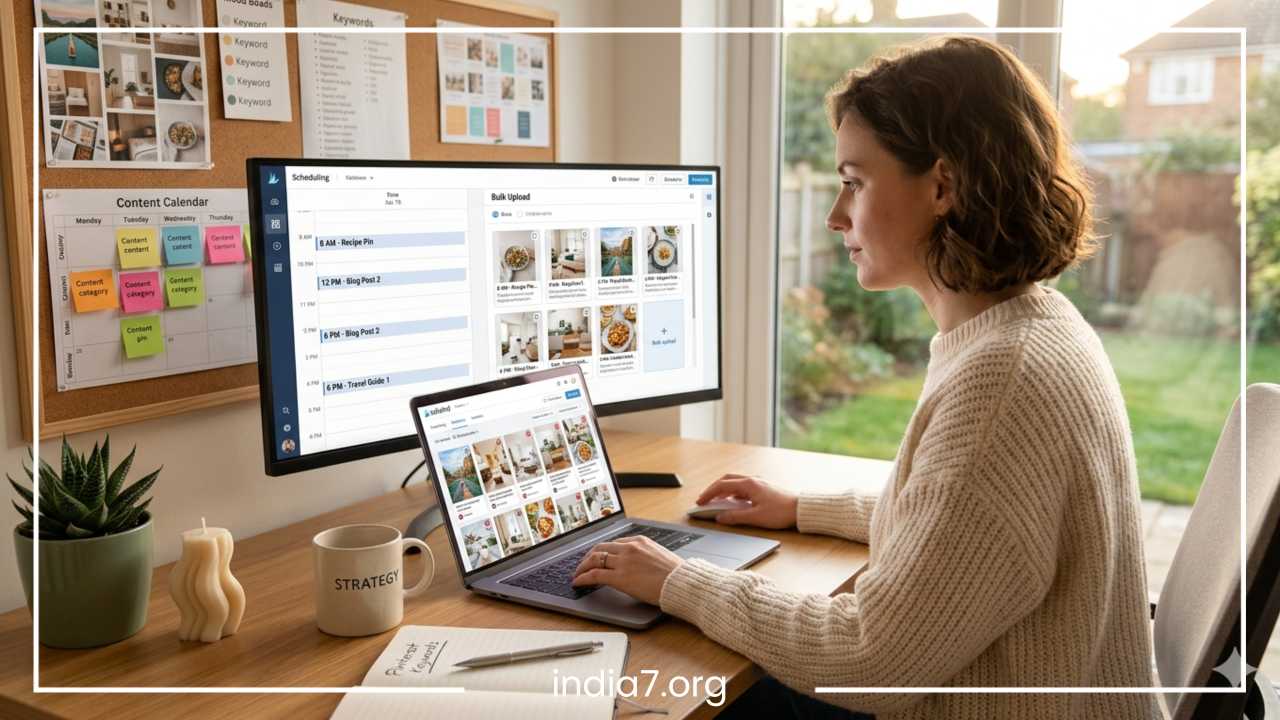
While there is no “magic number,” many experts suggest pinning between one and five fresh pins per day. The key is to maintain a pace you can sustain for the long term. Using scheduling tools allows you to batch your content creation. You can spend one afternoon designing and scheduling pins for the entire week or month, ensuring your account stays active even when you aren’t online.
In terms of timing, look at your analytics to see when your audience is most active. For many niches, evenings and weekends are peak times for Pinterest browsing. However, because Pinterest is a search engine, the exact minute you post is less critical than it is on Twitter or Instagram.
Seasonal Planning
Pinterest users are planners. They start searching for holiday ideas, vacation tips, or seasonal recipes two to three months in advance. To optimize for this behavior, you should start pinning your seasonal content early. For example, Christmas content should ideally start appearing in September or October.
Use a content calendar to track upcoming holidays, life events (like “Back to School” or “Wedding Season”), and niche-specific trends. By the time the peak search volume hits, your pins will already have gained some engagement and history, making them more likely to rank at the top of search results.
Common Pinterest SEO Mistakes to Avoid
Even seasoned marketers can fall into traps that hinder their growth. Avoiding these common mistakes will put you ahead of the competition and keep your account in good standing with the algorithm.
-
Using Horizontal Images: As mentioned, horizontal images are a waste of space on Pinterest. They get lost in the feed and significantly lower your click-through rate.
-
Keyword Stuffing: While keywords are essential, a description that is just a list of words looks spammy to both users and the algorithm. Always write in natural, readable sentences.
-
Ignoring the Mobile Experience: Always check your designs on a phone. If the text is too small to read or the main subject of the image is cut off, the pin will fail.
-
Clickbait Titles: Never mislead users. If your pin promises a “Free Workout Plan” but leads to a paid sales page with no freebie, users will bounce quickly. A high bounce rate tells Pinterest that your content is low quality, which will tank your rankings.
-
Over-relying on Hashtags: Unlike Instagram, hashtags play a very minor role on Pinterest. They are not the primary way content is discovered. One or two broad hashtags are fine, but focus your energy on keywords and descriptions instead.
-
Neglecting Your Own Profile: Your profile should be an extension of your brand. Use a clear profile picture, a keyword-rich bio, and a link to your claimed website.
Advanced Pinterest Optimization Tips
Once you have mastered the basics, you can implement advanced strategies to further squeeze the most value out of the platform.
A/B Testing Designs
Don’t guess which design works—test it. Create two different pins for the same URL. One might feature a lifestyle photo, while the other uses a text-heavy graphic. One might use a “How-to” headline, while the other uses a “Why you need” headline. After two weeks, check your analytics to see which one generated more outbound clicks. Use these insights to refine your future design templates.
Leveraging Video Pins
Video pins have become increasingly popular and often receive higher engagement than static pins. They are excellent for showing a quick process, a “behind the scenes” look, or a product in motion. To optimize video pins, ensure the first few seconds are visually striking to stop the scroll, and include text overlays since many users watch without sound.
Refreshing Old Content
If you have a blog post that performed well two years ago, don’t let it gather dust. Create three to five new fresh pins for that old URL. This gives the content a new lease on life without requiring you to write a whole new article. This is one of the most efficient ways to scale your Pinterest traffic with minimal effort.
Tracking Outbound Click Rates
Beyond just looking at clicks in Pinterest Analytics, use Google Analytics (or a similar tool) to track what those users do once they land on your site. Do they stay and read? Do they sign up for your newsletter? Understanding the “quality” of your Pinterest traffic allows you to optimize your website to better convert those visitors.
Final Thoughts
Optimizing your Pinterest pins is not a “one and done” task; it is an ongoing strategy that requires a blend of creative intuition and analytical rigor. By treating Pinterest as a visual search engine, you align yourself with the way users actually interact with the platform.
Start by auditing your existing profile. Ensure your boards are keyword-optimized and that you have applied for Rich Pins. From there, focus on creating high-quality, vertical designs that offer clear value and include a strong call to action. As you gather data from your analytics, refine your approach, focusing on the topics and formats that resonate most with your audience.
Pinterest is one of the few platforms where your content’s value grows over time. A pin you create today could still be bringing you customers months from now. With a commitment to consistency, a focus on SEO-driven design, and a willingness to adapt to the algorithm’s shifts, you can transform your Pinterest account into a reliable, long-term traffic engine for your brand or business. Start by taking your next five pieces of content and applying these optimization techniques—then monitor your analytics to see the results.
Frequently Asked Questions About Pinterest Optimization
To help you stay ahead of the competition, here are some of the most common questions creators ask about growing on the platform. These answers incorporate high-volume, long-tail keywords that people frequently search for on Google when trying to master Pinterest marketing.
How long does it take to get traffic from Pinterest for a new blog?
Pinterest is a “long game” platform, much like traditional SEO. For a new blog or business account, it typically takes 3 to 6 months of consistent pinning to see a significant and steady climb in outbound clicks. This is because the Pinterest algorithm needs time to index your pins, categorize your boards, and test your content with small groups of users before distributing it to a wider audience. However, once a pin gains momentum, it can drive traffic for years, unlike the short lifespan of a post on other social networks.
Do Pinterest pins show up in Google search results?
Yes, well-optimized Pinterest pins and boards frequently rank in Google Image Search and standard Google search results. By using keyword-rich titles and descriptions, you increase the likelihood of your Pinterest content appearing when users search for specific ideas on Google. This creates a secondary source of organic traffic to your Pinterest profile and, ultimately, your website.
What is the best Pinterest pinning frequency for growth?
While there is no one-size-fits-all answer, a consistent schedule is more important than a high volume of pins. For most creators, pinning 1 to 5 fresh pins per day is the “sweet spot” for maintaining growth without being flagged as spam. The algorithm favors accounts that provide new, high-quality visuals regularly rather than those that dump 30 pins at once and then go silent for a week.
Can I use the same image for multiple pins?
Pinterest prioritizes “fresh content,” which means they want to see new images rather than the exact same graphic being pinned repeatedly. To maximize your reach, you should create multiple unique designs for the same blog post or product. Change the background photo, the font colors, or the headline text to create a “fresh” visual signal for the algorithm.
How do I increase Pinterest outbound clicks and engagement?
The best way to boost your click-through rate (CTR) is to use clear text overlays that promise a specific benefit. Instead of a vague title, use a “hook” like “The Exact Steps to…” or “My Secret Method for…” Additionally, ensure your pins are in a vertical 2:3 aspect ratio, as these take up more space in the feed and are more likely to catch a user’s eye.
Is a Pinterest business account better than a personal account?
Absolutely. A Pinterest Business account is essential for anyone looking to grow professionally. It gives you access to Pinterest Analytics, which shows you exactly which pins are driving traffic, and allows you to use Rich Pins, which add extra metadata to your content. It also enables you to run ads and promoted pins if you choose to accelerate your growth.
Should I use hashtags on Pinterest for SEO?
As of late, hashtags have become less critical on Pinterest compared to other platforms. While you can include 2 to 3 relevant hashtags at the end of your description, your primary focus should be on integrating natural, long-tail keywords into your pin titles and descriptions. The Pinterest search engine relies much more on these text signals and image recognition than it does on hashtags.