Best Ways to Moderate Facebook Groups

Best Ways to Moderate Facebook Groups | Effective Community Management Tips
Digital spaces have evolved from simple static pages into complex, living ecosystems. At the heart of this evolution are Facebook Groups. What started as a feature for casual friend groups has transformed into one of the most powerful tools for community building, brand loyalty, and audience engagement on the internet. Today, millions of people log into Facebook daily not just to scroll through their personal feeds, but to actively participate in niche communities that reflect their hobbies, professions, geographic locations, or shared struggles.
For brands, creators, and businesses, a thriving Facebook Group is no longer a luxury. It is a core strategic asset. A well-managed group allows a company to move away from one-way broadcasting and move toward two-way conversation. It turns customers into advocates, users into co-creators, and passive audiences into deeply invested communities. When people feel a sense of belonging within a group, they stay loyal to the brand behind it, provide invaluable product feedback, and organically spread the word to others.
However, building a successful community is not as simple as clicking a button to create a group and watching it grow. The very thing that makes online communities beautiful—the gathering of diverse human beings with different perspectives—is also what makes them fragile. Without active oversight, digital spaces can rapidly deteriorate. A single unmoderated thread can spawn toxic arguments, a flood of automated spam can drown out meaningful discussions, and a lack of clear direction can leave members feeling lost or unsafe.
This is where digital moderation becomes essential. Moderation is the invisible infrastructure that holds an online community together. It establishes the guardrails that protect member trust, ensures psychological safety, and maintains a high standard of content quality. Effective community management ensures that your group remains a valuable resource rather than a digital wasteland. When moderation is executed correctly, it does not stifle conversation; instead, it creates a structured environment where healthy, vibrant engagement can truly flourish.
Read: Why Employee Accountability is the Key to Success
Understanding Facebook Group Moderation
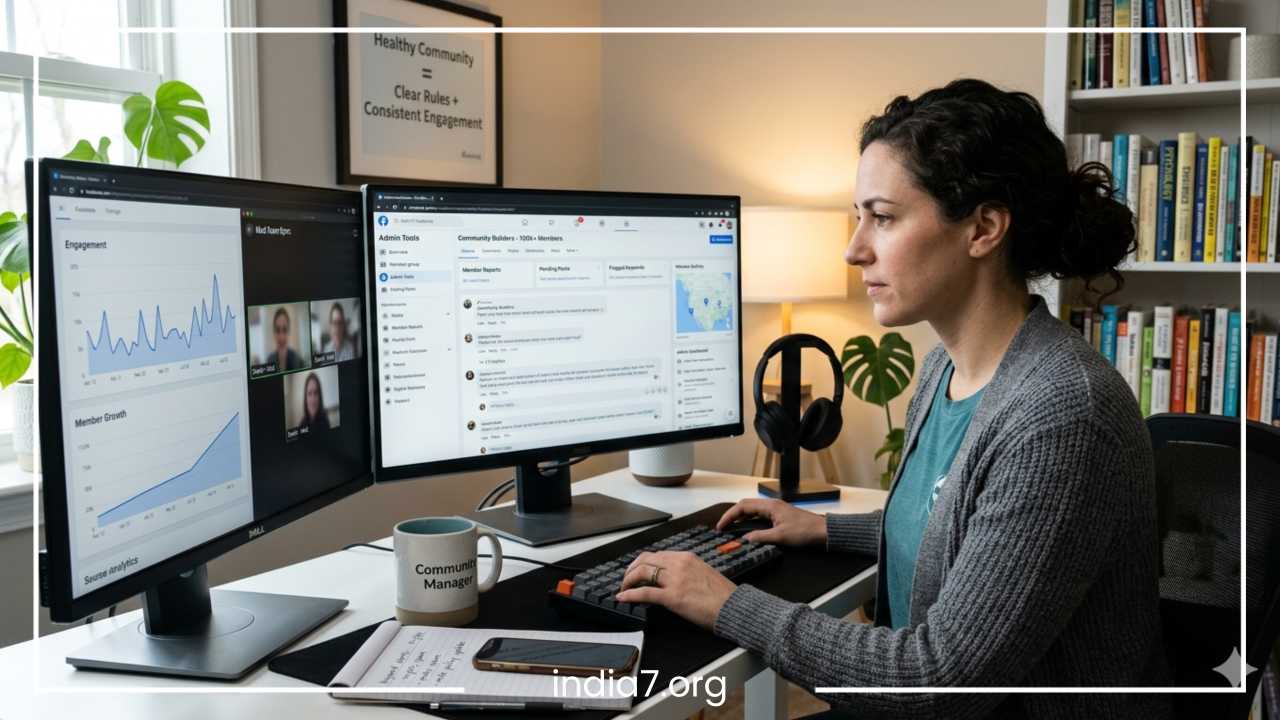
To build a sustainable management strategy, you must first understand what Facebook Group moderation actually entails. At its core, moderation is the art and science of maintaining order, safety, and relevance within a digital community. It requires balancing technical tools with human empathy. A good moderator acts simultaneously as a digital event host, a conflict mediator, a quality control inspector, and a brand ambassador.
One common point of confusion for those starting out is the difference between Facebook Group Admins and Facebook Group Moderators. While they work together closely to protect the community, their technical capabilities and strategic responsibilities differ significantly.
-
Admins (Administrators): Admins hold ultimate ownership and control over the group. They possess the authority to alter group settings, change the privacy levels, customize the group appearance, manage subscription models, link to business pages, and even delete the group entirely. Crucially, admins have the power to appoint or remove other admins and moderators. Their focus is often split between high-level community strategy and technical management.
-
Moderators: Moderators are the front-line operators of the community. They do not have access to the overarching structural or privacy settings of the group, but they possess all the tools necessary for day-to-day community maintenance. They can approve or deny member requests, review flagged content, approve or reject pending posts, remove rule-breaking comments, and issue warnings or temporary mutes to disruptive members.
The scope of a moderation team’s work is heavily influenced by the privacy settings of the group. Facebook categorizes groups into three main structural types:
-
Public Groups: Anyone on or off Facebook can see who is in the group and what they post. Public groups scale incredibly fast and offer maximum visibility, making them excellent for top-of-funnel marketing. However, they are highly susceptible to spam, bots, and bad actors. Moderating a public group requires massive effort, a reliance on automated filters, and a highly reactive approach to content cleaning.
-
Private and Visible Groups (formerly Closed Groups): Anyone can find the group through the Facebook search bar, see the group name, and read the description, but only approved members can see who belongs to the group and what they post. This is the industry standard for most brands and creators. It offers a perfect balance: discoverability for growth, alongside a secure gatekeeping process to keep out spammers and bots.
-
Private and Hidden Groups (formerly Secret Groups): These groups do not appear anywhere in search results. The only way to join is through a direct invite link from an admin or existing member. Only current members can see the member list and content. These groups require minimal protection against random web bots, but they demand highly intentional curation to keep the exclusive, intimate culture alive.
Regardless of the group type, the core responsibilities of the moderation team remain identical. The daily routine centers on content approval to keep out noise, rule enforcement to protect community standards, member engagement to keep discussions flowing naturally, and conflict resolution when human interactions inevitably go sideways.
Read: How to Enhance Business Sales
Setting Clear Group Rules
Every functional society relies on a legal framework, and your Facebook Group is no different. Group rules serve as the constitution of your digital community. They remove ambiguity, establish clear behavioral expectations from day one, and provide your moderation team with a neutral, objective reference point when they need to take enforcement action. When a member is muted or removed, it should never feel like a personal attack; it should simply be a transparent consequence of crossing an explicitly stated boundary.
Facebook allows you to list up to ten official rules within the dedicated rules tool in your admin dashboard. While it can be tempting to write an exhaustive list of every minor infraction imaginable, this approach often backfires. Long, legalistic walls of text intimidate well-meaning users and kill the welcoming vibe of a new community. Instead, focus on crafting concise, highly enforceable rules that address the most common points of friction.
Consider these three essential rules as the foundation of any healthy group:
-
No Spam or Self-Promotion: This is the most critical rule for preserving group value. Clearly define what constitutes self-promotion. Does it include sharing personal blog posts, dropping affiliate links, promoting local businesses, or posting links to external WhatsApp or Telegram channels? If you allow promotion only on specific days or within designated threads, state that clearly here.
-
Respectful and Kind Communication: Set a zero-tolerance policy for hate speech, bullying, personal attacks, and discriminatory language. Make it clear that while healthy debates and disagreements are welcome, attacks on an individual’s character or identity will result in immediate removal.
-
Keep Content Relevant and On-Topic: Define the exact scope of your community. If your group is dedicated to technical software engineering, explicitly state that political memes, general lifestyle advice, or off-topic rants are not allowed. This helps your members understand what kind of value they should expect to receive and contribute.
When writing your rules, use clear, actionable language rather than vague generalities. Instead of simply writing “Be nice,” write “Treat all members with respect. Disagreements are natural, but insults, mocking, and derogatory comments will not be tolerated.” Instead of writing “Don’t post links,” write “No direct sales pitches, affiliate tracking links, or unapproved promotional videos. All external links must add genuine value to the discussion.”
Once your rules are finalized, you must maximize their visibility. Do not leave them buried in the group sidebar. Feature them prominently in your group description. Utilize Facebook’s “Pin to Featured” tool to place a comprehensive welcome post outlining the rules at the absolute top of the group feed.
Furthermore, understand that community guidelines are living documents. As your group grows from one hundred members to one hundred thousand, the dynamics will change. New types of behavior, industry shifts, or unexpected moderation loopholes will emerge. Review your rules quarterly. If you notice a specific disruptive behavior happening repeatedly that isn’t explicitly covered by your guidelines, update your text to reflect that reality, and publish a brief announcement to inform your community of the adjustment.
Read: Marketing Your Recently Established Promotional Products Company
Member Approval and Onboarding Process
The easiest way to moderate a clean, high-value Facebook Group is to prevent bad actors from entering the space in the first place. Think of your member approval process as a digital bouncer. By implementing an intentional screening process, you dramatically reduce the workload of your front-line content moderators.
Facebook provides a robust set of member request tools, including the ability to ask prospective members up to three screening questions. These questions are your most powerful tool for separating genuine human beings from automated bots, professional spammers, and trolls. Use these questions strategically:
-
The Intent Question: Ask why they want to join the group or what specific problem they are trying to solve. A genuine user will write a brief, coherent response. A bot or a spammer will either leave it completely blank, paste a generic phrase, or provide nonsensical gibberish.
-
The Rule Agreement Question: Explicitly ask, “Have you read the group rules, and do you agree to abide by them, including our strict ban on unapproved self-promotion?” Requiring a clear “Yes” creates a psychological contract with the user and gives you total justification to remove them if they violate that promise later.
-
The Lead Generation/Context Question: If your group supports a business or brand, you can ask for their email address to send them a free onboarding resource, or ask how they discovered your brand. This filters for high-intent members who are truly invested in your ecosystem.
Beyond questions, establish a checklist for human profile checks before hitting the approval button. Train your moderation team to look for classic red flags of fake or malicious accounts. These include accounts that were created less than a few weeks ago, profiles lacking a real profile picture, accounts with no visible activity or friends, and profiles whose public history consists solely of dropping identical links across dozens of different public groups.
Once an authentic user passes through your gates, their initial hours inside the group will heavily dictate their long-term behavior. A structured onboarding process sets expectations immediately and models what healthy engagement looks like.
Utilize Facebook’s automated “Welcome Post” feature, which allows you to tag all new members joined within the last week in a single post. Do not just tag them and say hello. Use that welcome post as an opportunity to reiterate the core mission of the group, link directly back to your pinned rules post, and give them a simple, low-friction call to action.
Ask them to introduce themselves, share a photo related to the group’s niche, or answer a simple icebreaker question in the comments. This immediately transitions them from passive observers into active participants, showing them that their voice matters while reinforcing the structured boundaries of the community.
Content Moderation Strategies
Once your members are through the door, managing the actual content stream becomes your primary focus. A successful content moderation strategy ensures that the group remains highly readable, educational, and engaging, while actively suppressing low-effort noise and security threats.
To achieve this, your team needs a rock-solid operational framework for reviewing posts. Every single piece of content should be evaluated against three core criteria:
                  [ Incoming Post ]
                          │
            Is it relevant to our niche?
             ├── NO  ─► [ Reject Post ]
             └── YES
                    │
           Does it violate group rules?
             ├── YES ─► [ Reject Post ]
             └── NO
                    │
         Does it add value or encourage talk?
             ├── NO  ─► [ Reject / Ask to Edit ]
             └── YES ─► [ Approve Post ]
When handling clear violations like blatant spam, explicit product promotions, or malicious external tracking links, the response should be swift and automated: immediate deletion and a review of the member’s status. However, the grey areas of moderation require nuanced human judgment.
For instance, dealing with misinformation requires a careful touch. If a member posts factually incorrect data that could cause harm, your team must intervene. Depending on the severity, you can reject the post, or approve it while pinning an official comment that provides objective, verified context.
To maintain high standards, you should actively encourage your members to create premium content. When a member writes an exceptionally thorough, helpful guide or shares a deeply vulnerable, insightful story, use your moderation powers to highlight it. Use the “Pin to Featured” tool to keep it at the top of the feed for a few days, or explicitly comment as the admin team to praise their contribution. When other members see what kind of behavior receives praise and visibility, they will naturally alter their own posting habits to match that standard.
Architecting this workflow requires deciding between a manual approval model and an automatic approval model.
-
The Manual Approval Model (Post Approval Turned On): In this setup, every single post submitted by a member goes into a hidden pending queue. It only appears in the main group feed after a moderator reviews and manually approves it. This guarantees a pristine, completely spam-free feed and gives you total control over the narrative and quality. The downside is that it creates massive friction for members who want immediate answers, and it requires a dedicated moderation team working around the clock to keep the queue moving.
-
The Automatic Approval Model (Post Approval Turned Off): Here, member posts go live instantly. This maximizes group velocity, encourages spontaneous conversations, and reduces the immediate labor burden on your team. However, it requires a highly reactive moderation strategy. Your team must rely heavily on automated filters, keyword alerts, and member reports to catch and scrub inappropriate content after it has already been viewed by the community.
The ideal solution for most growing groups is a hybrid workflow. You can start with post approval turned off for the general membership to keep engagement high, but configure your settings so that posts from brand-new members, or posts containing specific keywords, external links, or media attachments, are automatically diverted into the pending queue for a safety check.
Engagement Management
A common trap that many rookie community managers fall into is focusing so intensely on policing bad behavior that they completely forget to cultivate good behavior. Content moderation is only half the battle; the other half is active engagement management. If your group is so over-moderated that members feel terrified of posting for fear of breaking a minor technical rule, the group will fall silent. A quiet group is a dying group.
To keep your community alive and vibrant, the moderation team must actively stimulate healthy discussion. Do not assume that members will just start talking on their own. You must design structured opportunities for participation.
-
Weekly Discussion Prompts: Establish a predictable rhythm that members can look forward to. Create a “Mindset Monday” thread where members share their weekly goals, a “Work-in-Progress Wednesday” where they upload photos of what they are currently building, or a “Friday Wins” thread to celebrate successes.
-
Native Polls: Facebook Polls are incredible for low-friction engagement. People who are too shy to write a long post or leave a comment will gladly click a radio button on a poll. Use polls to gather feedback on group topics, ask fun industry debates, or let the community vote on future content pieces.
-
Open-Ended Questions: Instead of posting flat statements, frame your updates as questions. Instead of writing “Here are three ways to fix a broken camera lens,” write “What is the biggest nightmare you’ve ever had with a broken camera lens on a shoot? Here is how we fixed ours.”
A crucial element of engagement management is knowing how to handle inactive members. It is completely normal for a large percentage of your group to be “lurkers”—people who read the content daily but rarely comment or post. Do not try to force them out or shame them. Instead, create safe, low-stakes environments for them to break their silence, such as the weekly threads mentioned above.
Most importantly, you must carefully avoid the danger of over-moderation. If a moderator deletes a post simply because it covers a topic that was discussed three weeks ago, or because the formatting isn’t absolutely perfect, that member will likely never post again. Give your community breathing room. Allow for casual, off-the-cuff conversations, lighthearted humor, and tangential discussions, provided they remain respectful and safe. Your goal is to guide the river of conversation, not to dam it up completely.
Handling Conflict and Negative Behavior
No matter how welcoming your culture is or how clear your rules are, conflict is inevitable. Whenever human beings gather to discuss topics they care about deeply, opinions will clash. As a community manager, your job is not to eliminate conflict entirely; it is to prevent healthy disagreement from devolving into toxic warfare.
When monitoring threads, your team must be able to categorize different types of negative behavior accurately, because each requires a vastly different operational response:
-
Healthy Disagreement: Two members passionately debating different methodologies, software tools, or business philosophies without resorting to personal insults. Action: Leave it alone. This kind of intellectual friction drives massive engagement and value.
-
Arguments and Emotional Flare-ups: Members losing their tempers, using passive-aggressive language, or mocking another user’s intelligence or experience level. Action: Intervene immediately to de-escalate.
-
Trolling and Harassment: Deliberate attempts to disrupt the community, insult marginalized groups, dox individuals, or target a specific member with persistent abuse. Action: Zero tolerance. Immediate removal and a permanent ban.
For general rule violations and emotional arguments, implement a structured, progressive disciplinary system. This ensures fairness and gives well-meaning users a chance to correct their behavior.
[ Rule Violation Occurs ]
         │
         ▼
 1. Remove Content & Issue Official Warning (Cite Rule)
         │
         ▼
 2. Second Offense: Place Member on Temporary Mute (24h - 7 Days)
         │
         ▼
 3. Third Offense: Remove Permanently & Ban Profile
When an argument breaks out in a comment section, the first step is to issue a public moderation comment directly on the thread. This signals to the rest of the group that the management team is active and watching. Write something neutral and firm: “We love the passion in this thread, but let’s make sure we keep the focus on the topic and skip the personal jabs. Please keep it respectful as per our group guidelines.”
If the behavior continues, turn off comments for that specific post using the “Turn Off Detailing” tool. This freezes the thread instantly, giving everyone involved a mandatory cooling-off period.
Simultaneously, send a private message to the offending members. Explain exactly which rule they violated, point them back to the guidelines, and inform them of their current status in the progressive warning system.
However, if a member displays predatory behavior, posts malware, attempts to scam your members out of money, or uses explicit hate speech, bypass the warning system completely. Remove them from the group instantly, delete all of their past content activity in a single click using Facebook’s admin tools, and permanently block their profile from ever finding or rejoining your community. Your ultimate loyalty must always lie with the safety of the collective group, not the comfort of an individual bad actor.
Using Facebook Moderation Tools
Trying to moderate a growing community entirely by hand is a quick path to operational burnout. Fortunately, Facebook provides native, built-in moderation architecture designed to automate repetitive tasks, alert you to hidden dangers, and streamline your daily workflows. To be an effective community manager, you must master these technical tools.
Admin Assist
Admin Assist is essentially an automated moderator that runs around the clock. It allows you to build a custom matrix of “if-this-then-that” rules to manage your membership and content feed automatically.
You can set up Admin Assist to automatically decline incoming posts if the author does not have a profile picture, if the account is less than thirty days old, or if the post contains links to known spam websites.
You can also configure it to automatically remove published comments if they receive a certain number of user reports, or if they contain specific profanities. By letting Admin Assist handle these obvious, black-and-white violations, your human team can dedicate their energy to nuanced conversations.
Keyword Alerts and Filters
Do not try to read every single comment in your group. Instead, use Keyword Alerts to monitor critical topics. You can input specific words or phrases that trigger an instant notification to the admin dashboard whenever a member types them.
Set up alerts for high-risk words like profanities or slurs. Also set them up for buyer intent words if you run a business group, or compliance keywords to protect against regulatory liabilities.
| Alert Category | Example Keywords to Track | Operational Action |
| Risk & Toxicity | scam, fake, fraud, hate, stupid, idiot | Immediate review for conflict de-escalation |
| Sales & Intent | price, buy, cost, discount, coach, hire | Sales team intervention or lead capture |
| Compliance & Legal | guarantee, medical advice, cure, invest | Review to ensure no illegal advice is shared |
Post Approval and Flagging Systems
As discussed earlier, you can toggle the master Post Approval setting on or off based on your current community risk profile. Alongside this, rely heavily on your members to assist you via the Member Reporting system.
Ensure your onboarding process explicitly teaches members to hit the “Report Post to Group Admins” button whenever they spot a rule violation, rather than arguing back. This sends the piece of content directly to a dedicated queue in your dashboard, ensuring it won’t get lost in the general Facebook notification noise.
Banning, Muting, and Scheduling
When dealing with problematic individuals, understand the tactical difference between your tools. Muting a member prevents them from posting or commenting for a set period, but allows them to still read the feed. This is excellent for letting hot tempers cool down. Banning completely extracts them from the ecosystem, erasing their visibility entirely.
Finally, maximize the use of the Post Scheduler. Do not post your engagement prompts live every single day. Dedicate one hour at the start of the month to write and schedule all of your recurring weekly prompts and announcements. This ensures a consistent community heartbeat without requiring daily manual input.
Building a Strong Moderation Team
There comes a point in the lifecycle of every successful Facebook Group where the founder can no longer manage the workload alone. If you are checking your group notifications late at night, feeling anxious about unmoderated threads over the weekend, or watching spam slip through the cracks, it is time to build a team. Scaling your community requires delegating operational authority.
The first step is knowing how to select the right people. Your best future moderators are already sitting inside your group. Do not hire outside assistants who know nothing about your niche or culture. Instead, look for members who meet these criteria:
-
They are consistently active without being self-promotional.
-
They regularly write constructive, deeply helpful comments on other people’s questions.
-
They remain incredibly calm, polite, and objective, even when caught in the middle of a heated debate.
-
They naturally flag spam and report violations to the admin team without being asked.
When you identify these community leaders, reach out via private message. Invite them to step into a leadership role, explain the scope of the responsibilities, and clearly state what they will get out of it—whether that is an insider relationship with your brand, exclusive perks, or leadership experience for their resume.
To keep your new team running smoothly and prevent rogue decisions, you must establish absolute consistency. Create an internal Standard Operating Procedure (SOP) document. This can be a simple shared document that outlines the exact steps to take for common scenarios. It should specify when to approve a grey-area post, when to issue a warning versus a mute, and provide pre-written script templates for messaging members who have broken the rules.
       [ General Membership Pool ]
                   │
    (Identified through high value contributions)
                   │
                   ▼
     [ Invitation to Join Team ]
                   │
    (Onboarded with official Moderation SOP)
                   │
                   ▼
       [ Active Moderation Team ]
                   │
    (Aligned via private backchannel communication)
Once your team is active, open up a private communication backchannel outside of the main group feed. This could be a dedicated Messenger group chat or a private Slack channel.
Use this space to discuss complex moderation issues, align on whether a specific ambiguous post should be removed, and support one another. If a moderator is dealing with an aggressive troll, they can drop the link in the backchannel and ask another team member to step in, ensuring no single person carries the emotional burden of protecting the space alone.
Best Practices for Long-Term Community Growth
As your Facebook Group matures and scales into a massive digital asset, your moderation philosophy must shift from reactive policing to proactive cultural architecture. Long-term community growth requires finding the precise equilibrium between keeping order and fostering absolute freedom of expression.
A thriving community cannot feel like a strict police state. If your moderation team is too heavy-handed, deleting any post that doesn’t perfectly conform to a narrow viewpoint, you will create an environment of fear and compliance. Members will stop sharing their true thoughts, and the genuine human connection that drives organic word-of-mouth growth will vanish.
Strive to be as invisible as possible while remaining highly effective. Let your members talk, explore, and even make mistakes, stepping in only when a firm boundary is crossed.
To build an unbreakable community culture, pivot heavily toward rewarding your most positive members. Use Facebook’s native badges—such as “Top Contributor,” “Conversation Starter,” or “Founding Member”—to call out and praise those who consistently elevate the space.
Consider hosting a monthly appreciation post where you publicly thank the five most helpful members of the week, or surprise them with exclusive brand merchandise. When you actively reward the behavior you want to see, the rest of the community naturally copies those positive habits.
Furthermore, remember to keep your management style flexible. A community is a dynamic, evolving human system, not a static machine. The rules, onboarding flows, and engagement strategies that worked perfectly when you had five hundred members will likely break down when you hit fifty thousand.
Keep a close eye on your Facebook Group Insights dashboard. Track your engagement velocity, monitor which days and times see the highest posting activity, and observe the demographic shifts of your membership. Use this data to continually refine your moderation schedules, adjust your automated Admin Assist rules, and adapt your content strategies to serve the actual needs of your growing community.
Common Mistakes in Facebook Group Moderation
Even the most well-meaning community managers can make critical errors that derail a group’s success. By recognizing these common pitfalls early, you can protect your team from burnout and save your community from sudden decline.
-
Oscillating Between Over-Moderation and Under-Moderation: This is the most common operational trap. An admin gets busy, ignores the group for two weeks, and lets spam take over the feed (under-moderation). Realizing the mistake, they panic, turn on strict manual post approval, and reject seventy percent of member submissions out of frustration (over-moderation). This wild unpredictability confuses your audience and shatters community trust. Consistency in enforcement is far more important than perfection.
-
Ignoring Member Feedback and Concerns: Your members are the lifeblood of your group. If multiple high-value users privately message you to complain about a specific moderator being overly aggressive, or if they express frustration about a new rule layout, do not ignore them. Treat your community like a collaborative democracy. Listen to their feedback, explain the reasoning behind your decisions transparently, and be willing to apologize and pivot if a policy backfires.
-
Inconsistent Rule Enforcement: If you delete a promotional post written by a new member, but allow an identical promotional post written by one of your close friends or an early member to stand, your community will instantly notice the double standard. Favoritism kills group morale. The rules must apply equally to everyone, regardless of their status, tenure, or relationship with the admin team.
-
Allowing Spam to Take Root Early On: When a group is new and struggling for traction, it can be tempting to approve low-quality or slightly spammy posts just to increase total post numbers. This is a fatal mistake. Spammers actively look for vulnerable, unmoderated groups. If they see that their junk content stands for more than a few hours, they will invite their networks, and your group will be completely overrun before it ever has a chance to build an authentic foundation.
-
Failing to Scale Moderation Infrastructure as the Group Grows: You cannot manage a community of ten thousand members using the exact same manual processes you used when you had two hundred. If you fail to onboard new moderators, neglect to configure automated tools like Admin Assist, or refuse to write clear standard procedures as your group velocity scales, your moderation team will inevitably suffer from severe operational burnout, leading to a rapid collapse in content quality.
Final Thoughts
Moderating a Facebook Group is a long-term journey that requires a thoughtful blend of technical strategy, clear operational boundaries, and deep human empathy. There is no single setting or magic automated tool that can instantly create a perfect digital community overnight. A truly successful space is built day by day, comment by comment, through consistent, intentional, and thoughtful management.
Always remember that your moderation team does not exist merely to delete bad content; your primary mission is to protect and nurture a safe environment where healthy, high-value human connection can thrive. By setting crystal-clear rules, engineering a secure onboarding flow, leveraging the power of native automation tools, and empowering a dedicated team of community leaders, you can build a self-sustaining ecosystem that delivers immense value to your members and your brand for years to come.
Be patient, stay consistent, treat your members with respect, and enjoy the incredible process of watching your digital community grow into a vibrant, impactful force.
Frequently Asked Questions
How do I stop spam posts in my Facebook group automatically?
The most efficient way to stop spam automatically is to activate and configure the Admin Assist tool in your group dashboard. Set up a rule to automatically decline incoming posts if the author has a brand-new account (less than 30 days old), has no profile picture, or if the post contains specific spam-heavy keywords like “crypto,” “whatsapp group,” or “dm me.” Additionally, you can set filters to automatically hold any post containing external links for manual moderator review, preventing automated bots from dropping malicious links into your feed.
What is the difference between an admin and a moderator in a Facebook group?
An Admin has total ownership and control over the group’s structure, privacy settings, and leadership team. Admins can change a group from public to private, link business pages, view financial insights, and add or remove other admins and moderators. A Moderator, on the other hand, handles day-to-day community operations. They can approve or deny member requests, approve or reject pending posts, delete rule-breaking comments, and temporarily mute or permanently ban disruptive members, but they cannot alter the group’s foundational settings.
How many moderators should a Facebook group have based on member count?
While there is no official mathematical formula, a healthy industry standard for a moderately active group is one moderator for every 1,000 to 2,000 active members. If your group has under 1,000 members, one admin and one backup moderator are usually enough. Once you scale past 10,000 members, you will likely need a team of 5 to 7 dedicated moderators to cover different time zones and maintain a clean, active feed around the clock without risking team burnout.
Can you change a public Facebook group to private after it grows?
Yes, you can change a public Facebook group to private, but this change is permanent. Once an admin switches a group’s privacy setting to private, Facebook gives you a 24-hour grace period to reverse the decision. After those 24 hours close, you can never make the group public again. This rule is enforced to protect the privacy of the members who joined under the assumption that their posts would remain hidden from the public web. Note that private groups can never be changed to public under any circumstances.
How to deal with trolls and toxic members in an online community?
Dealing with toxic behavior requires a swift, progressive enforcement strategy. For minor or first-time infractions, remove the offending comment and use the “Moderate” tool to send an official warning citing the exact rule they broke. For second offenses, place the member on a temporary mute (usually 3 to 7 days) to freeze their ability to post or comment. For extreme toxicity, hate speech, or targeted harassment, bypass warnings entirely: permanently ban the member from the group and check the box to delete their entire post history with a single click.
Is it better to turn on post approval for a growing Facebook group?
Turning on post approval depends entirely on your team’s daily availability and your current spam risk profile. Turning post approval ON guarantees a high-quality, completely spam-free feed, making it ideal for high-risk brand groups, but it slows down conversation momentum. Turning post approval OFF creates a fast-paced, highly engaging environment, but leaves you vulnerable to sudden spam attacks. A great middle-ground is to leave post approval off generally, but create a filter that automatically holds posts for approval if they come from new members or contain external links.