Best Free Workout Apps
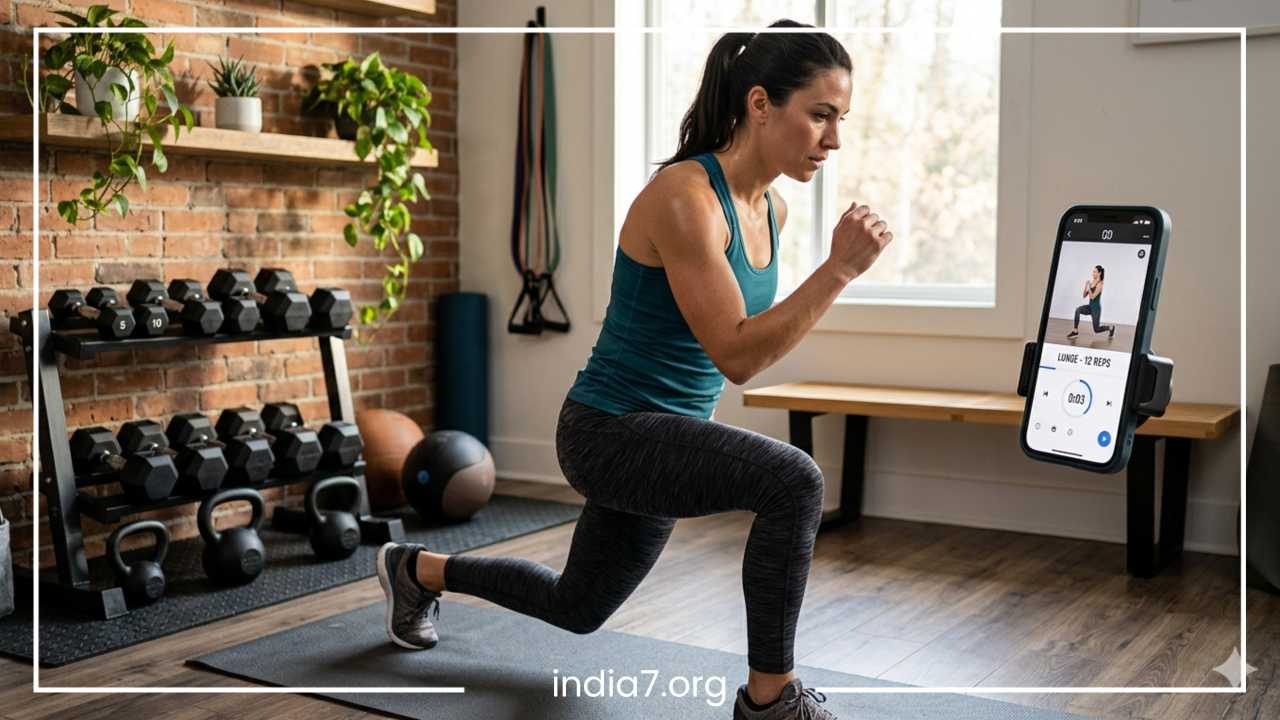
Best Free Workout Apps for Fitness at Home & Gym
The digital fitness revolution has completely transformed how we approach our health. Not long ago, achieving a transformation required a substantial financial investment in gym memberships, boutique studio classes, or private coaching. Today, the barrier to entry has vanished. High-quality instruction, periodized programming, and precise data tracking are now available to anyone with a smartphone.
Free workout apps have become the ultimate equalizer in the health industry. They cater to the busy parent needing a ten-minute reset in the living room, the traveler stuck in a hotel with limited equipment, and the dedicated lifter aiming to break a plateau in a commercial gym. By providing structure, visual cues, and accountability, these digital tools bridge the gap between “wanting to get fit” and “knowing what to do.” This comprehensive guide explores the absolute best free options available, ensuring you can build a professional-grade fitness routine without spending a dime.
Read: Best Foods for Weight Loss
Why Use Free Workout Apps?
Cost-Effectiveness and Accessibility
The most immediate advantage is the elimination of financial barriers. Personal training sessions often range from $50 to $150 per hour. While a human trainer provides hands-on form correction, many free apps now use advanced video technology and AI to offer similar guidance. For the price of a data connection, you gain access to libraries that cost millions of dollars to develop.
Unmatched Convenience
Life is unpredictable. A late meeting or a closed gym can derail a traditional fitness plan. Free workout apps provide ultimate flexibility. Your “gym” is wherever you are. Whether you have five minutes or an hour, these apps allow you to pivot your training to match your environment, ensuring that “no time” is never a valid excuse again.
Diversity of Discipline
Boredom is the silent killer of consistency. Most free apps offer a multidisciplinary approach. You might focus on heavy strength training on Monday, high-intensity interval training (HIIT) on Wednesday, and restorative yoga on Friday—all within the same interface. This variety not only keeps the mind engaged but also ensures your body is challenged across different energy systems and planes of motion.
Data-Driven Motivation
Humans are wired to respond to progress. Free apps provide built-in analytics that track your consistency, heart rate, weight lifted, and calories burned. Seeing a visual representation of your “streak” or a graph of your increasing strength provides a psychological boost that a simple paper log often fails to deliver.
Read: Foods That Help You Lose Weight
Key Features to Look for in a Workout App
When selecting an app, it is important to look past the flashy marketing and evaluate the core functionality. A high-quality free app should excel in the following areas:
1. Intuitive User Interface (UI)
The best apps disappear into the background. You should be able to navigate to your workout, start the timer, and log your sets with minimal friction. If an app requires too many taps to get moving, you are less likely to use it when you are tired or unmotivated.
2. Comprehensive Video Demonstrations
Static images are often insufficient for learning complex movements. Look for apps that provide high-definition video from multiple angles. Proper form is the difference between making progress and sustaining a long-term injury.
3. Customization and Scalability
A “one size fits all” approach rarely works in fitness. A great app allows you to filter workouts by:
-
Equipment: From full gym to bodyweight only.
-
Duration: 5 minutes to 90 minutes.
-
Impact Level: Low impact for joint health or high impact for explosiveness.
-
Difficulty: Beginner, Intermediate, or Advanced.
4. Integration with Wearables
If you own a smartwatch or fitness tracker, look for apps that sync with Apple Health, Google Fit, or Strava. This creates a holistic view of your health, combining your active workout data with your daily movement and sleep patterns.
5. Offline Accessibility
Relying on a gym’s spotty Wi-Fi can be frustrating. The ability to download a workout or a video library while you are on home Wi-Fi ensures that your session remains uninterrupted regardless of your connection strength.
Read: What to Eat to Lose Weight
Best Free Workout Apps: Deep Dive
1. Nike Training Club (NTC)
Nike Training Club remains the undisputed champion of the free fitness world. During a global health crisis, Nike made the bold move to make their entire “Premium” library free for everyone, and they have maintained that commitment.
-
Overview: NTC offers over 200 workouts ranging from 5 to 60 minutes. It covers strength, cardio, yoga, and mobility.
-
Key Features: It features “Class-style” videos where a trainer follows along with you, and “Whiteboard” workouts where you move at your own pace. The app also includes wellness tips on nutrition and recovery.
-
Pros: High-production value; world-class trainers; no hidden costs or “upselling” to a pro version.
-
Cons: Large file sizes for video downloads; the interface can feel slightly overwhelming due to the sheer volume of content.
-
Best For: Individuals who want a premium experience for $0.
2. FitOn
FitOn has disrupted the industry by bringing the “Boutique Studio” experience to the home for free.
-
Overview: Imagine Peloton or SoulCycle, but without the equipment cost or monthly subscription. FitOn focuses on high-energy, instructor-led classes.
-
Key Features: A massive library of celebrity-led workouts (including Gabrielle Union and Jonathan Van Ness). It also features a “PRO” version, but the vast majority of the workout content is accessible in the free tier.
-
Pros: Excellent for cardio, dance, and HIIT; social features allow you to work out “live” with friends.
-
Cons: Frequent prompts to upgrade to PRO; nutrition plans are locked behind the paywall.
-
Best For: Those who thrive on instructor personality and group-class energy.
3. JEFIT
While many apps focus on follow-along videos, JEFIT is built for the “Iron Game.”
-
Overview: This is a hardcore workout tracker and planner designed for bodybuilders and powerlifters.
-
Key Features: It contains a library of over 1,400 exercises with detailed 2D animations and instructions. It excels at tracking “1-Rep Max” (1RM) and total volume.
-
Pros: Unmatched for data nerds; allows for highly specific custom routines; huge community-driven database of programs.
-
Cons: The interface looks a bit dated compared to modern apps; the free version has banner ads.
-
Best For: Serious gym-goers focused on strength and muscle hypertrophy.
4. Strong Workout Tracker
If JEFIT is a complex spreadsheet, Strong is a clean, elegant notebook.
-
Overview: Strong is designed to be the fastest, most intuitive workout tracker for the gym. It stays out of your way so you can focus on the weights.
-
Key Features: Automated rest timers; easy plate calculator; “Warm-up” set calculator; and a simple interface for logging reps and weights.
-
Pros: Extremely fast and stable; excellent Apple Watch integration; no bloatware.
-
Cons: The free version limits you to three custom workout templates.
-
Best For: Experienced lifters who have their own program and just need a digital log.
5. Home Workout by Leap Fitness
For those who want zero excuses and zero equipment, Leap Fitness provides a straightforward solution.
-
Overview: This app uses animated guides to take you through bodyweight circuits. It is particularly famous for its “30 Day Challenges.”
-
Key Features: Targeted workouts for specific muscle groups (Abs, Chest, Arms); voice-guided transitions; automatic progress tracking.
-
Pros: Works perfectly without an internet connection; no equipment required; very beginner-friendly.
-
Cons: Lack of “human” element in the instructions; can become repetitive for advanced users.
-
Best For: Beginners and those with no access to a gym.
6. Hevy
Hevy is the rising star in the gym-tracking space, blending data with a social media feel.
-
Overview: It allows you to log workouts, track progress, and follow friends to see what they are lifting.
-
Key Features: Highly visual charts; the ability to “copy” a friend’s workout; built-in rest timers; and very detailed muscle-distribution maps.
-
Pros: Modern, clean UI; highly motivating social component; excellent free tier (allows up to 4 custom routines).
-
Cons: Social features may be a distraction if you prefer to train in “stealth mode.”
-
Best For: Lifters who want a mix of data and social accountability.
7. 7 Minute Workout
Based on the “Johnson & Johnson Official 7 Minute Workout,” this app is the ultimate time-saver.
-
Overview: It utilizes High-Intensity Circuit Training (HICT) to provide a full-body workout in just seven minutes.
-
Key Features: Simple “circular” timer; voice prompts; minimal equipment (just a chair and a wall).
-
Pros: Scientific backing for the protocol; impossible to “not have time” for this.
-
Cons: Not enough volume for significant muscle growth; very high intensity may be difficult for some beginners.
-
Best For: Busy professionals and frequent travelers.
Best Apps by Category
To help you narrow down your search, here are the top picks for specific needs:
-
Best for Weight Loss: FitOn. The high-calorie burn of their HIIT and dance-cardio classes is ideal for creating a caloric deficit while having fun.
-
Best for Muscle Building: JEFIT. The focus on progressive overload and volume tracking is essential for hypertrophy.
-
Best for Flexibility/Yoga: Nike Training Club. Their yoga section is massive, ranging from restorative “flow” to athletic “power” yoga.
-
Best for Busy People: 7 Minute Workout. It maximizes efficiency by hitting every major muscle group in a fraction of the time.
-
Best for Absolute Beginners: Home Workout by Leap Fitness. The simple animations and clear structure make it less intimidating than other platforms.
Free vs. Paid Workout Apps: Is it Worth Upgrading?
Most “Free” apps operate on a freemium model. Here is a realistic look at what you lose and gain.
The “Free” Reality
In the free version of most apps, you get the “meat and potatoes.” You get the exercises, the timers, and basic tracking. For 90% of the population, this is all you need to reach a high level of fitness. The limitations usually involve:
-
Advertisements: Banner ads or short videos between sets.
-
Template Limits: Only being allowed to save 3-5 custom routines.
-
Basic Data: You can see your history, but you might not get advanced “fatigue tracking” or “muscle recovery” analytics.
The “Premium” Upgrade
When you pay for a subscription (usually $10-$20 per month), you are generally paying for:
-
Customization: AI-driven plans that change based on whether you found a workout “too easy” or “too hard.”
-
Nutrition: Built-in calorie trackers, meal plans, and grocery lists.
-
Content: Exclusive “Masterclasses” or celebrity-led series.
-
Convenience: Ad-free usage and full offline downloads.
The Verdict: If you are a self-starter who can find their own recipes and doesn’t mind a few ads, stay free. If you want the app to act as a full-time concierge for your health, the upgrade might be worth it.
Tips to Choose the Right Workout App
Before you hit the download button, ask yourself these four questions:
-
What is my specific goal? (e.g., “I want to run a 5k” vs. “I want to deadlift 300 pounds.”)
-
Where will I be working out? (e.g., “In my garage with no equipment” vs. “At a fully stocked commercial gym.”)
-
How much instruction do I need? (e.g., “I need someone to show me every move” vs. “Just tell me the name of the lift and I’ll do it.”)
-
What motivates me? (e.g., “Seeing my friends’ progress” vs. “Seeing a chart of my personal records.”)
By matching the app’s strengths to your personal preferences, you significantly increase the likelihood of sticking with the program.
Tips to Stay Consistent Using Fitness Apps
Digital tools are only effective if you use them. Here is how to ensure your new app doesn’t just sit on the third page of your home screen:
-
The “Two-Minute Rule”: On days you really don’t want to work out, tell yourself you will just open the app and do the first two minutes. Often, the act of starting is the hardest part.
-
Set a Schedule: Most apps allow you to schedule workouts. Sync these with your phone’s calendar so they appear as “non-negotiable” appointments.
-
Use the Social Features: If you use an app like Hevy or FitOn, follow three friends. Knowing that someone else might see that you skipped a day provides a powerful social nudge.
-
Vary Your Intensity: Don’t do a “Max Effort” workout every day. Use your app’s mobility or yoga sections on your “off” days to stay in the habit without burning out.
-
Reward Consistency, Not Results: Set a goal to use the app 15 times in a month. Reward yourself with a new pair of socks or a healthy meal when you hit the frequency goal, rather than waiting for the scale to move.
FAQs Section
Are free workout apps as good as a personal trainer?
Technically, no. A personal trainer provides real-time form correction that an app cannot. However, for 95% of exercises, a high-quality video demonstration is sufficient for safe execution. Apps are often better than trainers for tracking long-term data and providing variety.
Can I really build muscle with just bodyweight exercises?
Yes. Muscle growth is a result of tension and fatigue. If you use a bodyweight app and perform exercises like push-ups, pull-ups, and lunges to near failure, your muscles will grow.
Which app is best for losing belly fat?
No app can “spot reduce” fat. However, apps that focus on HIIT and total-body strength training (like FitOn or NTC) are excellent for increasing your metabolic rate, which leads to overall fat loss.
Are these apps safe for older adults or those with injuries?
Many apps have “Low Impact” or “Senior-Friendly” sections. However, if you have a pre-existing injury, it is vital to consult a physical therapist before starting an automated program.
Do I need a smartwatch to use these apps?
No. While smartwatches provide better heart-rate data, all these apps function perfectly on a standard smartphone.
Final Thoughts
The “perfect” workout app doesn’t exist; there is only the app that is perfect for you right now. Whether you choose the high-production guidance of Nike Training Club, the social atmosphere of FitOn, or the data-heavy tracking of Hevy, the power to change your physical health is now entirely in your hands.
The most important step isn’t finding the best app—it’s starting the first workout. Pick one app from this list that aligns with your current goals, download it, and complete just one session today. Consistency is built one rep at a time.