Best Ways to Fix Posture at Desk
10 Effective Ways to Fix Your Posture at Your Desk
The modern workspace has undergone a radical transformation over the last few decades, shifting from active environments to sedentary, screen-focused settings. Whether you are working from a high-rise office or a dedicated home setup, the physical demands of desk work are often underestimated. While it may not seem strenuous to sit for eight hours, the cumulative strain on the musculoskeletal system is significant. Poor posture is not merely an aesthetic concern; it is a primary driver of chronic pain, reduced productivity, and long-term health complications.
In the current era of remote and hybrid work, many individuals find themselves working from makeshift setups—kitchen tables, couches, or even beds—which further exacerbates postural issues. Common symptoms such as persistent neck pain, lower back stiffness, tension headaches, and shoulder tightness have become nearly universal experiences for office workers. These issues often stem from a combination of poor ergonomic habits and a lack of regular movement.
The long-term impact of ignoring these signals can lead to permanent changes in spinal alignment, nerve compression, and decreased mobility. However, the solution is not to achieve a “perfect” or rigid sitting position. Instead, the goal is to cultivate a dynamic environment where your body is supported, your muscles are balanced, and movement is integrated into your routine. This guide provides a comprehensive, realistic, and evergreen approach to fixing your posture through simple adjustments and actionable habits.
Read: Social Media Marketing Mastery: 2026 Guide to Engagement & Growth
What Causes Poor Desk Posture?
To fix the problem, we must first understand the root causes. Posture is the result of how our muscles and bones interact to support our weight against gravity. When we sit at a desk, several factors conspire to pull our bodies out of alignment.
The most prevalent cause is prolonged static sitting. The human body is designed for motion, not for remaining in a fixed position for hours on end. When we remain still, blood circulation slows, and certain muscles—like the hip flexors and chest muscles—become tight and short, while others—such as the glutes and upper back muscles—become weak and overstretched.
Technology use plays a massive role. “Tech neck” or forward head posture occurs when we lean toward our monitors or look down at laptops and phones. For every inch your head tilts forward, the effective weight of your head on your neck increases by approximately ten pounds. Over time, this leads to rounded shoulders and a collapsed ribcage, which can even restrict deep breathing.
Furthermore, a weak core and lack of upper back strength make it difficult to maintain an upright position. If the muscles responsible for stabilization are underconditioned, the body naturally slumps to conserve energy. Stress also contributes to the problem, as many people unconsciously hike their shoulders toward their ears when focused or under pressure, creating a cycle of tension and pain.
Read: Customer Satisfaction: The Key to Business Growth
Adjust Your Chair Height Properly
The foundation of good posture literally starts from the ground up. Your chair is the most critical piece of equipment in your workspace, and its height dictates the alignment of your entire spine. If your chair is too high, you may find yourself leaning forward or dangling your feet, which puts immense pressure on the backs of your thighs and restricts circulation. If it is too low, your knees will be higher than your hips, causing your pelvis to tilt backward and your lower back to slouch.
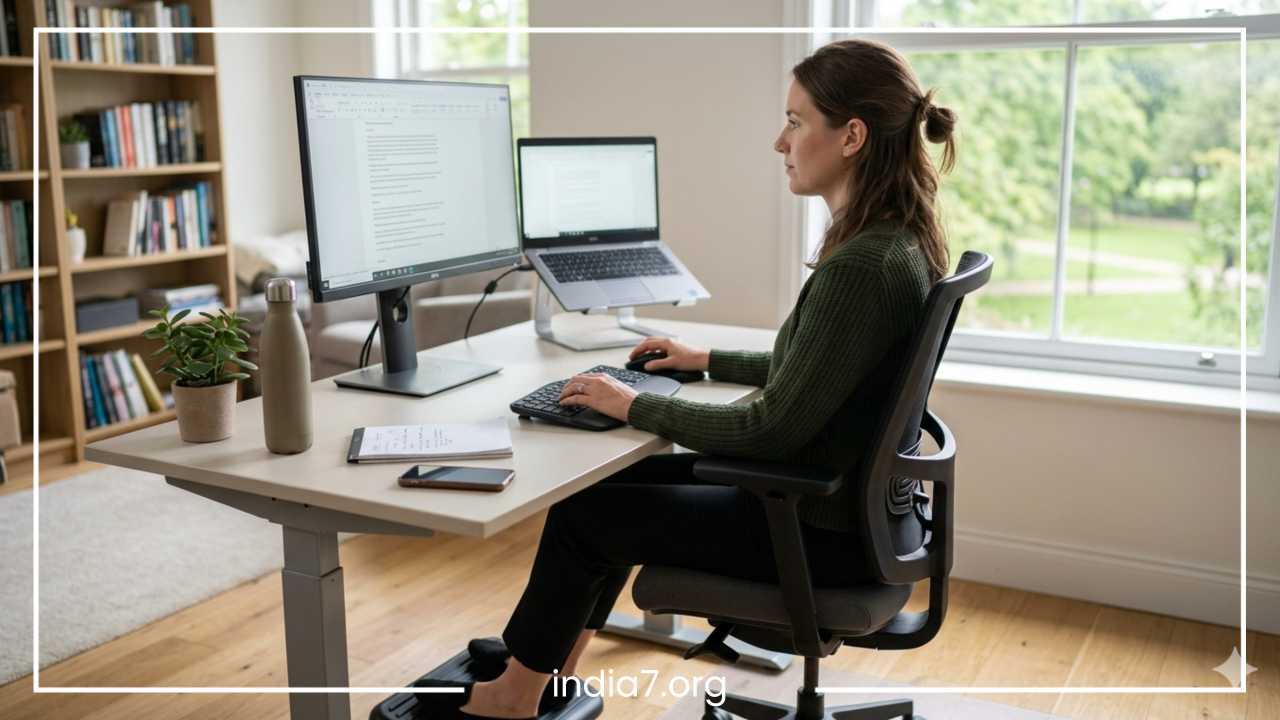
To set your chair height correctly, your feet should be flat on the floor. This provides a stable base and distributes your weight evenly across your hips. Your knees should be bent at approximately a 90-degree angle, with your hips positioned slightly higher than your knees. This slight elevation of the hips helps maintain the natural inward curve of your lower spine (the lumbar curve).
If your desk is fixed and too high to allow your feet to touch the floor at the correct arm height, do not compromise your wrist position. Instead, use a footrest or a sturdy stack of books to support your feet. Ensuring that your thighs are parallel to the floor or sloping slightly downward reduces the mechanical load on your lower back and prevents the “C-shaped” slump that often leads to disc compression and sciatica.
Read: How to Start a Business: A Step-by-Step Guide
Position Your Monitor at Eye Level
The position of your screen is the primary factor that determines the position of your head and neck. In a standard setup, many users place their monitors too low, forcing them to tilt their heads downward. This persistent flexion strains the posterior neck muscles and the cervical spine.
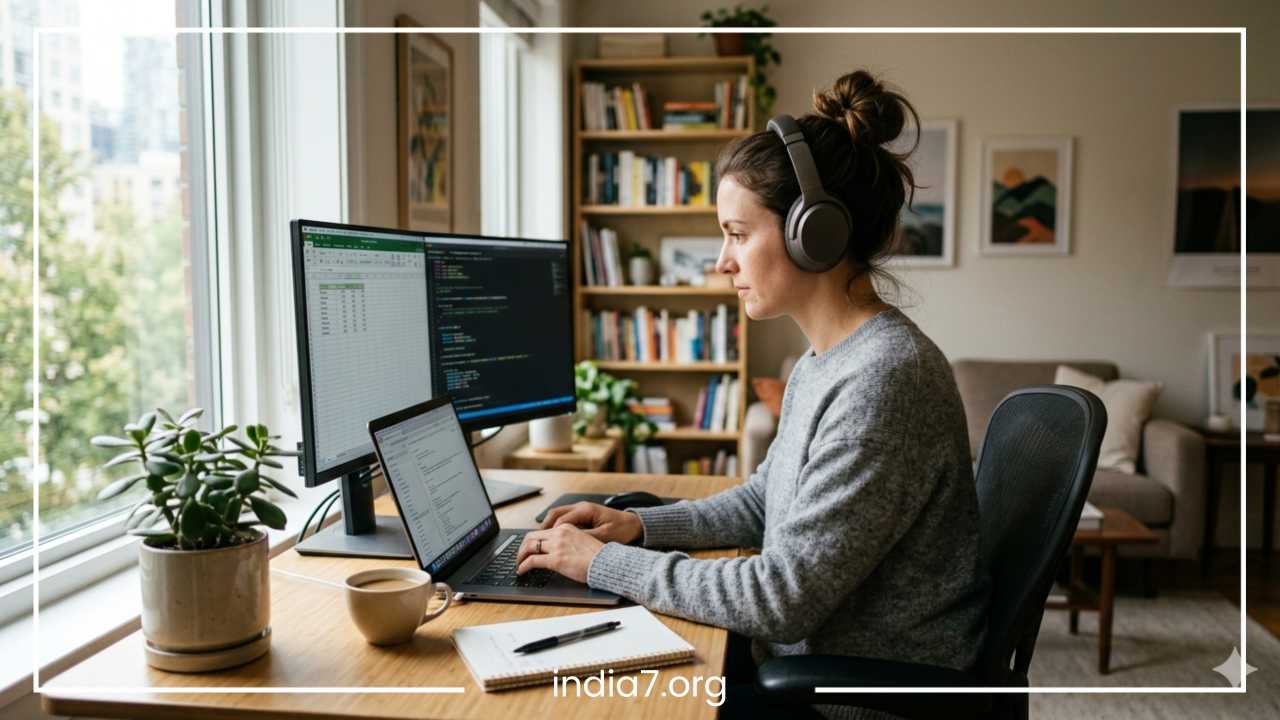
Your monitor should be positioned directly in front of you, about an arm’s length away. The top third of the screen should be at eye level. This ensures that when you are looking at the center of the screen, your gaze is slightly downward without requiring you to bend your neck. For those using dual monitors, try to position them in a way that minimizes repetitive neck twisting. If you use one monitor more than the other, place the primary one directly in front and the secondary one to the side. If you use both equally, they should meet in the middle directly in front of your nose.
Laptop users face a unique challenge because the keyboard and screen are attached. Using a laptop on a flat desk virtually guarantees poor posture. To fix this, use a laptop stand or a riser to lift the screen to eye level, and then connect an external keyboard and mouse. This simple separation allows you to maintain an upright head position while keeping your arms in a relaxed, ergonomic state.
Support Your Lower Back (Lumbar Support)
The lower back, or lumbar region, has a natural inward curve. Slouching causes this curve to flatten or even reverse, placing significant stress on the spinal discs and ligaments. Over a long workday, the muscles responsible for maintaining this curve become fatigued, leading the body to “collapse” into the chair.
Effective lumbar support fills the gap between the chair and the lower spine, reinforcing the natural curve and allowing the back muscles to relax. Many ergonomic chairs come with built-in adjustable support, but you can also purchase external lumbar cushions. A low-budget but highly effective DIY alternative is to roll up a medium-sized towel and place it in the small of your back.
When sitting, ensure your buttocks are pressed against the back of the chair. Do not sit on the edge of the seat, as this removes the possibility of back support. By sitting back fully and utilizing the chair’s backrest, you transfer the weight of your torso into the chair rather than forcing your spine to carry the entire load. This reduces muscle fatigue and prevents the cumulative ache that often develops by mid-afternoon.
Keep Your Keyboard and Mouse in the Right Position
Wrist and shoulder health are dictated by how you interact with your input devices. Reaching forward for a keyboard or mouse causes the shoulder blades to slide away from the spine, leading to “winged” scapula and tension in the trapezius muscles.
Your keyboard and mouse should be positioned at a height that allows your elbows to stay bent at roughly 90 to 100 degrees, tucked close to your sides. Your wrists should remain in a neutral, straight position—not tilted up, down, or to the sides. If your desk is too high, it may force you to shrug your shoulders to reach the keys, which is a major cause of tension headaches.
When using the mouse, move from your elbow rather than flicking your wrist. This distributes the effort to larger muscle groups and reduces the risk of repetitive strain injuries like carpal tunnel syndrome. If you find yourself constantly reaching for the mouse, move it closer to the keyboard. An external keyboard is essential for laptop users who have raised their screens; it allows for the freedom to place the hands in a position that keeps the shoulders relaxed and the chest open.
Practice the 30–30 Movement Rule
Even the most ergonomically perfect setup cannot counteract the negative effects of total stillness. The human body requires movement to facilitate blood flow and joint lubrication. Static posture, no matter how “correct” it looks, eventually leads to muscle fatigue and discomfort.
A highly effective strategy is the 30–30 rule: for every 30 minutes of sitting, take at least 30 seconds to move. This does not require a full workout. It can be as simple as standing up, reaching for the ceiling, and sitting back down. These “micro-breaks” reset your neural patterns and prevent your muscles from “locking” into a slumped position.
During these breaks, focus on opening up the areas that get tight. Roll your shoulders, stretch your hip flexors by taking a small lunge, or walk to get a glass of water. These frequent movements boost circulation, which in turn improves cognitive function and energy levels. Setting a simple timer or using a reminder app can help turn this into an unconscious habit. Remember, the best posture is your next posture; constant micro-adjustments are the key to long-term comfort.
Strengthen Your Core and Upper Back
Ergonomics provides the external support, but your muscles provide the internal support. You cannot maintain good posture if your body lacks the strength to hold itself up. Many people struggle with posture not because they are lazy, but because their postural muscles have become “weak and long” from years of disuse.
The muscles of the core—including the abdominals, obliques, and lower back—act as a natural corset for the spine. When these are strong, they take the pressure off the spinal columns. Similarly, the muscles of the upper back (the rhomboids and middle trapezius) are responsible for pulling the shoulders back and preventing the slumped, rounded look.
Integrating simple strengthening exercises into your weekly routine can make sitting upright feel effortless. Exercises like planks and “bird dogs” build core stability. For the upper back, movements such as “face pulls,” “scapular squeezes,” or “rows” are invaluable. Strengthening the glutes is also vital, as they support the pelvis. A phrase often used by physical therapists is: “You can’t out-ergonomic weak muscles.” Building a foundation of strength makes your body more resilient to the stresses of desk work.
Relax Your Shoulders and Neck Throughout the Day
Stress and intense concentration often manifest physically as tension in the upper body. Most people are unaware that they are shrugging their shoulders or clenching their jaws while typing an email or solving a problem. This “stress posture” leads to a buildup of lactic acid in the muscles, resulting in knots and chronic tightness.
Periodically throughout the day, perform a “body scan.” Start at your jaw—is it clenched? Relax it. Move to your shoulders—are they creeping up toward your ears? Drop them down and back. Take a deep diaphragmatic breath; often, when we are stressed, we take shallow breaths into the upper chest, which further tightens the neck muscles.
Simple office-friendly movements can alleviate this tension. Try “chin tucks” to realign the cervical spine: gently pull your chin straight back as if making a double chin, hold for a few seconds, and release. This strengthens the deep neck flexors that counteract tech neck. Shoulder blade squeezes—pulling your elbows back and imagining you are trying to hold a pencil between your shoulder blades—can help “reset” the upper back and open the chest.
Use a Sit-Stand Desk Correctly
Standing desks have become popular solutions for sedentary behavior, but they are often misused. Standing all day is not necessarily better than sitting all day; it simply swaps one set of stresses (back compression) for another (varicose veins and foot pain). The real benefit of a sit-stand desk is the ability to change positions frequently.
The ideal ratio is often cited as sitting for 30 to 60 minutes and standing for 15 to 30 minutes. When standing, the same ergonomic rules apply: your monitor should be at eye level, and your keyboard should be at a height where your elbows are at 90 degrees. Avoid leaning on one hip or locking your knees, as this can lead to hip and lower back misalignment.
If you are new to standing, start with short intervals and gradually increase the duration. Using an anti-fatigue mat can provide cushioning for your feet and encourage subtle leg movements that keep blood flowing. The goal of a standing desk is to encourage a more dynamic workday where you are never stuck in one position for too long.
Improve Your Sitting Habits and Awareness
No amount of equipment can replace self-awareness. Habits are the invisible architecture of our posture. Many people have a “preferred” way of slouching—perhaps they always cross their right leg over their left, or they lean heavily on their left elbow. These asymmetries create imbalances in the pelvis and spine over time.
Try to keep your weight distributed evenly across both sit-bones. Avoid crossing your legs at the knees for long periods, as this rotates the pelvis and can strain the sacroiliac joint. Instead, cross your legs at the ankles if you must, or keep both feet flat. Awareness is the first step toward correction.
You can use “environmental cues” to help build this awareness. Place a sticky note on the corner of your monitor that says “Check Posture” or “Breathe.” Some people use their webcam as a “mirror” to check their alignment during the day. Over time, these conscious corrections will become unconscious habits, and your body will begin to feel “wrong” when it is out of alignment, prompting you to fix it automatically.
Optimize Your Entire Workspace Ergonomically
Ergonomics is a holistic system; small environmental factors can unconsciously influence how you sit. For example, if there is a glare on your screen from a window, you might tilt your head or lean forward to see better. If your desk is cluttered, you might find yourself reaching over objects, causing you to sit at an awkward angle.
Lighting should be bright but not create reflections on the screen. If you frequently look at physical documents while typing, use a document holder placed at eye level next to your monitor. This prevents the repetitive “look down, look up” motion that fatigues the neck. Even your footwear matters; if you work from home, wearing supportive shoes rather than going barefoot can sometimes help with leg and back alignment.
For those with limited budgets, ergonomics does not have to be expensive. Use books for monitor risers, rolled towels for lumbar support, and kitchen chairs with firm cushions. The key is to organize your space so that the “path of least resistance” is a healthy, neutral position rather than a slumped one.
Common Posture Mistakes to Avoid
In the quest for better posture, it is easy to fall into the trap of “over-correcting.” One common mistake is sitting too rigidly. Forcing your back into a perfectly straight line and pinning your shoulders back creates excessive muscle tension and is unsustainable. Posture should be relaxed and supported, not stiff.
Another mistake is leaning forward during intense work. We often “chase” the screen when we are concentrating, pulling our entire torso out of contact with the backrest. Similarly, working from the couch or bed should be kept to a minimum. These surfaces offer zero support for the spine and almost always lead to a collapsed, rounded position.
Finally, do not ignore discomfort. Pain is your body’s communication system. If your neck begins to ache, it is a signal that your current position is causing strain. Many people try to “push through” the pain, but this only reinforces the poor habit. Instead, treat the ache as a prompt to stand up, stretch, and reset your workstation.
When to Seek Professional Help
While lifestyle adjustments and ergonomic fixes solve most posture-related issues, some situations require expert intervention. If you experience chronic pain that does not improve with movement and setup changes, it may be time to consult a professional.
Specific red flags include numbness or tingling in the hands and arms (which may indicate nerve impingement), persistent “electric” sensations, severe headaches that originate at the base of the skull, or a noticeable loss of strength in your grip. Physical therapists are excellent resources for identifying specific muscle imbalances and providing tailored exercise programs. Ergonomic specialists can perform detailed assessments of your workspace, and orthopedic doctors can rule out structural issues such as herniated discs or significant spinal curvature.
Final Thoughts
Fixing your posture is a journey of small, consistent adjustments rather than a one-time fix. By combining a properly adjusted chair, an eye-level monitor, and a commitment to regular movement, you can dramatically reduce the physical toll of desk work. Remember that your body thrives on variety; no single position is healthy if maintained for too long.
Start today by making just two changes: raise your monitor and set a timer to stand up every half hour. As these become habitual, integrate core strengthening and more advanced ergonomic tweaks. Better posture will not only leave you with less pain at the end of the workday but will also improve your energy, focus, and long-term physical health. Consistency is the key—your future self will thank you for the effort you put in today.
Frequently Asked Questions About Desk Posture
Addressing common concerns about workstation habits can help you better understand the mechanics of your body. Below are some of the most frequent questions regarding ergonomic health and posture correction.
How do I stop slouching at my desk?
The most effective way to stop slouching is to address the environmental factors that encourage it. Ensure your monitor is at eye level so you aren’t pulling your head forward. Additionally, use a lumbar support cushion to fill the gap in the small of your back; this physically prevents your lower spine from collapsing into a “C” shape. Habitual awareness, such as setting a vibrating timer on your phone every 20 minutes, can also train your brain to recognize and correct a slump before it causes pain.
Can poor posture cause headaches and neck pain?
Yes, there is a direct link between desk alignment and tension headaches. When you lean your head forward—a position often called “tech neck”—the muscles at the base of your skull and the tops of your shoulders must work overtime to hold your head up. This chronic muscle contraction can restrict blood flow and irritate nerves, leading to cervicogenic headaches that typically feel like a dull ache wrapping around the forehead or behind the eyes.
Is it better to sit or stand at a computer all day?
Neither sitting nor standing all day is ideal. The “best” posture is a dynamic one. Research suggests that a combination is most effective for long-term health. Aim to switch between sitting and standing every 30 to 60 minutes. Prolonged standing can lead to lower back pressure and circulatory issues in the legs, while prolonged sitting can lead to hip tightness and metabolic slowdown. The goal is frequent transition to keep the muscles engaged and the blood flowing.
How can I fix my posture while working on a laptop?
Laptops are inherently un-ergonomic because the keyboard and screen are connected, forcing you to look down. To fix this, you should use a laptop stand or a stack of sturdy books to lift the screen until the top third is at eye level. Once the laptop is raised, connect an external keyboard and mouse so your hands can remain at desk level. This allows you to maintain a neutral spine while still enjoying the portability of a laptop.
What are the best stretches for desk workers?
To counteract a day of sitting, focus on “opening” the front of the body and “strengthening” the back. Two of the best movements are:
-
The Chest Opener: Stand in a doorway, place your forearms on the doorframe, and gently lean forward to stretch the pectoral muscles.
-
The Chin Tuck: While sitting upright, pull your chin straight back as if making a double chin. This strengthens the deep neck flexors and realigns the head over the shoulders.
-
Hip Flexor Stretch: Step into a small lunge to stretch the front of the hip, which becomes shortened and tight after hours of sitting.
Does a posture corrector or brace actually work?
While posture braces can provide a temporary reminder to sit up straight, they are not a long-term solution. Relying on a brace can actually cause your postural muscles to become weaker because the brace is doing the work for them. It is far more effective to build internal strength through core and upper back exercises and to optimize your workstation ergonomics so that your body naturally stays in alignment without external force.